5 Reasons This Underrated Browser Could Save You Real Money
The best browser to save money in 2026 is Zen Browser, a free, privacy-focused browser built on Firefox’s code that Reddit voted the top pick over Firefox itself.
It won’t hand you cash directly, but its tab management, split view, and automation-friendly setup can cut wasted subscriptions, impulse purchases, and hours of lost time.
I spent weeks testing it to see if the hype was real, and what I found changed how I think about browsing for good.
We strongly recommend that you check out our guide on how to take advantage of AI in today’s passive income economy.
Table of Contents
Why I Went Looking for the Best Browser to Save Money in 2026
I have tried a lot of browsers over the years.
Brave, Firefox, Chrome, Edge, Opera, I have used them all at some point.
After a while, they all start to feel the same.
The differences usually come down to privacy settings or a few extra toggles buried in a menu.
I never had a moment where I thought, this is the one, this is the best browser to save money in 2026 or any other year.
Then one afternoon, I ended up scrolling through the browser subreddit and found something interesting.
Reddit users had built a full bracket, a battle royale where the most dedicated browser fans voted for their favorite.
👉Get Access to : The AI Traffic Vault
The final round was Firefox against something called Zen, and Zen won by more than 2,500 votes.
That number stopped me.
Firefox is a household name with decades of trust behind it.
For a lesser-known browser to beat it by that margin, something had to be different.
So I went looking for answers, and I ended up testing Zen Browser myself for several weeks straight.
What follows is everything I noticed, good and frustrating, as I tried to figure out if this really is the best browser to save money and time in 2026.
👉Free download : Start a 1-Person Business With Claude AI — Free Quick-Start Guide
What Is Zen Browser, and Why Is Reddit Obsessed With It
Zen Browser is a free, open-source browser built on Mozilla’s Firefox engine, which means it shares Firefox’s core but reshapes almost everything about how you interact with it.
The first thing I noticed on its official site was the design.
It looks clean, modern, and calm, with an animated preview that already feels different from the browser tabs I grew up with.
Then I noticed something that made me pause.
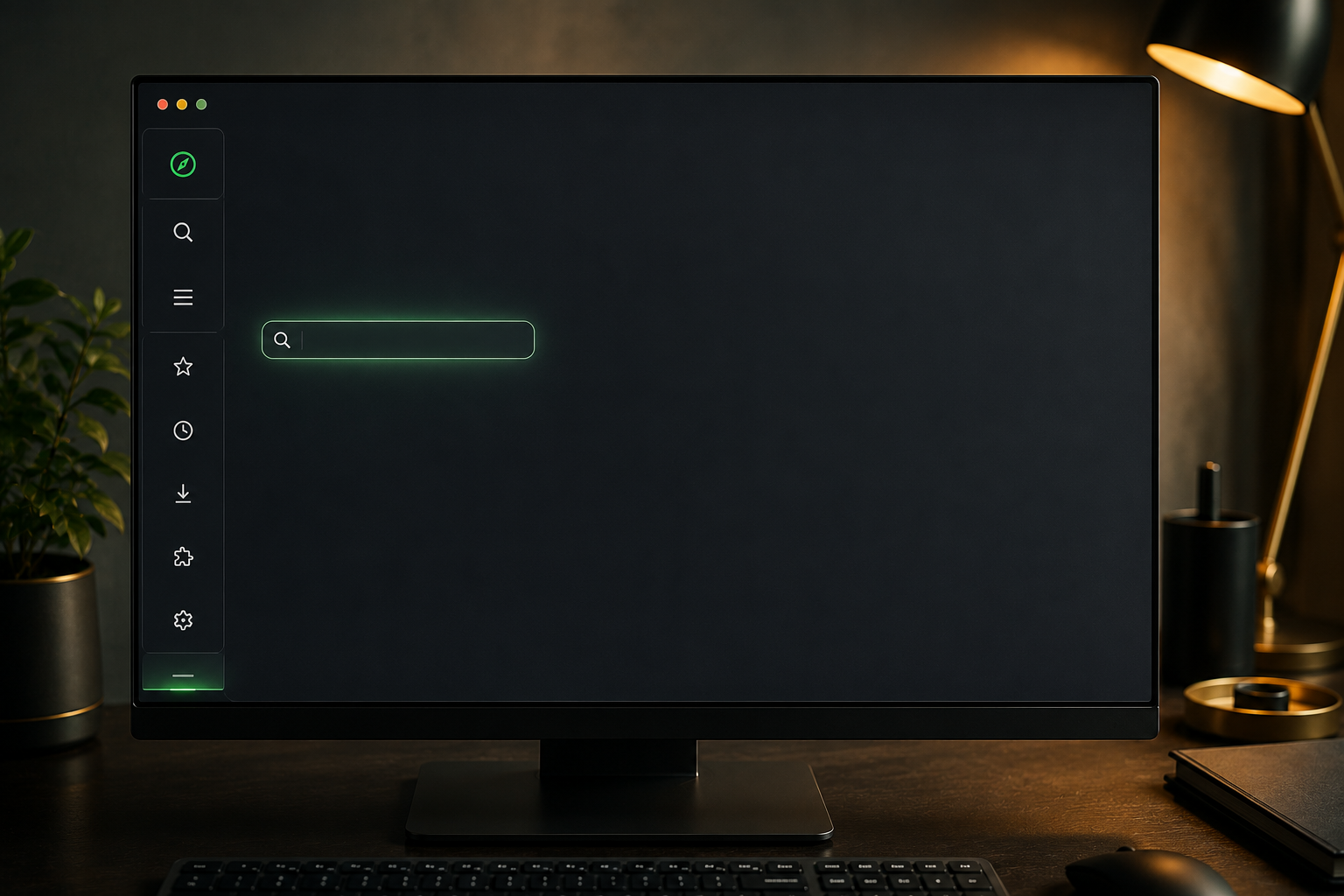
The tabs live on the left side of the screen instead of across the top.
Decades of muscle memory told me that was wrong, but I kept going anyway.
The Sidebar That Broke My Brain (In a Good Way)
My search bar was not at the top either.
It had moved into the sidebar, next to the tabs, which took real adjustment.
Zen’s own branding promises a calmer internet experience, and for the first day or two, I mostly felt confused instead of calm.
But that changed the moment I opened a new tab.
Unlike Edge or Opera, which love to bombard you with news feeds and sponsored content, Zen just gives you a blank search bar.
No ads, no clutter, no distractions.
That single design choice already made this feel like a strong contender for best browser to save money on wasted attention in 2026.
It respects your time in a way most browsers stopped doing years ago.
Essentials and Spaces: Tabs That Finally Make Sense
If you are the kind of person who keeps thirty tabs open at once, Zen’s Essentials section was built for you.
You pin your most-used sites, like email or YouTube, directly into a permanent row in the sidebar.
One click and you are there, no digging through a graveyard of open tabs.
There is also a Spaces section for pages you want to revisit later, functioning almost like a built-in bookmark folder.
Together, these two features cut down the time I used to waste hunting for the right tab.
For anyone trying to build a leaner, more efficient workflow, this is where the best browser to save time and money argument really starts to click.
I stopped duplicating tabs out of panic, which sounds small, but it added up fast.
Less friction meant fewer accidental purchases from tabs I forgot I had open.
👉Get Access to : The Medium Mastery
The Feature That Actually Helped Me Save Money
Here is where things got genuinely useful.
Zen’s sidebar takes up screen space, which annoyed me until I found the compact mode toggle.
One click and the sidebar slides out of view, sliding back in only when I hover near the edge.
Suddenly my whole screen was just content, clean and uninterrupted.
There is even a small media player at the bottom for YouTube videos or background music, so you never have to hunt for the right tab to pause a song.
This is the kind of small, thoughtful design that makes a browser feel less like software and more like a tool built for real people.
Automating Smarter Purchases With Make
While testing Zen, I also revisited something I had built using Make, an automation platform I already rely on for research-heavy work.
Whenever I want to research a product before buying it, I use a Make workflow that pulls reviews from YouTube, Reddit, and Amazon all at once.
An AI agent inside the workflow flags patterns, like reviewers praising battery life early on while later reviews report degradation months later.
It also tracks pricing history, so if a product tends to drop in price after launch, I get warned before I buy on day one.
Instead of scrolling through twenty conflicting opinions, I get one clean breakdown built from real data.
Pairing that kind of automation with a fast, distraction-free browser like Zen is genuinely one of the more practical ways to avoid impulse spending in 2026.
This is not a guaranteed $10,000 in savings, but avoiding even a handful of bad purchases a year adds up quickly.
If you want a head start building your own AI-powered systems like this one, this is a great place to start: 👉Free download : The Claude AI Digital Product Starter Pack — 10 Done-For-You Prompts for Beginners
Privacy Settings That Actually Respect You
Since I was already in the settings menu, I poked around the privacy and security section.
Two things stood out immediately.
First, there was no buried data collection toggle hidden at the bottom of the page like Firefox has.
Zen’s privacy policy confirms they stripped out Firefox’s built-in telemetry entirely, meaning there is far less data being quietly collected in the background.
Second, the Do Not Track setting is switched on by default.
That setting will not stop determined tracking through fingerprinting, but the intent behind it says something about who this browser is built for.
For anyone chasing the best browser to save money and protect their personal data at the same time, this section alone makes a strong case.
It is refreshing to use a browser that is not quietly working against you.
Glance View and Split View: Small Features, Big Time Savings
Links are unavoidable, and clicking one is usually a gamble between opening a new tab or hijacking your current page.
Zen solves this with something called Glance View.
Instead of opening a full new tab for a quick link, like a package tracking page, a small window pops up right over your current page.
You check it, close it, and you are right back where you started, no new tabs, no back button.
There is also a hidden split view feature, letting you view up to four tabs side by side in one window like a built-in tiling manager.
For anyone juggling research, writing, and business tasks at once, this alone saves a meaningful amount of daily friction.
Small time savings like this stack up fast across a work week.
It is one of the clearest examples of thoughtful design actually solving a real problem.
Customizing Everything With Zen Mods
Zen also has an active community building custom mods, and installing one takes a single click.
Some mods just change the visuals, like rounded corners or custom cursors.
Others are genuinely functional, like a mod that shrinks the oversized search bar to something more reasonable.
Another highlights which tabs have been unloaded to save memory, graying them out so you know exactly what is using your resources.
My personal favorite was a mod called Super Pins, which lets you resize and rearrange your Essentials tabs so the layout never looks cluttered.
If something about Zen bothers you, there is a good chance someone already built a fix for it.
This level of community-driven customization is rare, and it is part of why Reddit users rallied so hard behind this browser.
👉Get Access to : The AI Blog Monetization Quickstart Guide
The One Big Catch Nobody Warns You About
As much as I liked Zen, I kept waiting for the catch, because nothing is perfect.
The sidebar takes adjustment, but that is a design choice, not really a flaw.
The real catch is streaming.
Zen cannot play DRM-protected content like Netflix or Spotify on Windows or Mac, because it lacks a license from providers like Widevine, FairPlay, or PlayReady.
Most mainstream browsers already have Widevine licensing built in, but Zen, as a smaller project, does not yet.
Interestingly, this is not an issue on Linux, since Google provides Widevine access at the operating system level for free.
For Windows and Mac users, though, this is a real dealbreaker if streaming is part of your daily routine.
It is the one thing standing between Zen and being a true daily driver for most people right now.
Is This Really the Best Browser to Save Money in 2026?
After weeks of daily use, my answer is a cautious yes, with conditions.
Zen will not hand you a literal $10,000 check, and no browser can promise that.
What it can do is cut down on wasted time, reduce ad-driven distractions, and pair beautifully with automation tools like Make to help you make smarter purchasing decisions.
Combined with a leaner digital workflow, those savings in time and avoided impulse spending can genuinely add up over a year.
If you are building any kind of online income stream and want your tools working as hard as you do, this is worth testing for yourself.
👉Get Access to the full Package: Start a 1-Person Business With Claude AI
For anyone building content or a digital product business the way I do, having the right systems matters just as much as having the right browser.
👉Get Access to : The AI Traffic Vault walks through the exact traffic systems I use across Medium, Bing, and AI search tools.
And if you are just starting out and want a simpler entry point, 👉Get Access to : The Medium Mastery breaks down the Medium-specific strategy in detail.
Zen Browser is still in beta, and it is only going to keep improving from here.
It already beat Firefox in a head-to-head Reddit vote by a wide margin, and after using it myself, I understand why.
👉Free download : Start a 1-Person Business With Claude AI — Free Quick-Start Guide

We strongly recommend that you check out our guide on how to take advantage of AI in today’s passive income economy.