10+ Seedance 2.5 Prompts You Need to Try—$0 to Viral AI Videos
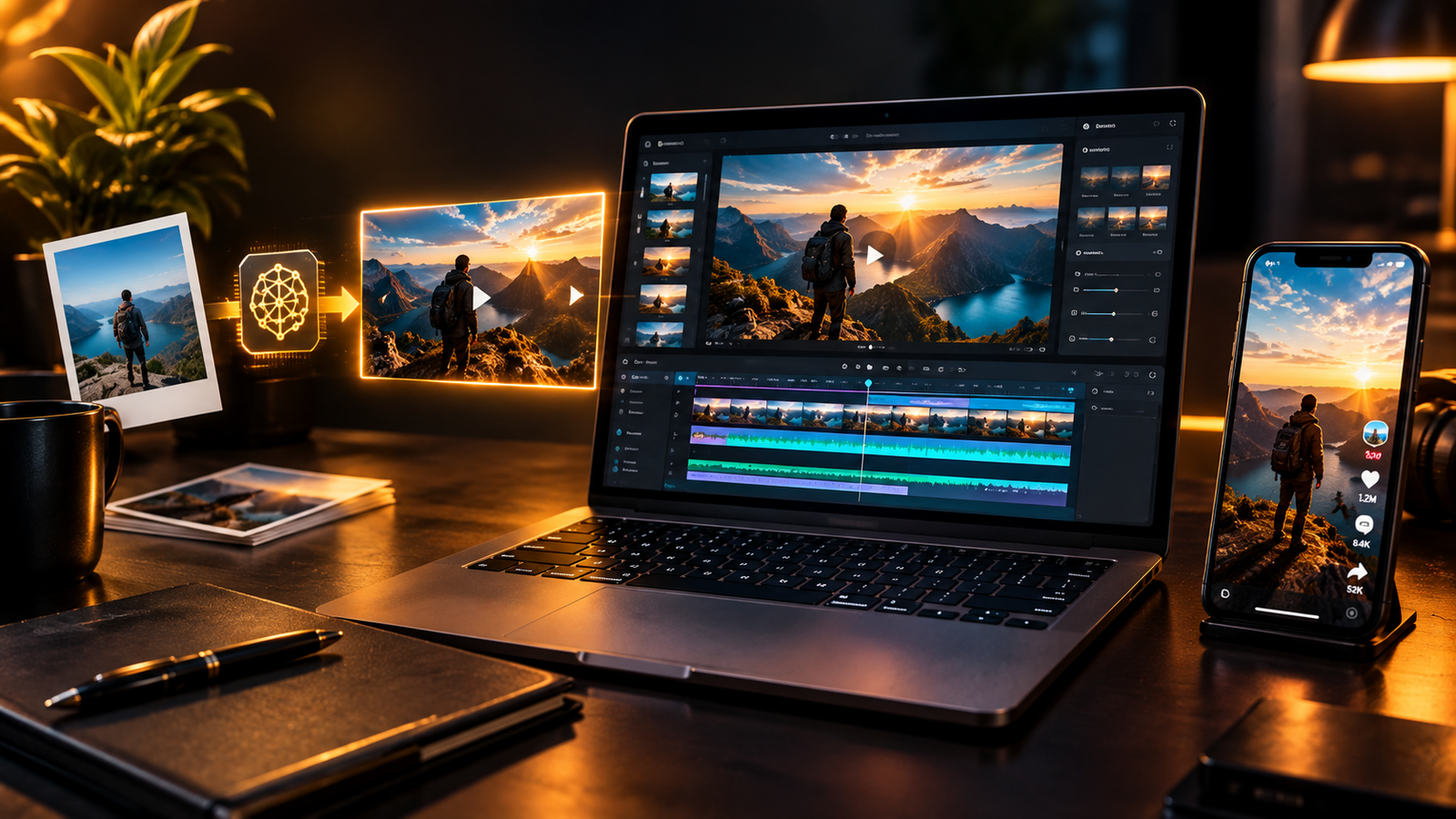
Seedance 2.5 AI video prompts let anyone turn a single selfie, product photo, or old vacation picture into a cinematic video that looks like it came from a full production team, using ByteDance’s newest AI video model instead of a camera crew, a studio, or a paid budget.
This guide breaks down more than 10 of those exact prompts.
You will see the structure behind each one, the tools that actually run them, and how creators are using Seedance 2.5 AI video prompts to make ads, pranks, vlogs, and viral social clips for free.
👉Free download : Start a 1-Person Business With Claude AI — Free Quick-Start Guide
Table of Contents
What Is Seedance 2.5 and Why It Matters for Creators
Seedance 2.5 is ByteDance’s flagship AI video model, and it is built to solve the exact problems that used to make AI video look fake.
It generates a full 30-second scene in one single pass instead of stitching together short clips.
It accepts up to 50 reference inputs at once, including images, video, and audio, so a character’s face, outfit, and voice stay locked in place from the first frame to the last.
It also renders native audio in the same pass as the visuals, so dialogue and sound effects land in sync instead of feeling glued on afterward.
The most popular way to run Seedance 2.5 right now is through Higgsfield, a creative video platform that bundles Seedance alongside 50 or more other image, video, and audio models under one subscription.
Higgsfield also ships its own Cinema Studio camera controls and a character-consistency tool called Soul ID, which makes it much easier to keep the same face and outfit across every Seedance 2.5 AI video prompt you try.
For creators who also want a repeatable system for turning ideas like this into an actual income stream, this is exactly the kind of workflow covered inside Start a 1-Person Business With Claude AI.
👉 Get Access to the full Package: Start a 1-Person Business With Claude AI
Prompt 1: The Time Freeze Effect
This is the prompt behind those viral “the world stops around me” clips.
You start by uploading a character reference image, which can be a simple selfie or a full character sheet of yourself.
From there, the Seedance 2.5 AI video prompt describes four layers in order: the character, the scene, the visual style, and the camera move.
The scene is where you customize the action, for example two people bumping into each other right before everything around them freezes mid-air.
Keep the visual style and camera direction consistent so the model has less room to drift.
A fast trick many creators use is pasting a working prompt structure like this into Claude and asking it to swap in a new character or scene while keeping the format intact.
To generate it, open Higgsfield, choose Seedance 2.5, upload your reference image, paste the prompt, and set your duration.
If the final video is going straight to Instagram Reels, TikTok, or YouTube Shorts, rendering at 720p instead of 1080p saves credits without hurting quality on a phone screen.
Prompt 2: Fast, Believable UGC Product Ads
This Seedance 2.5 AI video prompt is built for anyone selling a physical product without hiring an actor.
Upload a clear reference image of the product itself, skip the character reference entirely, and let Seedance 2.5 generate its own presenter.
The prompt should describe the scene context, the setting, and one continuous long take that mimics a real UGC-style vlog review.
This works especially well for beauty, skincare, and small consumer goods, where a casual one-take review feels more trustworthy than a polished commercial.
Once you have a version you like, Higgsfield’s ad-multiplier workflow, which connects through an MCP integration with Claude, can take your best-performing ad and regenerate new versions with a different product or character automatically.
That single feature turns one winning Seedance 2.5 AI video prompt into an entire ad library.
👉Get Access to : The AI Blog Monetization Quickstart Guide
Prompt 3: The Paparazzi Moment
If you want to feel famous for ten seconds, this prompt recreates a fake paparazzi scene around your own reference photo.
You control where the crowd surrounds you, what they are shouting, and what kind of car eventually picks you up.
Because this is a short, high-energy Seedance 2.5 AI video prompt, keep the description tight and let the model handle the crowd motion and camera shake.
Prompt 4: The Prank Reveal
This is the one people screenshot and send to their group chat.
Start with a real photo of a room, desk, or setup, then describe a specific destructive action happening to it, such as a person calmly pouring water over the whole desk.
The trick to a believable Seedance 2.5 AI video prompt here is describing the video as a 10-second smartphone clip, which pushes the model toward realistic handheld motion instead of a cinematic sweep.
Always review the draft closely before rendering, since small continuity errors, like a prop appearing out of nowhere, are common in first attempts and worth a quick regeneration.
Prompt 5: The AI Influencer Day-in-the-Life Vlog
This prompt is built for anyone running a recurring AI persona or faceless brand account.
The structure follows a handheld, early-2000s filming style, a defined vlog personality, and a real weekday timeline broken into short dialogue beats.
Because attention spans are short, plan for fast cuts, ten scenes or fewer, and roughly three seconds of screen time per beat inside a 30-second Seedance 2.5 AI video prompt.
This format pairs naturally with a Claude-built content calendar, which is one of the exact systems detailed in Start a 1-Person Business With Claude AI — Free Quick-Start Guide.
👉Free download : Start a 1-Person Business With Claude AI — Free Quick-Start Guide
Prompt 6: The Full-Body Transformation
This prompt turns you into a zombie, a superhero, or anything else you can describe in words.
The structure walks through location, the character’s physical state, an external trigger like a police warning, and then a slow physical transformation described in specific, escalating detail.
The more precisely you describe the transformation, the better Seedance 2.5 AI video prompts like this hold together, since the model is essentially following stage directions.
Prompt 7: Flying on a Creature
This prompt powers the trend where a character rides an eagle, a dragon, or another creature across a dramatic landscape.
Start with a character sheet built from two or three reference photos, then describe an introduction shot, a camera transition, an acceleration beat, and a leap into flight.
This is a longer, multi-beat Seedance 2.5 AI video prompt, so writing it inside Claude first and asking it to follow a proven structure saves a lot of trial and error.
Prompt 8: Blender Camera References
This is more of a technique than a single prompt.
Creators are using the Blender MCP integration with Claude to build a simple 3D scene and lock in a specific camera move, then feeding that reference video into Seedance 2.5 alongside an image reference.
Seedance 2.5 reads the camera motion from the video and applies that exact movement to the new AI-generated scene, which is one of the more advanced Seedance 2.5 AI video prompts on this list.
Prompt 9: The Cinematic Character Intro
This is the video game-style hero introduction, and it takes two models to build.
First, generate a stylized character portrait using Seedream 5.0 Pro, ByteDance’s companion image model, by uploading a selfie and describing the desired look in detail.
Then feed that image into a Seedance 2.5 AI video prompt that names the character explicitly, spells out the name carefully to avoid errors, sets the video length, and lists clear restrictions on what not to include, such as extra scene changes or an unwanted storyline.
Removing audio entirely from this type of prompt keeps the focus on movement and typography instead of dialogue.
Prompt 10: The Fight Scene
This prompt puts you in a fight scene against any character you can imagine.
Describe both fighters, the setting, and the outcome you want, and adjust the intensity or the winner by changing a single line in the prompt.
Prompt 11: POV Cooking
This one surprised a lot of creators when it started showing up on social feeds.
The prompt uses a first-person camera angle and walks through a recipe step by step, from prepping ingredients to plating the final dish, essentially reading a recipe out loud to the model.
It is not a replacement for real cooking content, but as a Seedance 2.5 AI video prompt for a fast-growing niche channel, it opens up a genuinely new content format.
👉Get Access to : The Flipboard Traffic Workflow Kit
Prompt 12: Fake CCTV Footage
This prompt is built for pranks and comedic skits.
Describe a fixed high-angle camera, such as the corner of a small store, then write out the scene in short timestamped beats.
Adding light grain and slightly desaturated color afterward makes the final Seedance 2.5 AI video prompt look even more convincing as real security footage.
Prompt 13: Mixing Real Footage With AI Footage
This prompt blends a real recorded clip with an AI-generated continuation.
Record a short real video, such as opening a door, then describe what happens the moment that door opens, whether it is a creature appearing or a portal into another environment.
This hybrid approach is one of the most shareable Seedance 2.5 AI video prompts because viewers often cannot tell where the real footage ends and the AI begins.
Prompt 14: The Photo-to-Vlog Travel Recap
This final prompt turns a folder of old vacation photos into a short cinematic travel vlog.
Upload the images in order, add a short voice clip of yourself as a voice reference, and describe what should happen during each photo, such as a specific line of narration or camera movement.
Seedance 2.5 stitches the images into one continuous scene and narrates it in a voice that matches your own, which makes this one of the easiest Seedance 2.5 AI video prompts for repurposing content you already have sitting in your camera roll.
👉Get Access to : The AI Traffic Vault
How to Turn These Prompts Into Consistent Content
Trying all 14 Seedance 2.5 AI video prompts once is fun, but the real value comes from turning a handful of them into a repeatable content system.
Pick two or three formats that fit your niche, whether that is UGC-style product ads, faceless vlogs, or travel recaps, and build a simple rotation you can repeat weekly.
Writing each Seedance 2.5 AI video prompt inside Claude first, using a saved prompt template, cuts down the trial-and-error dramatically compared to starting from a blank page every time.
If you are also publishing written content around your videos, the same distribution principles apply on Medium, where a clear structure and consistent publishing schedule matter more than any single viral post.
👉Get Access to : The Medium Mastery
For creators building a wider content and digital product business around AI tools, a prompt-based starter system removes most of the guesswork.
👉Free download : The Claude AI Digital Product Starter Pack — 10 Done-For-You Prompts for Beginners
Final Thoughts on Seedance 2.5 AI Video Prompts
Seedance 2.5 AI video prompts are proving that a real budget, a camera, or a production team are no longer requirements for making video content people actually want to share.
Every example in this article, from the time freeze effect to the photo-to-vlog recap, started with nothing more than a reference photo and a carefully written prompt.
The creators seeing the best results are the ones testing consistently, refining their prompt structure inside Claude, and treating each video as one small experiment in a much bigger content system.
👉Free download : Start a 1-Person Business With Claude AI — Free Quick-Start Guide
We strongly recommend that you check out our guide on how to take advantage of AI in today’s passive income economy.