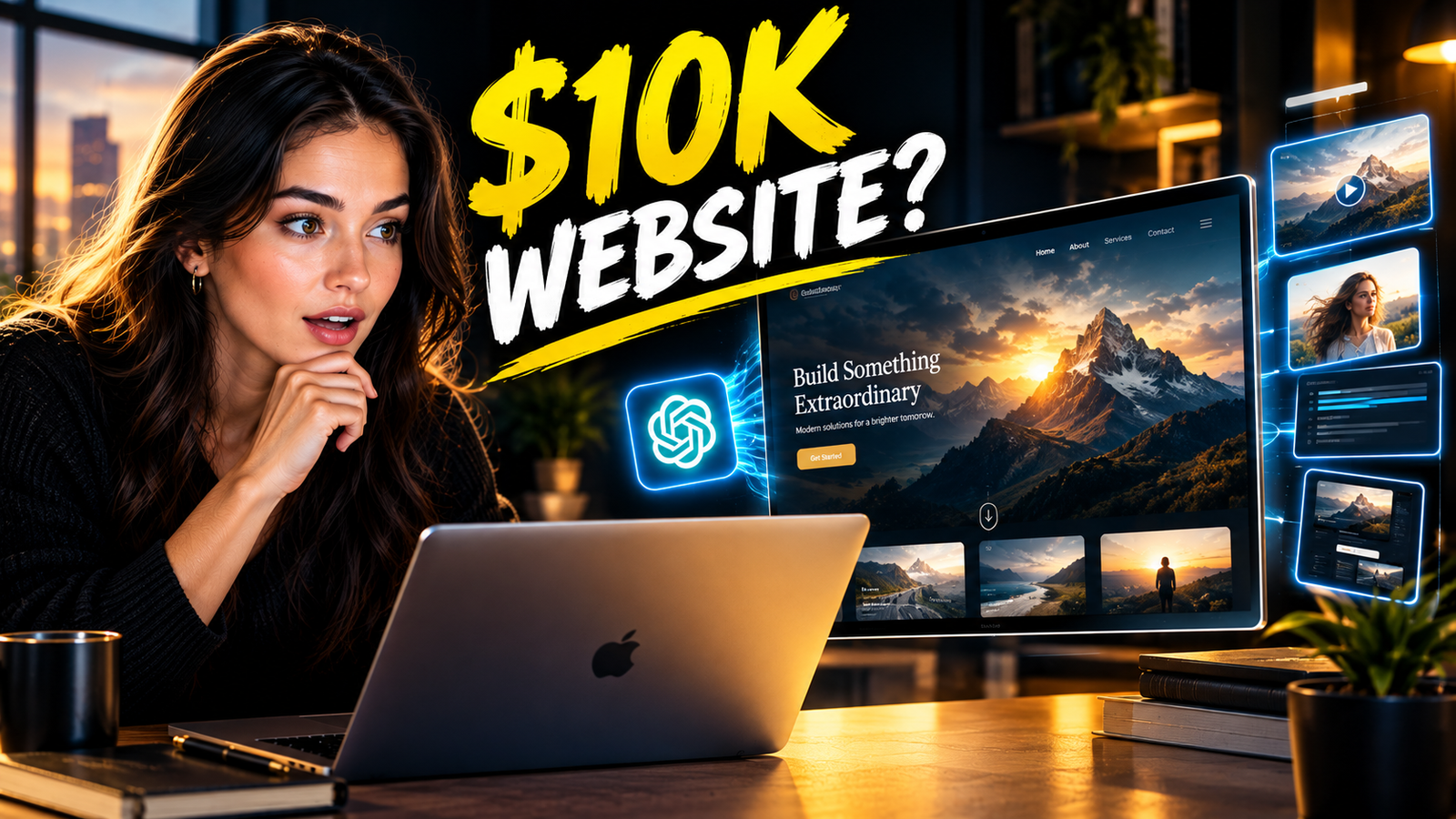
GPT-6 Astra Built a Full Cinematic Website With Video Backgrounds — I Documented Every Step
GPT-6 Astra cinematic website builder is now one of the fastest ways to create a professional, visually stunning website without hiring a designer or spending thousands of dollars.
In 2026, solo creators and small business owners can use GPT-6 Astra inside the ChatGPT desktop app, paired with an AI image and video generation tool like Higgsfield, to produce websites with scroll-triggered video animations, custom AI-generated images, and cinematic hero sections that look like they came out of a top-tier creative agency.
This article walks you through the exact process, step by step.
👉 Free download : Start a 1-Person Business With Claude AI — Free Quick-Start Guide
Table of Contents
Why the $10K Website Era Is Over for Solo Creators
There was a time when a website that looked truly premium cost a small fortune.
You needed a creative director to map out the visual concept.
You needed a UI/UX designer to build the wireframes and layouts.
You needed a developer to write the code and bring the animations to life.
You needed a photographer or videographer to shoot the custom visuals.
And when you put all of that together, the bill easily crossed $5,000, often climbing past $10,000 depending on the scope of work.
For solo entrepreneurs, content creators, and small business owners, that price tag was simply not realistic.
So most people settled — they picked a generic WordPress or Squarespace template, swapped out the placeholder images, and hoped their business would still look credible enough to attract clients.
But 2026 changed the game completely.
The GPT-6 Astra cinematic website builder capability, when combined with tools like Higgsfield for AI video and image generation, has made it possible for a single person with no design or coding background to produce a website that genuinely looks like it was built by a professional team.
Not a template.
Not a drag-and-drop builder that looks like everyone else’s.
A fully custom, visually rich, animation-driven website that stands out immediately.
👉 Get Access to : The AI Traffic Vault
What GPT-6 Astra Actually Does When You Ask It to Build a Website
Most people expect GPT-6 Astra to just write HTML and hand it back to you.
What actually happens is far more impressive.
When you open the ChatGPT desktop app and select GPT-6 Astra with the thinking level set to high, the model does not just produce code.
It reasons through the visual layout, the user experience flow, the section hierarchy, and the micro-details of what makes a landing page feel intentional.
It thinks about your target audience, your conversion goal, your color palette, and the kind of emotional tone the page should carry — all from a simple description you give it in natural language.
You are not clicking buttons or choosing from pre-built blocks.
You are having a conversation with an AI that understands design well enough to make smart decisions on your behalf, and then writes the code to execute those decisions.
The GPT-6 Astra cinematic website builder workflow starts with a folder on your computer.
Inside the ChatGPT desktop app, you connect a local project folder, and every file that GPT-6 Astra creates — the HTML, CSS, JavaScript, image files, video files — gets saved directly there.
This means your website is not locked inside any platform.
It is a real, exportable website you can host anywhere you want.
That alone is worth more than most people realize when they first start using this workflow.
Setting Up Your Project Folder and Model Selection
Before you type a single word of your website description, you need to get your environment right.
Open the ChatGPT desktop app and make sure you have “Work” selected at the top of the interface.
This tells ChatGPT that you want it to operate with file access and project-level context rather than just answering questions conversationally.
Next, you create a new folder on your computer where all your website files will live.
Name it something clear and connected to your project — for example, “StillPine-Website” if you are building a site for a mountain cabin retreat.
Inside the desktop app, you attach that folder, and from that point forward, every file GPT-6 Astra creates will land in that folder automatically.
Then you click the model selector and choose GPT-6 Astra from the list.
You will also see an option to choose the thinking level — low, medium, or high.
For a website project that involves layout decisions, animations, and visual design choices, you want to set this to high.
The higher thinking level means GPT-6 Astra takes a few extra seconds to reason through what you have asked before it writes any code, and the quality difference in the output is very noticeable.
This small setup step takes less than two minutes, but it is what separates a mediocre result from something that genuinely impresses.
👉 Get Access to : The AI Traffic Vault
How to Describe Your Website So GPT-6 Astra Builds Exactly What You Visualize
This is where most people make their first big mistake.
They type something like “build me a website for my cabin rental business” and then feel disappointed when the result looks generic.
The GPT-6 Astra cinematic website builder responds directly to the richness of the description you give it.
The more context you include, the more intentional and specific the output becomes.
Think of it less like filling out a form and more like briefing a talented creative team who genuinely wants to understand your vision.
Here is the kind of description that produces a truly beautiful first draft.
You want to tell GPT-6 Astra the name of the business, what the business does, who the typical visitor is, and what you ultimately want that visitor to do when they land on the page.
For a mountain cabin retreat called Stillpine — a quiet lakeside getaway for couples — you would describe the rustic warmth of the space, the pine trees, the open mountain views, the soft light coming through the windows, and the feeling you want guests to experience when they arrive on the page.
You would mention the color palette you have in mind — deep forest green, warm cream tones, the earthy richness of cabin-core aesthetics.
You would describe the structure of the page — a large hero section at the top, a property information section in the middle, and an inquiry form at the bottom.
You would also tell it what not to include — no fake reviews, no placeholder prices, no booking availability that is not real yet.
And critically, you would tell it to build the layout first and leave placeholders for images and animations, rather than trying to generate everything in one pass.
This staged approach is what makes the final result feel polished rather than rushed.
Using the dictation tool inside the ChatGPT desktop app to speak your description out loud — rather than typing it — helps you stay in the natural, conversational mode that gets the best responses from GPT-6 Astra.
Reviewing and Refining the Initial Layout
Once GPT-6 Astra finishes generating your first draft, it opens a live preview inside the desktop app.
The first version will not be perfect, and it is not supposed to be.
Think of it as a strong rough draft — the structure is there, the sections are in the right places, the color palette is applied, and the typography reflects the tone you described.
What it will be missing at this stage is the visual energy that comes from real images and animations.
The hero section will have a gray placeholder where your main image should go.
The page will feel static and flat without the scroll-triggered animations that make a premium website feel alive.
But before you add any of that, this is the right moment to make structural changes.
If you want the hero image to fill the entire background rather than sitting boxed off to one side, you tell GPT-6 Astra exactly that in the chat.
“Instead of the image sitting in a boxed section on the right, make it the full background of the hero section at the top.”
GPT-6 Astra updates the code and regenerates the preview in seconds.
This back-and-forth conversational refinement is where the GPT-6 Astra cinematic website builder workflow starts to feel genuinely different from anything that existed before in web design.
You are not hunting through menus or adjusting CSS properties manually.
You are talking to the tool like a designer who happens to know how to write code.
Using Higgsfield to Generate Custom AI Images for Your Website
Once the layout feels right, it is time to bring in the visuals.
Higgsfield is a dedicated AI image and video generation platform that integrates directly with ChatGPT through a plugin connection inside the desktop app.
To connect it, you go to the plugins section inside the ChatGPT desktop app, search for Higgsfield, and click the connect button.
It opens Higgsfield in your browser, you log in, confirm the connection, and from that point on, GPT-6 Astra can call Higgsfield directly from inside your chat to generate images and videos.
This integration is what makes the GPT-6 Astra cinematic website builder workflow so powerful compared to any single tool used alone.
For the Stillpine cabin retreat example, the first image you need is a wide, photorealistic hero image — a mountain property beside a lake, a single timber cabin clearly visible from the front, pine trees surrounding the scene, warm evening light washing across the landscape with no people and no text anywhere in the frame.
You describe this to GPT-6 Astra, it passes the prompt to Higgsfield, and Higgsfield returns a generated image within a minute or two.
The first result will be close, but you can keep refining it.
If the cabin front needs more glass to give it that open, modern-rustic feel, you tell GPT-6 Astra what to change and it sends an updated prompt to Higgsfield.
If the mountains in the background need to feel more dramatic and epic, you say that too.
Within two or three iterations, you end up with a hero image that looks like it was shot on location by a professional photographer with a $10,000 lens and hours of golden hour timing.
👉 Get Access to : The Medium Mastery
Turning a Single Image Into a Cinematic Scroll Video
Here is where the process goes from impressive to genuinely jaw-dropping.
Once you have a hero image you love, Higgsfield can take that still image and generate a short cinematic video from it.
You ask GPT-6 Astra to instruct Higgsfield to create a 10-second video where the camera slowly moves through the front door of the cabin and begins to walk inside.
Higgsfield uses the image you already generated as the starting frame, which means the visual consistency is preserved.
The lighting stays the same, the layout of the space stays the same, the warm tones and the mountain backdrop in the distance stay the same.
What changes is that the scene comes alive.
The doors appear to open, the camera drifts forward, and the viewer gets the feeling of actually arriving at this space.
This is the kind of cinematic motion that previously required a videographer, a drone operator, and hours of post-production editing.
With the GPT-6 Astra cinematic website builder workflow and Higgsfield working together, you get the video in minutes.
Before it is added to the website, GPT-6 Astra delivers a preview so you can review the footage and confirm it matches what you envisioned.
When you approve it, you ask GPT-6 Astra to embed it into the hero section — but not as a simple autoplay background video.
Instead, you ask it to set up what is called scroll scrubbing.
👉 Get Access to : The Flipboard Traffic Workflow Kit
What Scroll Scrubbing Is and Why It Makes Your Website Feel Like a $10K Build
Scroll scrubbing is a web animation technique where a video does not play on its own — instead, the playback is controlled entirely by how far the user has scrolled down the page.
When the user scrolls down, the video plays forward.
When the user stops scrolling, the video pauses at exactly that frame.
When the user scrolls back up, the video plays in reverse.
It creates the sensation of moving through a space — like the website is not a flat page but a living environment you walk through with your eyes.
Big-budget agency websites use this technique all the time.
Luxury hotels, high-end real estate listings, premium product launches — scroll scrubbing is the signature move of websites that cost tens of thousands of dollars to build.
With GPT-6 Astra and the cinematic website builder workflow, you implement it by telling GPT-6 Astra exactly what you want in plain language.
“Use the video to create a full-screen scroll scrubbing opening section. Keep the scene pinned while scrolling moves from the first to the last frame. Hold the position when scrolling stops and reverse when scrolling back up. After the final frame, move on to the next section of the website. Use the actual footage with no autoplay or looping.”
GPT-6 Astra writes the JavaScript to make this happen, embeds it into your project files, and updates the preview.
When you scroll the page, the cabin video plays frame by frame in response to your movement.
It is one of those moments that makes you stop and realize how dramatically the tools have changed.
👉 Free download : Start a 1-Person Business With Claude AI — Free Quick-Start Guide
Adding Custom AI-Generated Icons, Photo Collages, and Section Animations
A beautiful hero section is only the beginning of what makes a website look premium.
The details throughout the rest of the page matter just as much as the opening visual.
With the GPT-6 Astra cinematic website builder workflow, you can ask GPT-6 Astra to use Higgsfield to generate custom icons that match the color palette of your hero image — picking up the warm amber tones of the cabin lighting, the cool grey of the mountain peaks, and the natural richness of the pine wood grain.
These icons are created specifically for your website, not pulled from a generic icon library that thousands of other websites use.
For a section like “The Luxury of Doing Less” — which might feature three key highlights of the cabin experience — having custom icons that feel designed for this brand specifically is the kind of detail that separates a memorable website from a forgettable one.
You can also ask GPT-6 Astra to generate a photo collage section using Higgsfield, where each image shows the same property but from a different angle or context.
One image might show the cabin from the front at dusk.
Another might show the view from the back porch looking out over the lake.
Another might show a close-up of the fireplace lit up inside the cabin.
Higgsfield generates each of these images with visual consistency — the same light quality, the same cabin aesthetic, the same color temperature — even though each image shows something different.
The result is a photo section that looks like a professional photographer spent a full day on location shooting the property from every angle.
And when you add scroll animations to the rest of the page — where each section of text and imagery reveals itself smoothly as the user scrolls down — the entire website starts to feel like something that belongs on the front page of a design award showcase.
👉 Get Access to : The AI Blog Monetization Quickstart Guide
Building a Booking-Style Reservation Section Without a Developer
One of the most powerful sections of any hospitality or rental website is the booking section — the area where a potential guest can enter their check-in date, checkout date, and number of guests before hitting a reserve button.
Airbnb-style booking interfaces have been the gold standard for years, and they typically require a front-end developer with React or Vue experience to implement cleanly.
With GPT-6 Astra, you describe what you want in plain language and it builds it.
“After the hero section at the top, add a booking section on the right side — similar to the way Airbnb presents it — with fields for check-in date, checkout date, and number of guests, and a button that says Reserve. On the left, add a column that lists nearby activities and things to do in the area.”
GPT-6 Astra writes the HTML and CSS for the booking interface, structures the two-column layout, and populates the local activities list with real suggestions relevant to the location — in this case, Steamboat Springs, Colorado — using its built-in knowledge of the area.
The result is a reservation-ready section that looks professional, functions cleanly, and gives your website the credibility of a real hospitality listing.
No developer required.
No booking platform subscription required to get the visual right.
Just GPT-6 Astra, a clear description, and a couple of minutes of generation time.
This is the everyday business value that the GPT-6 Astra cinematic website builder delivers for solo creators who want their websites to compete with brands that have full design teams behind them.
👉 Get Access to : Start a 1-Person Business With Claude AI
Adding a Cinematic Ambient Video Section to Your Website’s Footer
The final section of a premium website is often where a lot of builders run out of ideas.
They add a simple contact form, a copyright line, and call it done.
With the GPT-6 Astra and Higgsfield workflow, the footer becomes another opportunity to create an emotional experience for the visitor.
For the Stillpine cabin retreat, the goal was to add a short ambient video of two people sitting on the back porch of the cabin in the early morning, looking out at the lake while drinking coffee — a simple, warm, human scene that anchored the emotional promise of the retreat experience.
Higgsfield generated this video from a text description alone, producing a gentle, cinematic 8 to 10 second clip that felt completely natural and authentic.
GPT-6 Astra then embedded the video into the footer section of the website, set it to autoplay silently on a loop, and applied a visual treatment that caused it to blend softly into the reviews section sitting beside it — so the two columns felt unified rather than disconnected.
The warm morning light, the stillness of the lake, the quiet simplicity of two people enjoying the space — all of it communicated the retreat’s value proposition without a single word of marketing copy.
That is what the GPT-6 Astra cinematic website builder makes possible for creators who understand how to use it intentionally.
Visuals do the selling.
The AI does the building.
You do the directing.
The Iterative Mindset That Turns a Good Website Into a Great One
One of the most important lessons from this entire workflow is that the best results do not come from a single prompt.
They come from a series of increasingly specific refinements made through conversation.
After each generation, you review the preview, identify what is working and what is not, and describe the next change you want.
You might want the buttons to be more rounded with a subtle drop shadow.
You might want the transition between sections to have a soft curved border rather than a hard line.
You might want the color palette to shift slightly from the forest green you started with toward the warmer amber tones that came through in your Higgsfield-generated images.
Each of these changes takes one message in the chat box and about 30 seconds of generation time.
No one is waiting on a design revision request to be approved.
No one is waiting on a developer to free up time in their sprint.
You see a change you want, you describe it, and it happens.
This is what makes the GPT-6 Astra cinematic website builder such a transformative tool for solo creators in 2026 — not just the quality of any single output, but the speed and ease of iteration that was previously impossible without a full agency team behind you.
If you want to build digital products, drive traffic, and monetize your online presence, having a premium-looking website is one of the most important foundations you can build.
👉 Get Access to : The AI Traffic Vault
What This Means for Solo Creators, Freelancers, and Digital Entrepreneurs
The implication of this workflow is significant, and it goes far beyond just one nice-looking website.
For freelancers who offer web design services, the GPT-6 Astra cinematic website builder workflow means you can now deliver $10,000-level quality in a fraction of the time, which means you can take on more clients, increase your margins, or lower your prices to win more business.
For solo content creators and digital entrepreneurs, it means your landing pages, product pages, and personal brand websites no longer have to look like they were built on a free trial of a SaaS platform.
You can now build the kind of website that makes a visitor stop scrolling, look at the screen more carefully, and think — this brand is serious.
That first impression has real financial value.
It affects your conversion rate, your email opt-in rate, your product sales rate, and the kind of partnerships and collaborations that reach out to you.
A premium-looking website signals credibility in a way that no social media presence quite matches, because it shows that you invested the time and attention to build something that feels permanent and intentional.
The GPT-6 Astra cinematic website builder gives solo creators access to that level of credibility for the first time without requiring either a large budget or a technical skill set.
If you want to understand how to drive consistent traffic to that website once it is built, resources like the AI Traffic Vault and the Medium Mastery guide will give you the distribution strategies that match the quality of the site you just built.
And if you are still in the early stages of figuring out how to build a one-person digital business from scratch, the AI Blog Monetization Quickstart Guide is a practical place to start connecting the dots between website quality, content strategy, and income.
Final Thoughts: The Tools Are Here, the Question Is Whether You Will Use Them
A year ago, telling someone they could build a cinematic, scroll-animated, AI-image-powered website in a single afternoon without writing a line of code themselves would have sounded like marketing copy for a product that could not actually deliver.
In 2026, it is simply the accurate description of what GPT-6 Astra makes possible.
The workflow is real.
The tools — the ChatGPT desktop app, the GPT-6 Astra model with high thinking enabled, Higgsfield for AI image and video generation — are all real, publicly available, and work together exactly as described.
The quality of the output, when you approach the process with a clear vision and a willingness to iterate through a few rounds of refinement, genuinely competes with what professional agencies charge five-figure rates to produce.
The $10K website look is no longer a luxury reserved for brands with agency relationships and large creative budgets.
It is now accessible to anyone who is willing to learn the workflow, describe their vision clearly, and trust the GPT-6 Astra cinematic website builder to execute it.
That shift is not a small thing.
It represents a genuine redistribution of creative power in favor of solo creators, small teams, and independent entrepreneurs who have always had the ideas but never had the tools to match the execution quality of bigger players.
Now they do.
👉 Get Access to the full Package: Start a 1-Person Business With Claude AI
We strongly recommend that you check out our guide on how to take advantage of AI in today’s passive income economy.