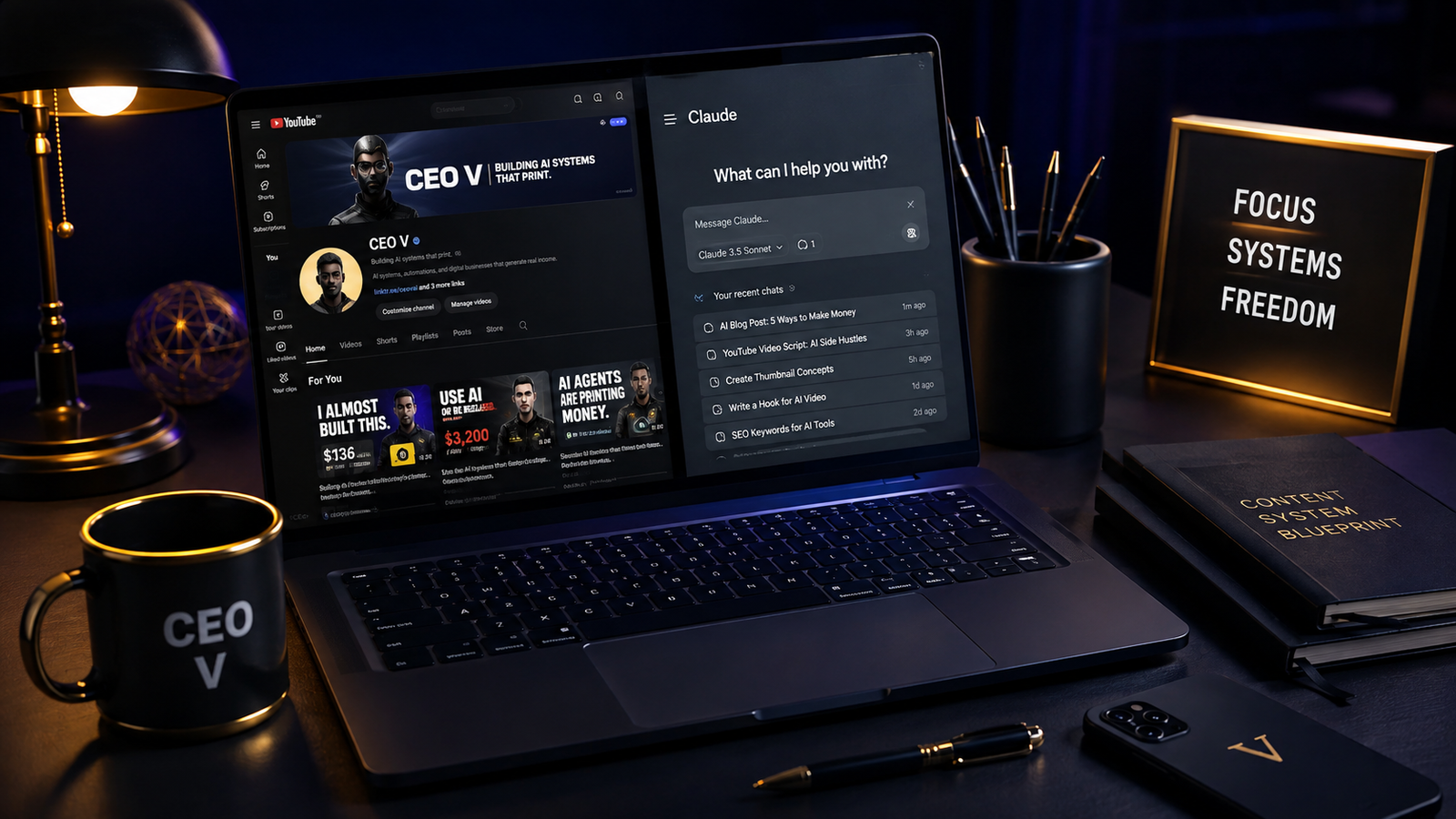
$10K/Month YouTube Channel Cloned for $0 — The Claude Code Workflow
You can legally clone a $10K/month YouTube channel using the Claude Code AI workflow — without copying a single video, stealing a script, or spending any money.
The process involves reverse-engineering the system behind a successful channel, using Claude to analyze transcripts, decode visual styles, generate channel names, write scripts, and build a complete content operation from one competitor URL.
This article walks you through the exact eight-step workflow — rebuilt for the WealthyTent audience in 2026.
👉 Start a 1-Person Business With Claude AI — Free Quick-Start Guide
Table of Contents
Why Most People Think They Need an Original Idea
When most people start a YouTube channel, the first thing they chase is a completely original idea.
They want to make something no one has ever seen before.
They spend weeks brainstorming, outlining, and second-guessing every concept they come up with.
Then they finally publish — and nothing happens.
The video sits at 14 views for three weeks.
Nobody clicks.
Nobody shares.
And the creator walks away thinking the idea was not good enough.
But here is the thing — the idea was never the problem.
The problem was that they were trying to invent something in a vacuum, instead of studying what people are already watching and figuring out why it works.
Because people will watch things you might never expect.
They watch stick men draw diagrams on whiteboards and explain wealth-building in under five minutes.
They watch animated characters narrate stories about ancient civilizations in a calm, cinematic voice.
They watch faceless channels use AI-generated visuals and voiceovers to hit millions of views on zero-dollar budgets.
Some of these channels pull in $10,000 a month or more, and they were built by ordinary people using repeatable systems — not rare creative talent.
That is exactly what the Claude Code AI-powered YouTube channel workflow is designed to help you build.
You are not stealing.
You are not copying.
You are reverse-engineering the system behind channels that already work — and using that blueprint to create something entirely your own.
👉 Get Access to: Start a 1-Person Business With Claude AI
The Difference Between Cloning and Stealing
Before anything else, this needs to be made very clear — there is a line between cloning a channel and stealing from one.
Stealing means taking someone’s script, copying their voiceover word for word, recreating their exact visuals, or lifting their branding.
Cloning means studying the structure behind what they do — the format, the pacing, the hook strategy, the niche, the audience — and using that intelligence to build something original inside the same lane.
Two different channels can cover the same topic in the same style and both grow simultaneously.
If you look at Nick Invests on YouTube, you will find at least two or three other channels operating in the same personal finance and investing space using nearly identical formats, similar thumbnail styles, and the same voiceover tone — and all of them are growing.
That is not a coincidence.
It is proof that when a content format works, it has room for multiple operators.
The Claude Code AI-powered YouTube channel workflow is the tool that lets you find those formats, understand them deeply, and enter the space with your own original channel fully built and ready to publish.
What the Claude Code Workflow Actually Does
The workflow is built inside Claude — Anthropic’s AI assistant — using a master prompt that guides the model through an eight-step channel setup and an eleven-step video generation process.
The master prompt is a structured document that contains everything Claude needs to perform a full channel analysis, generate naming ideas, write channel descriptions, decode visual styles, produce thumbnail guides, and write full video scripts in the voice and style of your reference channel.
You do not need to be a developer.
You do not need to understand code.
You do not need a paid subscription to get started.
The free version of Claude is enough to begin working through the process.
The output Claude produces gives you everything — channel name, description, tags, visual style profile, profile picture prompt, banner prompt, thumbnail style guide, and a full script built around a specific video idea — all from a single channel URL and a handful of video transcripts.
This is what the Claude Code AI content cloning system makes possible, and it is why so many solo creators in 2026 are using it to launch faceless YouTube channels without an editor, a camera, or a team.
👉 Get Access to: The AI Traffic Vault — the full system for building AI-powered traffic across YouTube, Medium, Flipboard, and Bing is inside this guide.
Step 1 — Reference Channel Input
The first step in the Claude Code YouTube channel cloning workflow is providing Claude with the URL of the channel you want to use as your creative reference.
Go to YouTube and find a channel that is performing well in a niche that interests you.
Channels like Zeno, which covers science and big-question content, or Nick Invests, which covers personal finance, are both good examples of channels that have built large audiences using repeatable faceless formats.
Once you have found your reference channel, copy the channel URL from the top of your browser — or tap the share button in the channel’s About section to get the direct link.
Head to Claude, paste the URL into the chat, and hit send.
Claude now has your reference channel loaded as context and is ready to begin the analysis process.
This first step sounds simple, but it is foundational — everything that follows is built on this one input.
👉 Get Access to: The AI Traffic Vault
Step 2 — Channel Analysis and Niche Decoding
With the URL submitted, Claude will ask you to provide two to five video titles and full transcripts from the channel’s most-viewed videos.
These transcripts are what give Claude real intelligence about how the channel actually communicates.
A transcript is essentially the full text of everything spoken in a video — and when Claude reads two or three of them back to back, it begins to recognize patterns in sentence length, vocabulary level, hook structure, script pacing, and narrative rhythm.
To get a transcript, go to any YouTube video from the channel you are cloning and tap the three-dot menu below the video player.
Select “Show Transcript” and then toggle off timestamps so you are left with clean, readable text.
There is a browser extension called VidIQ that has a built-in transcript copy button, which makes this process significantly faster — you click one button and the full transcript is copied to your clipboard instantly.
Collect transcripts from at least three of the channel’s best-performing videos, format them clearly in the chat box — labeling each one as Video 1, Video 2, Video 3 — and hit send.
Claude will return a full niche breakdown that includes content category, target audience age range, vocabulary level, hook structure, script flow formula, retention techniques, average word count per video, and the channel’s growth angle.
This is serious analysis, and it only costs you the time it takes to copy three transcripts.
The Claude Code AI-powered channel analysis this step produces is the kind of competitive research that normally takes a content strategist days to compile manually.
👉 Get Access to: The Medium Mastery — if you are building a blog alongside your YouTube channel, this guide shows you how to drive traffic from Medium directly to your content and digital products.
Step 3 — Channel Name Development
Once Claude has decoded the niche, it generates ten channel name ideas based on the audience type, content tone, and subject matter of your reference channel.
These are not random suggestions.
They are built specifically around the niche intelligence Claude gathered in Step 2 — so the names feel like they belong in the space.
To test whether a name is available on YouTube, copy it, go to YouTube, and navigate to youtube.com/@[namehere].
If the page returns a 404 error, the handle is unclaimed and you can use it.
If a channel appears, that name is taken and you move to the next one.
In the workflow demonstration that inspired this article, the first available name from Claude’s list was “Umbra” — a Latin word meaning shadow — which fit perfectly for a channel covering big-question science and existential topics.
If none of the ten names are available, you can type “new batch” and Claude will generate ten more.
If you already have a name in mind, you can suggest it and Claude will evaluate whether it fits the niche profile.
This step usually resolves in under five minutes, and by the end of it you have a confirmed YouTube handle that is ready to register.
Step 4 — Channel Description and Tags
With the channel name locked, type “continue” and Claude moves directly into generating a complete channel description and a set of YouTube channel tags.
The description Claude writes is not generic filler — it reflects the voice, positioning, and audience of the specific niche you are entering.
It tells viewers exactly what kind of content to expect, signals relevance to the YouTube algorithm, and sets the identity of the channel from day one.
The tags Claude generates alongside the description are keyword phrases that match the content category you are building in.
Tags matter most in the early life of a channel, when the algorithm is still learning what your content is about and which viewers to show it to.
The combination of a well-written description and a focused tag set gives new channels a structural advantage over channels that launch without this groundwork.
This is one of the most overlooked steps in most YouTube launch tutorials — and the Claude Code AI workflow for YouTube channel setup takes care of both in a single response.
Step 5 — Visual Style Analysis
This is where the workflow shifts from text into visuals.
After you type “continue,” Claude asks you to upload three to five screenshots taken from inside the actual videos on your reference channel.
These should not be thumbnails, title cards, or intro screens.
They need to be real frames captured mid-video — moments that show the actual visual language the channel uses in its content.
Go to your reference channel on YouTube, pick two or three of its best-performing videos, and pause at different moments to take screenshots.
You are looking for frames that show the animation style, color palette, lighting, camera composition, character design if applicable, and the overall visual aesthetic the channel uses consistently.
Upload those five frames to Claude and hit send.
The model will return a detailed visual style profile that covers the art style, dominant color palette, lighting approach, character or subject design, and the channel’s overall visual signature.
This profile becomes the foundation for every piece of visual content you create for your channel going forward.
The Claude Code visual analysis system essentially gives you a style guide for a channel that is not even yours yet — and that guide is built entirely from studying what already works.
Step 6 — Channel Branding Asset Prompts
Once the visual style profile is confirmed, type “continue” and Claude generates the prompts you will use to create your actual channel branding.
You receive two things here: a profile picture generation prompt and a channel banner generation prompt.
Both are written specifically to match the visual style Claude analyzed in Step 5.
To turn these prompts into real images, the workflow uses Google Flow — a free AI image and video generation tool from Google that gives users free image generation credits and fifty credits daily for video generation.
Sign in to Google Flow at flow.google.com, create a project, paste the profile picture prompt from Claude into the input field, set the image aspect ratio to 4:3, select the Imagen 3 model, and generate.
For the banner, paste the banner prompt, keep all the same settings, and switch the aspect ratio to 16:9 to match YouTube’s banner dimensions.
Both images generate in under a minute, and you download them at the highest quality available — Google Flow upscales images before download automatically.
By the end of this step, you have a real profile picture and a real channel banner that reflect the visual identity of the niche you are entering — built entirely from Claude’s analysis and Google Flow’s free generation credits.
👉 Get Access to: The Flipboard Traffic Workflow Kit — once your channel is live, use this kit to drive consistent traffic from Flipboard to your videos and blog.
Step 7 — Thumbnail Style Guide
Type “next” in the Claude chat and the model will ask you to upload three thumbnail screenshots from your reference channel.
These are the clickable cover images that appear in YouTube search results, on the channel page, and in the recommended sidebar.
Thumbnails are arguably the most important design element on any YouTube channel — they are the first thing a potential viewer sees before they decide to click.
Claude analyzes the three thumbnails you provide and breaks down every element: text placement and font style, color scheme, subject or character positioning, background composition, and the emotional hook each thumbnail is designed to trigger.
The thumbnail style guide Claude produces from this analysis becomes a repeatable design reference you use for every video you publish.
Instead of starting from scratch each time, you follow the guide — and your thumbnails develop a consistent look that trains regular viewers to recognize your content in the feed.
This kind of branding consistency is what separates channels that grow steadily from channels that plateau after twenty videos.
Step 8 — Full Channel Setup Export
The final step of the first half of the workflow compiles everything Claude has built into one complete, structured document.
Type “continue,” confirm that you want everything compiled, and Claude assembles the full channel setup export — reference channel data, confirmed channel name, description, tags, visual style profile, profile picture prompt, banner prompt, thumbnail style guide, and all supporting notes — into a single response.
If you want this information saved in a portable format, you can ask Claude to convert the entire output into a PDF.
Claude will generate a downloadable PDF containing every element of your channel setup that you can store on your computer and reference anytime you need it.
This document becomes your channel bible — the single source of truth for everything your channel is and how it should look, sound, and feel.
By the end of Step 8, you have a fully built channel foundation and you have not spent a single dollar.
The Claude Code AI complete channel setup workflow produces in under two hours what a branding agency would charge thousands of dollars to deliver.
👉 Get Access to: The AI Blog Monetization Quickstart Guide — pair your YouTube channel with a monetized blog to create two income streams from the same content system.
The Video Generation Workflow — 11 Steps to Your First Script
Once the channel foundation is complete and you have created your YouTube account using the name, profile picture, and banner Claude generated, you move into the second half of the system — the video generation workflow.
This is an eleven-step process that lives in a separate section of the master prompt document.
Open a new Claude chat, paste in the video generation prompt, and hit send.
Claude will walk you through providing the reference channel URL again, submitting two to five transcripts from the channel’s best-performing videos, confirming the niche category, and then generating 25 video ideas tailored specifically to the style, audience, and format of your reference channel.
These are not generic ideas.
They are built from the transcript data, niche analysis, and content patterns Claude identified earlier — so every idea fits the channel naturally.
In the workflow example this article is based on, Claude generated 25 ideas for a channel modeled after a science and big-question creator, including topics like “Why Do We Cry? The Emotion No Other Animal Has,” “The Hidden History of the Body and Mind,” and “Disturbing Experiments That Changed How We See the Brain.”
You pick the idea that interests you most, type the corresponding number, and Claude locks it in.
It then builds the entire video around that idea — target viewer profile, hook strategy, retention techniques, estimated video length, and a full script written in the voice and style of your reference channel.
This is where the Claude Code AI video script generation system becomes genuinely powerful — you are not writing a script, you are selecting an idea and watching Claude build the whole thing from the niche intelligence it has already gathered.
👉 Free download: The Claude AI Digital Product Starter Pack — 10 Done-For-You Prompts for Beginners — use these prompts alongside Claude to speed up your content production workflow even further.
Turning the Script Into a Real Video
Once Claude delivers the full script, the next step is turning it into a voiceover using a free AI voice generation tool.
ElevenLabs is the tool the original workflow uses for this purpose.
ElevenLabs offers a free tier with voice generation credits that is more than enough for a demonstration video or your first few pieces of content.
The voice quality on ElevenLabs is noticeably better than most free alternatives — it sounds natural, paced correctly, and does not carry the robotic flatness that makes AI voiceovers unwatchable.
Paste your script into ElevenLabs, choose a voice that fits the tone of your channel, generate the voiceover, and listen through the full audio before downloading it.
Once you are happy with it, download the MP3 and move to the visual creation stage.
Return to Claude and scroll down to the section of the chat where it generated scene-by-scene image prompts for your video script.
Claude maps each line of the script to a specific image prompt — so for every moment in the video, there is a corresponding visual description you can take directly to Google Flow.
Copy each image prompt one at a time, paste it into Google Flow, set the aspect ratio to 16:9, and generate.
Work through all ten scenes — or more if you are building a full-length video — and save each image as it is produced.
Then open CapCut, create a new project, import all the images you generated, arrange them in the order Claude specified, drag the ElevenLabs voiceover onto the timeline, and sync each image to the line of the script it was generated for.
When everything is aligned, export the video and you have a complete, original YouTube video — built entirely from the Claude Code AI YouTube content production workflow, using zero paid tools and zero camera time.
Why This Workflow Works in 2026
The reason this system works is not because AI is magic.
It works because most successful YouTube channels are built on repeatable systems — not on raw creativity.
The hook structure that gets viewers to watch past the first thirty seconds is a formula.
The four-part script flow — hook, historical or scientific context, specific detail, philosophical zoom-out — is a formula.
The thumbnail layout that drives high click-through rates is a formula.
When you feed Claude enough transcript data from a channel that has already proven its formula works, the model can decode that formula and rebuild it for your channel in a different voice, on a different topic, under a different name.
You are not imitating the channel — you are learning its system and using the Claude Code AI reverse-engineering workflow to enter the same content category with something that is genuinely your own.
This is how content entrepreneurs are building $10,000-per-month YouTube channels in 2026 without a team, without expensive equipment, and without years of trial and error.
What You Need to Run This Workflow
Here is everything required to run the complete Claude Code YouTube channel building system from start to finish:
A Claude account on the free plan at claude.ai.
A Google account to access Google Flow at flow.google.com for free image generation.
An ElevenLabs free account at elevenlabs.io for AI voiceover generation.
The VidIQ browser extension for fast transcript copying — available free in the Chrome Web Store.
CapCut for video editing — free on desktop and mobile at capcut.com.
A YouTube account.
That is the complete tool stack.
Every single one of these tools is free.
No subscriptions.
No paid software.
No upfront investment of any kind.
The only thing the workflow requires from you is your time, your choice of reference channel, and your willingness to follow the steps in order.
Building Beyond the First Video
The workflow described in this article gets you to your first video.
But the real leverage is in what happens after that first video is published.
Because the master prompt document you use to run this system does not expire after one use.
Every time you want to create a new video, you return to the video generation workflow, paste in your reference data, and Claude generates a fresh set of 25 ideas to choose from.
You pick one, confirm it, and Claude builds the full script.
You generate the voiceover with ElevenLabs, create the visuals with Google Flow, and assemble everything in CapCut.
This is a production cycle, not a one-time trick.
Creators who run this cycle consistently — publishing one to two videos per week — are the ones building the channels that hit $10,000 per month in ad revenue, sponsorships, and affiliate income within twelve to eighteen months.
The Claude Code AI-powered YouTube production cycle is the engine behind those results.
And if you want to extend the reach of your YouTube content even further — driving that audience to a blog, building an email list, or selling digital products — the resources below can show you exactly how to do it.
👉 Get Access to: The AI Traffic Vault — the complete playbook for turning AI content into consistent search and social traffic across every major platform.
👉 Get Access to: The Medium Mastery — repurpose your YouTube scripts as Medium articles and build a second traffic channel from the same content.
Final Thoughts
The biggest mistake people make when they look at a $10,000-per-month YouTube channel is assuming the creator has some gift they do not have.
They do not.
What they have is a system.
And systems can be studied, decoded, and rebuilt.
The Claude Code AI YouTube cloning workflow gives you the exact framework to do that — for free, in an afternoon, starting with nothing but a channel URL and a Claude account.
You do not need to be creative from scratch.
You need to be smart about what already works.
You need to study the system, understand why it works, and use the tools available to you in 2026 — Claude, Google Flow, ElevenLabs, VidIQ, and CapCut — to build your version of it.
That is not copying.
That is how content businesses are built.
Start with the reference channel that excites you most.
Run it through this workflow.
Publish your first video.
And then do it again.
👉 Get Access to: Start a 1-Person Business With Claude AI
We strongly recommend that you check out our guide on how to take advantage of AI in today’s passive income economy.