
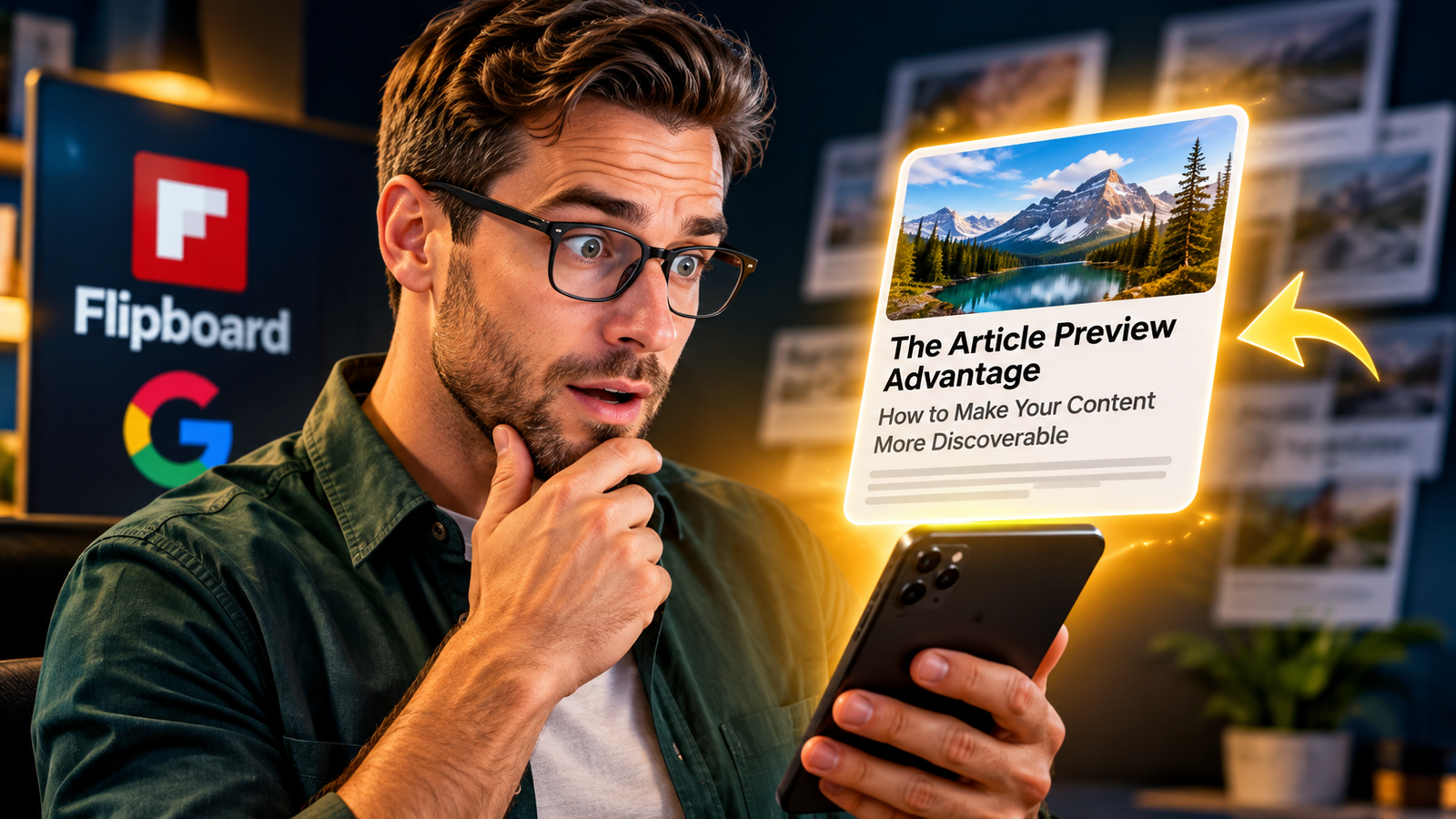
6 Simple Steps to a Preview Strategy That Brings Steady Flipboard Traffic
A Flipboard article preview strategy makes content more discoverable by sharpening your headline, image, and excerpt.
Readers do not see your full article first.
They see a small preview card.
That card shows a headline, a picture, and a short summary.
Google Discover and Flipboard both use those details.
A clear preview helps the right reader stop scrolling.
A weak preview gets skipped, even when the writing is great.
Here is how to fix yours in 2026.
Think about how you scroll your own phone.
You flick past dozens of cards in just a few seconds.
You do not read each article before you decide.
You judge the card, and you judge it very fast.
Your own readers do the same thing with your posts.
That is why a Flipboard article preview strategy matters so much.
It works for solo bloggers, small business owners, and busy creators.
Let me show you how to build one step by step.
👉Get Access to : The Flipboard Traffic Workflow Kit
Table of Contents
Why Readers Judge Your Article Before They Open It
The Scrolling Moment Lasts Only Seconds
Picture a person on a bus holding a phone.
Their thumb moves up the screen in a slow, steady rhythm.
A stack of cards slides past, each with a photo and a few words.
Your article is one of those cards.
The reader has maybe two seconds to decide if it matters.
They are not being rude, because their feed is simply crowded.
A strong Flipboard article preview strategy gives them a reason to pause.
Without that reason, your hard work slips by unseen.
Your Writing May Not Be the Problem
Many bloggers blame their writing when clicks are low.
Sometimes the writing is fine, and the packaging is the real issue.
Think of a great book with a plain gray cover and no title.
Few people would pick it up from a store shelf.
Your preview is the cover of your article.
It tells strangers what is inside and why they should care.
Google and Flipboard both lean on those signals when they show your work.
So fixing the preview can lift an article you already published.
Every preview has three main parts.
The first part is the headline.
The second part is the image.
The third part is the short description, also called the excerpt.
Each part has one job, which is to show real value very fast.
When all three agree, the reader understands your article in one glance.
When they clash, the reader gets confused and keeps scrolling.
The next section breaks down each part in plain words.
The Three-Part Preview Formula
The Headline: Give Readers a Reason to Care
A vague headline is the quickest way to lose a reader.
Take the title “Content Marketing Tips” as an example.
It sounds fine, but it promises nothing special.
Now try “7 Ways to Get More Readers From Articles You Already Published.”
That version names a clear benefit and a clear number.
The reader knows what they will get before they click.
This is the heart of any good Flipboard article preview strategy.
Be specific, be honest, and never promise more than the article delivers.
Picture the headline on a small phone screen.
It sits in dark, bold letters just under a bright photo.
It has to make sense in about eight to twelve words.
Write it so a stranger understands it with no extra context.
Use plain words that a ten-year-old could follow.
Put the main topic near the front of the line.
Skip tricks like all capital letters or shocking claims.
Google’s guidance for Discover warns against misleading clickbait, so honesty wins here.
The Image: Make the Subject Instantly Clear
Your image should tell the story before the headline does.
Imagine a photo of a laptop on a wooden desk.
A hand rests on the keyboard, and a coffee cup sits nearby.
On the screen, you can see a clean article card with a bold title.
The light is soft and warm, so the scene feels calm and real.
A reader on a small phone can still spot the main subject at once.
That is the goal of every featured image you choose.
Good pictures make your Flipboard article preview strategy feel complete.
Google gives clear advice about images in Discover.
It asks publishers to use compelling, high-quality pictures.
Its documentation recommends large images that are at least 1,200 pixels wide.
It also points to the max-image-preview:large setting, so bigger previews can show.
Tiny logos and blurry stock photos do not help you here.
Pick a picture that shows the real subject of the article.
Keep the main object near the center, so cropping does not cut it off.
Add short alt text that describes the scene in simple words.
The Description: Give Readers Enough Context
The excerpt is the quiet hero of your preview.
Many writers waste it by repeating the headline.
A better excerpt answers three small questions.
What does the article cover?
Who does it help?
Why does it matter right now?
Answer those in two or three short sentences, and the reader feels understood.
This one habit can make your Flipboard article preview strategy far stronger.
Here is a quick before-and-after example.
A weak excerpt says, “This post shares tips about content.”
A strong excerpt says, “Learn how bloggers can rewrite old headlines, swap images, and earn more clicks without writing new posts.”
The second one names the topic, the reader, and the payoff.
It also gives the reader a small picture of what comes next.
Flipboard suggests excerpts of generally 300 or more characters, so there is plenty of room to be useful.
Do not stuff the excerpt with keywords, because humans read it first.
Write like you are explaining the post to a friend over lunch.
👉Get Access to : Start a 1-Person Business With Claude AI
How Google Discover Shows Your Content
What Google Says About Discover Traffic
Google Discover is a feed that suggests articles before people even search.
It shows stories based on what each person tends to enjoy.
Google says it recommends descriptive headlines and strong images.
It also advises against misleading clickbait.
Google adds that Discover traffic is less predictable than keyword-driven Search traffic.
That means you should not build a business on one traffic source.
Think of Discover as a bonus, not a guarantee.
A good Flipboard article preview strategy also fits Discover, because both reward clear previews.
Picture the Discover feed on a phone in the morning.
Cards sit in a long column, each with a wide photo on top.
A short, honest headline sits beneath each picture.
The cards that win are the ones that feel useful and trustworthy.
Your card has to look like it belongs there.
That means a sharp photo, a clear title, and a real promise.
Keep your site fast and easy to read, too.
Readers who land on a messy page leave quickly.
Design for Small Screens First
Most people see your preview on a phone.
So test your headline and image on a small screen before you publish.
Hold your phone at arm’s length and look at the card.
If you cannot tell what the article is about, the reader cannot either.
Keep titles short enough that they are not cut off.
Choose images with one clear subject instead of a crowded scene.
Avoid tiny text inside the picture, because it turns into a blur.
Simple and bold almost always beats clever and busy.
Now let me share a simple way to test your previews.
Open your latest post and look at the headline alone.
Ask yourself if a stranger would know the benefit in three seconds.
Next, look at the image alone, and ask what it says without words.
Then read only the excerpt, and see if it adds new information.
If any part feels weak, rewrite it today.
Small changes to old posts can bring fresh attention.
Treat every published article as something you can improve.
👉Get Access to : The AI Blog Monetization Quickstart Guide
What Flipboard Wants From Your Feed
Flipboard’s RSS Guidelines in Plain Words
Flipboard is an app that gathers stories into digital magazines.
Readers follow topics they love and flip through them like pages.
Publishers can connect an RSS feed so Flipboard can read new posts.
Flipboard has its own guidelines for how those posts should look.
It recommends a meaningful headline and an informative excerpt of generally 300 or more characters.
It also wants author information, a publication date, and a high-resolution image.
A Flipboard article preview strategy begins by meeting each of those points.
Your website is not just publishing posts, because it is also feeding data to other platforms.
Let us walk through what a good feed item looks like.
The headline is clear, specific, and easy to read.
The excerpt reads like a short summary written by a person.
The byline shows the author’s real name.
The date tells readers the post is fresh.
The image is large, sharp, and tied to the topic.
If one of these is missing, Flipboard has less to work with.
Fill every gap, and your posts look more trustworthy on the page.
Many bloggers never check how their feed looks on the other side.
They publish, share a link, and move on.
But the feed is where Flipboard learns about your work.
Open your RSS feed in a browser and read it like a stranger would.
Look for empty excerpts, missing images, or cut-off titles.
Fix them in your blog settings or your SEO plugin.
Then check again after your next post goes live.
This small audit takes only a few minutes.
Flipboard Edition and the AI Discovery Angle
Flipboard has also built newer tools that use publisher data.
Flipboard Edition creates a personalized reading experience from the information publishers supply.
That includes headlines, bylines, images, topic tags, and excerpts from your feed.
Its AI-assisted question-and-answer experience also connects readers with original sources.
This means clean feed data may help people find the original article.
No one can promise an AI citation, and a better preview does not guarantee one.
Still, clear source details give discovery systems something solid to read.
That is a fair reason to build a Flipboard article preview strategy now.
Think about topic tags for a moment.
A tag is a short label that says what your article is about.
Use tags that match how real people describe the topic.
For this article, helpful tags might be Flipboard, Google Discover, and content distribution.
Avoid stuffing in dozens of tags just to look busy.
Keep each tag honest and closely related to the post.
Clear tags help machines and humans group your work with similar stories.
That grouping can open the door to new readers who never heard of you.
Now picture a Flipboard magazine on a tablet.
The cover shows a bold photo with a title laid over the top.
Below it, small tiles sit in neat rows, each with a picture and a short summary.
Your article tile sits among them, competing with other publishers.
A bright, clear image makes your tile easy to notice.
A strong headline makes it easy to understand.
A helpful excerpt makes it easy to trust.
That is the real strength of a solid Flipboard article preview strategy.
Curate More Than You Promote
Another thing matters once your preview looks great.
How you share on Flipboard affects how your account is treated.
Flipping the same link over and over looks like spam.
A safer habit is to flip your own article into no more than two magazines.
Then mix in thirty to fifty flips of other people’s quality stories each day.
That mix shows you are a real curator and not just a promoter.
Pair that habit with a good Flipboard article preview strategy for steadier results.
Both pieces work together, one making you look good and the other keeping you trusted.
Your Practical Assignment for This Week
Let us turn these ideas into action.
Choose one article you already published.
Pick a post that has good content but low clicks.
You do not need to write anything new.
You only need to improve the first impression with your Flipboard article preview strategy.
Set aside about thirty minutes for the whole job.
Small, steady edits beat big plans that never start.
Here are the steps in order.
Step one is to rewrite the headline so it shows one clear benefit.
Step two is to replace any generic picture with a relevant editorial photo.
Step three is to write an excerpt that explains who the article helps.
Step four is to check your byline and publication date.
Step five is to look at your site feed and your Flipboard view.
Step six is to make sure the original article is easy to reach.
Each step takes only a few minutes.
Together they form a complete Flipboard article preview strategy.
Let me describe a before-and-after of a Flipboard article preview strategy so you can see it clearly.
Before, the card shows a dull stock photo of a handshake.
The title reads “Blog Tips,” and the excerpt is empty.
After, the card shows a clean desk with a laptop open to an article page.
The title reads “7 Ways to Get More Readers From Posts You Already Wrote.”
The excerpt explains who it helps and what they will learn.
The second card looks like it came from a careful, caring writer.
That is the feeling a good preview creates in a few seconds.
After you make the edits, give the post a little time.
Then watch how it performs in your analytics.
Look at clicks, time on page, and where visitors came from.
Google Search Console can show how your pages appear and perform in Search and Discover.
Take notes so you can repeat what works.
Do not expect a sudden jump overnight.
Previews improve results slowly, like small drops filling a bucket.
Each improved article adds a bit more to your total traffic.
Common Preview Mistakes to Avoid
Some mistakes quietly hurt even great articles.
The first mistake is a headline that promises too much.
Readers feel tricked, and they leave fast.
The second mistake is a picture that has nothing to do with the topic.
The third mistake is an excerpt that only repeats the title.
The fourth mistake is skipping the author name and date.
Avoiding these four traps keeps your Flipboard article preview strategy honest and strong.
Honest previews build trust, and trust brings readers back.
Why Steady Traffic Is the Best Answer for Any Online Business
Let us talk about why steady traffic matters so much.
Google itself says Discover traffic is less predictable than keyword-driven Search traffic.
A post can get a rush of visitors one week and almost none the next.
That kind of swing makes it hard to plan your business.
Steady traffic from several places gives you calm and control.
Flipboard magazines, Google, and your own site can work together as a team.
A good Flipboard article preview strategy is the glue that holds that team together.
When every post looks great in every feed, each channel feeds the others.
Why a Repeatable Workflow Beats Random Posting
This is why The Flipboard Traffic Workflow Kit fits an article like this one.
It turns preview polish and smart flipping into a simple daily routine.
Instead of guessing, you follow a clear workflow for each new post.
You know which magazines to flip into and in what order.
You know how to keep your account healthy and avoid over-flipping.
You also learn how to keep your previews consistent across your whole blog.
Steady traffic is the best answer for an online business because it keeps working while you sleep.
A repeatable system makes that traffic feel less like luck and more like a habit.
Many online businesses try to grow by posting more.
More posts do not help when each one looks plain in the feed.
A workflow means you do the same smart steps every time.
Before you hit publish, you check the headline, image, and excerpt.
After you publish, you flip with care and track the results.
Over a few months, the effects stack up like coins in a jar.
A Flipboard article preview strategy turns that routine into real momentum.
Slow and steady really can win this race.
Trust is the quiet reason people click.
A real author name tells readers a person stands behind the work.
A clear date shows the information is current.
Flipboard asks for both, and readers appreciate them too.
Add a short author bio on your site so curious readers can learn more.
Link your best articles together so visitors can keep reading.
Make the original article simple to reach from every preview.
This final point keeps your Flipboard article preview strategy tied to your own site.
Final Thoughts: Optimize the First Impression
Your article deserves a great introduction to the world.
Do not only polish the writing inside the post.
Polish the card that introduces it to strangers.
A clear headline, a relevant image, and a helpful excerpt do the heavy lifting.
Together they build a Flipboard article preview strategy that works in 2026.
Google Discover and Flipboard both reward clear, honest, well-presented content.
Start with one article this week and see how the new preview feels.
Then repeat the steps on your next post, and the one after that.
Remember the main idea of this article.
Your preview is the first handshake between your content and a new reader.
Make it warm, clear, and truthful.
Keep your feed clean so Flipboard can understand your work.
Keep your flipping steady so your account stays trusted.
Keep improving old posts, because they are hidden assets.
When you do these things, your Flipboard article preview strategy becomes a daily habit.
And a daily habit is how small blogs grow into steady, lasting traffic.
👉Free download : Start a 1-Person Business With Claude AI — Free Quick-Start Guide
We strongly recommend that you check out our guide on how to take advantage of AI in today’s passive income economy.