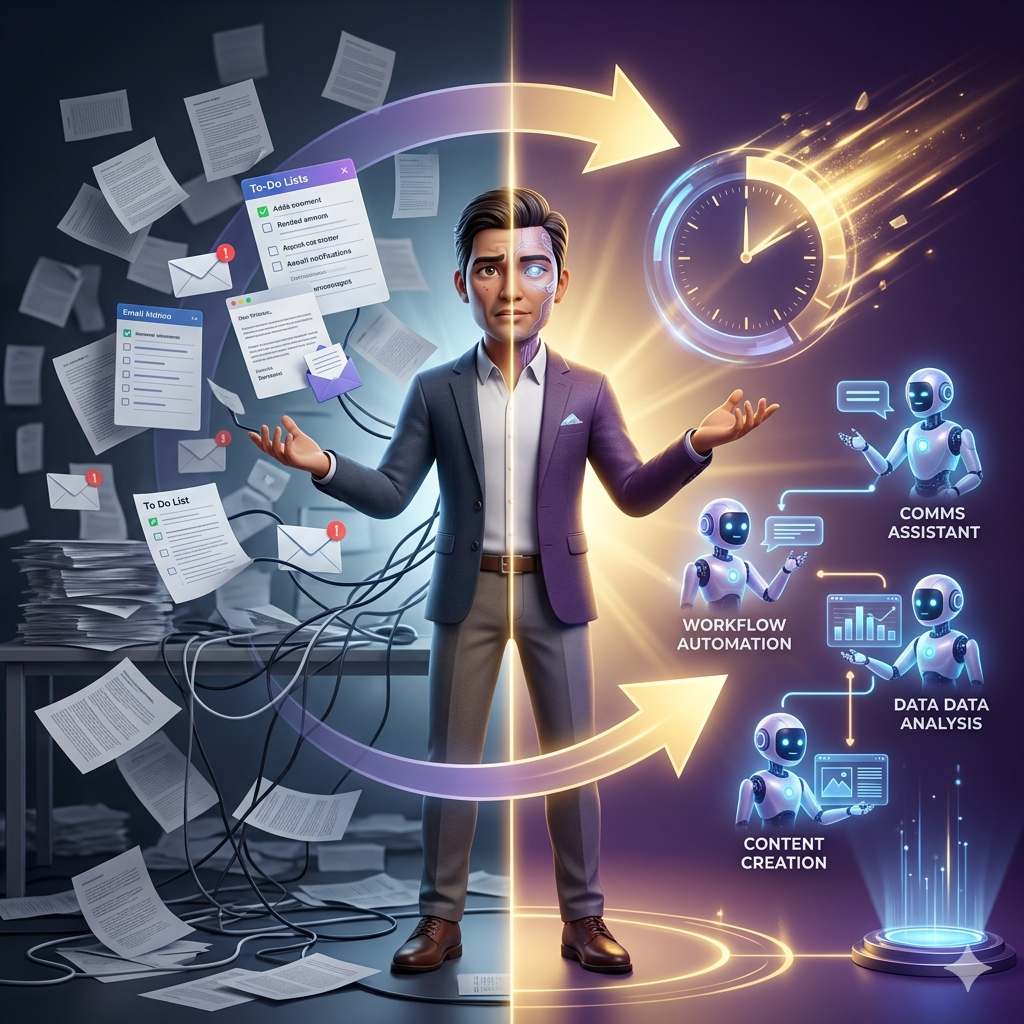
Why AI Agents Are Not as Complicated as the Industry Wants You to Think
The non technical person sitting at a desk today has more access to powerful AI agents than any developer did just three years ago, and most people have no idea what to do with that.
The AI industry has created a serious terminology problem, and it has made everything harder to understand than it needs to be.
Every product is called an agent now.
Chatbots, assistants, co-pilots, automation tools — the word has been stretched so thin that it barely means anything anymore.
But underneath all of that noise, there is a definition that is actually simple enough to hold up under pressure, and it changes everything once you understand it.
An agent is an AI that can do things, not just talk.
If you ask it a question and it gives you an answer, what you have is a chatbot.
But if you assign it a task and it goes away, executes the work, and comes back with a deliverable — a spreadsheet, a document, a working application — that is an agent.
That distinction matters more than most people realize, because it changes your entire relationship with AI.
You are no longer having conversations with a machine.
You are delegating outcomes to one.
Tools like ProfitAgent have been built specifically around this idea, giving non technical users a direct path to delegating real work without needing to understand the code underneath it.
We strongly recommend that you check out our guide on how to take advantage of AI in today’s passive income economy.
Table of Contents
The Simple Technical Architecture Behind Every AI Agent
The technical side of agents is honestly simpler than the industry wants you to believe, and understanding it takes about two minutes.
Every agent is made up of three components, and once you know what they are, you will immediately start to see them everywhere.
The first component is a language model, which is the part of the agent that reasons, thinks, and makes decisions about what to do next.
The second component is a set of tools, which is what allows the agent to take actual actions in the world — browsing websites, editing files, calling APIs, reading databases, and writing new content.
The third component is guidance, which is the set of instructions and constraints that tells the agent what it should do and what it absolutely should not do.
That is the entire formula.
LLM plus tools plus guidance equals agent.
The power is not in any one of those three pieces on its own — it is in the combination of all three working together.
A language model without tools can only talk to you, which is useful but limited.
Tools without a language model require you to operate them manually, which defeats the whole purpose.
Guidance without both is just a policy document that nobody actually reads.
But when you combine all three, you get something that can receive a goal, figure out how to accomplish it, execute the steps independently, and report back with results.
That is the architecture behind platforms like AutoClaw, which bundles all three components into a non technical interface that anyone can use without touching a line of code.
The Little Guy Theory: The Mental Model That Makes AI Agents Easy to Understand
There is a way of thinking about agents that makes them dramatically easier to understand for people who do not have a technical background, and it starts with a simple analogy.
Every agent is a little guy that you hire to do a specific job.
The little guy is not a genius.
The little guy is not a replacement for human judgment.
The little guy is a competent helper with particular skills and particular limitations, and your job is to direct that helper clearly so the work gets done correctly.
This framing matters enormously because it sets the right expectations from the very beginning.
You would not hand a brand new hire your company credit card on the first day and say, figure it out.
You would give them a clear assignment, limited permissions, and you would check their work before trusting them with anything bigger.
Agents work exactly the same way, and the non technical users who get the best results are the ones who treat them like a reliable but junior employee, not like a magic solution.
The little guy framing also clarifies what you are actually optimizing for when you build or use agents.
You are not trying to build artificial general intelligence inside your project management software.
You are trying to get tasks done without doing them yourself.
That means reliability beats capability every single time.
An agent that correctly researches 20 companies is more valuable than one that attempts to research 100 and hallucinates half the data.
An automation that handles 80 percent of cases perfectly is more valuable than one that tries to handle 100 percent and fails in ways you cannot predict or catch.
The goal is not to be impressed by what the agent can do.
The goal is to trust what the agent delivers, so you can confidently delegate outcomes and move on.
AISystem was built around this exact philosophy, giving non technical users a reliable environment where agents can be trusted to execute without constant supervision.
Understanding Agent Pricing Through the Hiring Frame
One thing that confuses a lot of non technical users when they first start using agents is the pricing model, and the little guy analogy makes this surprisingly easy to understand.
In most cases, you are paying by usage rather than by a flat monthly fee, and that is because agents work by the token — meaning every word they read, every decision they make, and every action they take costs a small amount of processing power.
Think of it the same way you would think of paying a contractor by the hour.
You are hiring this agent to do reliable work, just the same way you would hire a person to do reliable work, and you pay based on how much work you ask it to do.
If you assign a complex research task that would take a junior analyst four hours to complete, and the agent finishes it in eight minutes, you are paying a fraction of what that analyst would cost, and getting the same deliverable.
This framing also brings the reliability conversation right back to the front of your mind.
If you are paying someone to do work, you expect that work to be done correctly.
You expect the same from your agent, and that expectation is completely reasonable.
What gets discussed far less often than flashy top-tier agent implementations is the category of very basic, very reliable agent use cases that save hours every week for non technical users who just need consistent results.
ProfitAgent sits squarely in that category, designed for users who want dependable output without engineering complexity.
The Four Knobs of Agent Reliability Every Non Technical User Should Know
Knob One — Habitat
The first thing to consider when setting up an agent is its habitat, meaning the environment where it will operate and do its work.
Some agents live on the open web, browsing websites and extracting structured information from across the internet.
Others live inside a workspace, organizing and transforming content that you have already created.
Others build software.
Others connect applications together and move data between them.
For non technical users who are just getting started, the single most important rule is to pick one habitat and stick with it at the beginning, because mixing environments too early creates complexity that slows everything down before you have built any intuition.
AutoClaw makes this decision easier by giving users a clear set of habitat options that are pre-configured for common non technical workflows.
Knob Two — Tools and Access
The second knob controls what the agent can actually touch — what it has permission to read, write, click, or spend.
Read-only access is the safest starting point for any non technical user because it means the agent can look at things but cannot change them, which dramatically reduces the risk of unintended consequences.
The ability to click buttons and take actions is more powerful but introduces more risk.
The ability to spend money or make irreversible changes should stay locked until you have deep trust in how the agent behaves.
Knob Three — Constraints and Guidance
The third knob determines how much freedom the agent has to make its own decisions.
A tightly constrained agent follows explicit step-by-step instructions every time, which produces consistent and predictable results.
A loosely constrained agent receives a goal and figures out its own approach, which can be powerful but also unpredictable if the agent has not been properly tested.
For non technical users who are just beginning, define the instructions as carefully and specifically as possible, because vague guidance produces vague and unreliable output every single time.
AISystem gives non technical users a guided constraint-setting process that removes the guesswork from this step entirely.
Knob Four — Proof of Work
The fourth and final knob is proof, meaning the ability of the agent to demonstrate that the job was completed correctly.
Before you deploy any agent on a recurring task, define what success looks like in concrete terms.
Source links, screenshots, logs of what the agent did, before-and-after comparisons — these are all forms of proof that make it possible for you to verify the work without having to redo it yourself.
If an agent cannot show you its work, you cannot trust its work, and an agent you cannot trust is not actually saving you time.
The 4 Best AI Agents for Non Technical Users Who Want Real Results in 2026
Agent One — Manus: Your Internet Research Department
Manus is the most powerful internet research agent available to non technical users right now, and it operates entirely in the cloud without requiring any local setup or technical configuration.
When you assign Manus a research task, it spins up a browser environment, navigates websites the way a human would, pulls structured data from multiple sources simultaneously, and compiles everything into a clean, organized deliverable like a spreadsheet, document, or slide deck.
The first time a non technical user runs a task through Manus, the experience is genuinely striking — you assign a prompt like “compare the pricing and features of these ten competitors” and the agent opens tabs, scrolls through pages, copies the relevant data, and delivers a CSV file, all without your involvement.
A task that would normally take three hours of manual clicking, copying, and tab-switching happens while you focus on something else entirely.
The free tier currently includes enough credits to test it meaningfully, and paid plans scale from around $19 to $199 per month depending on how many concurrent research tasks you need running at once.
The key to getting great results from Manus is specificity — tell it exactly what columns you want in the output, which sources are acceptable, and what format the final deliverable should be in.
Manus is not just for beginners either — it is used by professionals in the highest-value research workflows precisely because it is more thorough and complete than most AI research tools, and it can output in multiple formats that integrate directly into existing workflows.
If your work involves finding comprehensive lists, researching competitors, building databases of contacts, or compiling market intelligence, Manus is the agent that gets the whole job done rather than giving you a partial answer you have to finish manually.
ProfitAgent complements this kind of research workflow by allowing non technical users to then act on that data through automated sequences without needing developer support.
Agent Two — Notion AI: Your Workspace Brain
Notion AI operates differently from Manus because instead of going out into the world to find new information, it works with the knowledge you have already created and stored inside your Notion workspace.
It works across your notes, databases, meeting transcripts, project documentation, and everything else that lives inside Notion, treating your entire workspace as a searchable, transformable knowledge base.
Recent updates have introduced genuinely agentic behavior where Notion AI does not just answer questions about your workspace — it executes multi-step tasks across it, updating pipeline estimates based on meeting transcripts, extracting action items from notes and grouping them by owner, creating task databases from unstructured brain dumps, and organizing content that would otherwise sit untouched for weeks.
The limitation is that these agentic features come with the Business or Enterprise plans, so non technical users on the free or Plus tier will need to upgrade to access the full agent experience.
If your knowledge already lives in Notion, this is the fastest possible way to make that knowledge useful without manually reorganizing it yourself.
The key to using Notion AI well is feeding it rich, detailed context — the more your workspace contains, the more the agent can do with it.
AutoClaw pairs naturally with Notion AI workflows by handling the automation layer that moves transformed Notion content into the next step of your process.
Agent Three — Lovable: Your App Builder
Lovable is the agent that makes it possible for non technical users to build real, working software applications by describing what they want in plain language.
You describe the application you need — a personal CRM with a contact form and searchable card grid, a travel website for your family, a project tracker for your team — and Lovable generates a working application with a frontend, a backend, a database, and a live URL that you can share immediately.
The applications Lovable builds use real production-grade code, typically React and Tailwind, which means you can export to GitHub and hand it off to a developer for further customization if your needs grow beyond what the conversational interface can handle.
What previously required hiring a developer for thousands of dollars or spending months learning to code now requires articulating clearly what you want and iterating through a conversation.
Paid plans increase your message limits and unlock more complex build capabilities, and the pricing model is still dramatically cheaper than any alternative that produces equivalent results for non technical users.
AISystem works well alongside Lovable for non technical users who want to add AI automation features to the applications they build, without needing to write the integration code themselves.
Agent Four — Zapier: Your Logistics Manager
Zapier has existed long enough that most non technical users have at least heard of it, but the addition of AI reasoning to its traditional workflow engine has changed what it can actually do in meaningful ways.
Where traditional Zapier automations followed rigid if-then rules — when something happens in app A, do something in app B — the new agent layer allows Zapier to analyze incoming data, make decisions based on context, and choose the most appropriate action dynamically rather than following a fixed path.
For non technical users who are new to Zapier, the best approach is to start with a single trigger and a single action, get that working reliably, and then add AI reasoning only when the logic becomes complex enough to require it.
Adding an AI agent to a workflow that works perfectly fine with a simple rule is unnecessary and adds cost without adding value — but for workflows that require classification, summarization, or contextual decision-making, the agent layer transforms what automation can do.
A daily Slack message that pulls from your previous day’s work and delivers a personalized digest at 9 AM is a simple example of how Zapier’s agent layer creates value that a traditional if-then rule never could.
ProfitAgent integrates naturally with Zapier-style automation layers, giving non technical users a complete ecosystem where data flows automatically between research, decision-making, and action.
Practical First Missions for Non Technical Users Ready to Start Today
The fastest way to build real intuition for how agents work is to run your first mission with each tool using a specific, concrete task rather than a vague experiment.
For Manus, open the platform and assign it a research task like “compare the top five email marketing tools for small creators, output a CSV with columns for tool name, starting price, free plan limits, a one-sentence best-for description, and a source URL, visit the official pricing pages, do not guess any prices.”
When the spreadsheet comes back, open the source links and verify the accuracy — this small exercise teaches you more about how Manus works than any explanation can.
For Notion AI, find the messiest page in your workspace — the brain dump, the copied text, the meeting notes that never got organized — and ask it to extract every action item into a checkbox list, group by person responsible, mark missing deadlines as TBD, and mark unclear owners as unassigned.
This sounds like a small task but it represents one of the highest-value recurring jobs that agents can take off a non technical user’s plate completely.
For Lovable, open the platform and describe a personal CRM — a form to add contacts with fields for name, company, last meeting date, and notes, displayed in a searchable card grid with a modern clean design — and publish it without writing a single line of code.
For Zapier, create a Zap with a daily schedule trigger and a Slack action that sends you a single message each morning asking what the one thing is that you must complete today, then watch that message arrive every day without any further effort on your part.
AutoClaw is worth exploring alongside these first missions because it is specifically designed to help non technical users string multiple agent outputs together into coherent, reliable workflows.
The Core Loop Every Non Technical Agent User Needs to Internalize
The entire practice of using AI agents successfully comes down to three steps repeated in a cycle: assign the work, verify the output, and iterate on the instructions.
Everything else — the tools, the platforms, the pricing, the architecture — is refinement built on top of that core loop.
Start with one agent and run a few real missions with it until you develop genuine intuition about what works and what breaks down.
Once you have something that works reliably, do that use case well before you add anything new.
The non technical users who thrive with agents are not the ones who rush to build the most complex system possible — they are the ones who learn to articulate clearly what done looks like, identify where their instructions are ambiguous, and fix the instructions rather than blame the agent.
The future of productive work for non technical people is not learning to code.
It is learning to delegate, and learning enough about how agents function to troubleshoot when results fall short of expectations.
AISystem makes that delegation process more accessible for non technical users by providing a structured environment where agents are pre-configured, pre-tested, and ready to produce reliable output from day one.
If you can assign real work, verify the result, and refine the instructions — you can run a team of AI agents that handles what used to eat entire days.
That is already a massive win, and it is completely within reach for any non technical professional who is ready to start today.
ProfitAgent and AutoClaw are two of the best starting points for non technical users who want that win without the learning curve — and AISystem rounds out the toolkit for anyone ready to build something more complete.

We strongly recommend that you check out our guide on how to take advantage of AI in today’s passive income economy.