Top AI Video Creation Workflow That Helped TikTok Shop Brands Earn $100K With Zero Human Actors
How TikTok Shop Brands Made $100K With AI Videos That Nobody Could Tell Were Fake
TikTok Shop AI video creation is no longer a future trend sitting on the horizon waiting for early adopters to test it out, it is already happening right now at a scale that is leaving traditional content creators completely in the dust.
Some of the most viral videos circulating on TikTok today are being produced entirely with artificial intelligence tools, and the wildest part of all this is that when you scroll through the comment sections on those same videos, almost nobody suspects a thing, because the quality looks that convincingly real.
The people who understand how to use AI right now are pulling ahead of their competition at a speed that feels almost unfair, and the brands that are still relying on the old way of doing things, hiring UGC creators, waiting on revisions, and paying for content that may or may not perform, are getting left further behind with every passing week.
If you have a product to sell and you want to compete at the highest level in 2026, then tools like ProfitAgent are exactly the kind of resource you should be pairing with this strategy to help you scale your content and your conversions faster and smarter than anyone around you.
This article is going to walk you through the complete step-by-step workflow behind three different TikTok Shop videos that all went viral within the same week, promoting three completely different products, using the exact same AI-powered creation process from start to finish.
We strongly recommend that you check out our guide on how to take advantage of AI in today’s passive income economy.
Table of Contents
Why AI Videos Are Taking Over TikTok Shop Right Now
The shift happening on TikTok Shop right now is not small, it is a fundamental change in how products get discovered, promoted, and purchased online, and AI is the engine behind all of it.
Three specific videos were recently identified through a tool called Social One, which is a platform designed to surface the best-performing TikTok Shop videos from the past 30 days so that sellers and creators can use them as inspiration for their own content.
One of those videos, uploaded just one week before discovery, had already generated 55,000 in sales from a massive 2.5 million views, another one promoting a garden hose had pulled in 42,000 in revenue with 1.4 million views, and a third had racked up 934,000 views and produced 25,000 in sales for the brand behind it.
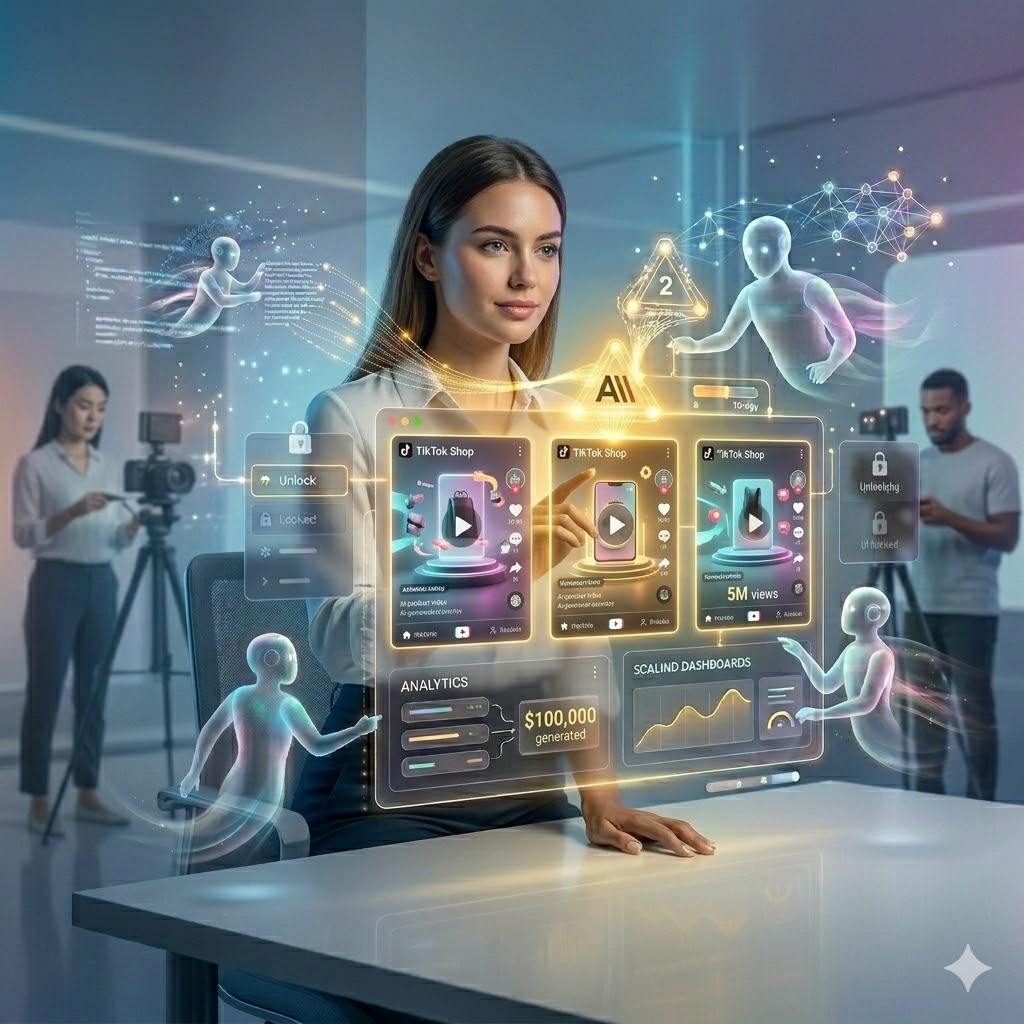
When you add those numbers up, you are looking at roughly 5 million views and approximately 100,000 in combined revenue from just three AI-generated videos made using the same straightforward workflow that anyone with a product to sell can follow today.
AutoClaw is one of the tools that pairs perfectly with this kind of content strategy because it helps you automate the backend of your marketing so that while your AI videos are driving traffic, your conversion process is running smoothly and efficiently without you having to manage every step manually.
The most important thing to understand before diving into the workflow is that none of this requires any special design skills, video editing experience, or a large budget, and the entire process runs on tools that are either free or available for a small monthly subscription.
Social One has a specific filter you can apply called the AI content filter, which narrows the results down to only AI-generated videos, and this is the perfect starting point when you want to find proven inspiration before creating your own version for whatever product you are promoting.
Step One: Creating the Opening Scene Image Using Nano Banana and Chat GPT
The first step in this TikTok Shop AI video creation workflow is generating a high-quality image that represents the opening scene of the video you have in mind, and the tool that gets used for this part is called Nano Banana, which is owned by Google and is currently considered the leading AI image generation platform available.
Nano Banana allows you to create images from text descriptions and also lets you upload a reference image that you want it to use as a starting point, and the results it produces are genuinely impressive in terms of how realistic and detailed they look when done correctly.
Before you even open Nano Banana though, the most important move you can make is to use Chat GPT first to write the prompt you are going to give it, because the quality of your prompt is what separates a mediocre image that looks slightly off from one that looks so real that nobody would ever guess it was made by an AI.
ProfitAgent works hand in hand with content strategies like this one because it gives you the intelligent automation layer that helps you turn that viral traffic into actual leads and buyers without losing momentum after someone watches your video.
Option one for using Chat GPT in this step is to simply describe your idea in plain language, telling it something like help me write a highly detailed Nano Banana prompt for a TikTok video and then describing the scene you want to recreate, including the lighting, the subject, the environment, and the mood of the visual.
Option two, which tends to produce even better results, is to take a screenshot of a viral TikTok video that you found through Social One, paste that screenshot directly into Chat GPT, and then ask it to reverse engineer the image by writing a Nano Banana prompt that recreates everything visible in that screenshot, minus any text overlays or brand-specific elements.
By reverse engineering a proven video rather than guessing what will work, you are effectively capturing the exact lighting angle, the color palette, the depth of field, the subject positioning, and all the subtle visual elements that made the original video look so professional, and you are doing it without copying anyone else’s creative work directly.
AutoClaw becomes especially useful at this stage when you are producing multiple pieces of content at once, because it helps you manage the workflow and keep your marketing pipeline running consistently even while you are focused on the creative side of building your video assets.
Once you have your prompt from Chat GPT, you take it into Freepick, which is a platform that gives you access to Nano Banana Pro and other leading AI tools through a single subscription, and you paste your prompt in, set the aspect ratio to 9 by 16 for TikTok, and then select a batch size of two or more outputs so that you have options to work with.
Step Two: Using Reference Images to Get Hyper-Realistic Results
One of the most powerful techniques in this TikTok Shop AI video creation process is attaching a reference image directly to either Chat GPT or Nano Banana rather than relying entirely on a text description, especially when the product you are promoting needs to appear naturally within the scene.
If you are selling a skincare product, for example, and you want the opening scene to look like someone is standing in a pharmacy holding that product on a shelf, you can literally walk into a pharmacy, take a quick photo of the shelf in front of you with your phone, and then bring that photo back to Nano Banana and ask it to recreate the same scene but with your hand and your product placed inside it.
That level of environmental grounding is exactly what makes the difference between a video that feels slightly artificial and one that feels completely native to the real world, because the AI is working from an actual physical space rather than trying to construct one entirely from imagination.
ProfitAgent is the kind of tool that helps you take full advantage of all that realistic content you are creating by ensuring that the people who click through from your TikTok videos actually convert into buyers rather than just passing viewers who never take action.
When you attach multiple reference images, such as one of the environment and one of the product itself, and then tell Nano Banana or Chat GPT to incorporate the product prominently in the scene, the results become significantly more tailored and conversion-ready because viewers can actually see the product in a real-world context they recognize and trust.
The batch size feature is worth using every time because AI does not always get every detail perfect on the first output, and having two or four variations side by side gives you the ability to pick the strongest one or even combine elements from multiple outputs to get exactly what you are looking for.
Step Three: Animating Your Images Into Realistic Video Using Cling
Once you have your reference images ready, the next step in the TikTok Shop AI video creation process is bringing them to life as actual video clips, and the tool that is currently leading this space by a significant margin is called Cling.
Cling takes your still image and your written prompt and transforms it into a fluid, natural-looking video clip that captures movement, expression, and environmental detail in a way that reads as completely human when viewed on a platform like TikTok.
The prompt you give Cling does not need to be complicated at all, in fact some of the best results come from very simple instructions, such as telling it the speaking style, the accent, the energy, and the dialogue you want the on-screen character to deliver, and then letting the AI handle all the visual production work from there.
AutoClaw is the automation backbone that keeps your business running while Cling is generating your video content, because great videos only produce results when the system behind them is set up to capture and convert the attention they generate.
You access Cling either directly through their website or through platforms like Freepick and Higsfield, and the process is the same regardless of which route you choose, you upload your image, paste in your prompt, press generate, and within a short wait time you have a high-quality video clip ready for the next step.
For videos that have multiple scenes, you simply repeat this process for each image you generated in the previous step, creating individual clips for each part of your video and then bringing them together into one cohesive short-form piece of content ready for TikTok.
Step Four: Adding a Voice Clone to Make Your Video Feel Completely Native
The final step in this TikTok Shop AI video creation workflow is the one that most beginners skip, and it is the exact reason why some AI videos get immediately recognized as artificial while others sail right past even the most skeptical viewer without raising a single flag.
What you need to do is clone the voice of the on-screen character using a tool called Eleven Labs, which has an instant voice cloning feature that only requires about ten seconds of audio to analyze and recreate a custom voice profile that sounds virtually identical to the original speaker in your video.
The reason this matters so much is that if your opening clip shows someone speaking in a specific voice and tone, and then the rest of your video switches to a robotic text-to-speech voice or a completely different vocal style, the jarring contrast immediately breaks the immersion and signals to the viewer that what they are watching is not real.
ProfitAgent is designed to work exactly alongside content strategies like this one, helping you funnel the traffic generated by your hyper-realistic AI videos into a structured conversion system that continues working even while you sleep.
By cloning the voice from your opening scene and using it to narrate the rest of the video through Eleven Labs, you create a seamless audio experience that keeps the viewer fully engaged and far more likely to watch through to the end and take action on whatever product you are promoting.
Conclusion: This Is the TikTok Shop AI Video Strategy That Is Already Working
The three viral TikTok Shop videos that collectively generated over 5 million views and more than 100,000 in revenue were not made by large agencies or well-funded marketing teams, they were made using this exact workflow with a handful of accessible AI tools and a clear, repeatable process.
TikTok Shop AI video creation in 2026 is one of the most powerful opportunities available to any brand owner who is willing to learn the tools and follow the process with consistency, and the barrier to entry is genuinely lower than it has ever been.
Tools like AutoClaw help you build the automated marketing infrastructure that turns your AI video content into a business that runs and grows without requiring you to manually manage every moving part, which is exactly the kind of leverage that separates brands that scale from ones that stay stuck.
Whether you are promoting a skincare product, a garden accessory, a clothing item, or virtually anything else, the workflow is the same, and the results speak for themselves across all three of the viral examples covered in this article.
Start with Social One to find your inspiration, use Chat GPT to reverse engineer your prompt, generate your images in Nano Banana via Freepick, animate them with Cling, clone the voice using Eleven Labs, and let ProfitAgent do the heavy lifting on the conversion side so that all of your creative work actually translates into real revenue for your brand.
The brands that master this process right now are the ones that are going to look back at 2026 as the year everything changed for them, and the only question left is whether you are going to be one of them.

We strongly recommend that you check out our guide on how to take advantage of AI in today’s passive income economy.