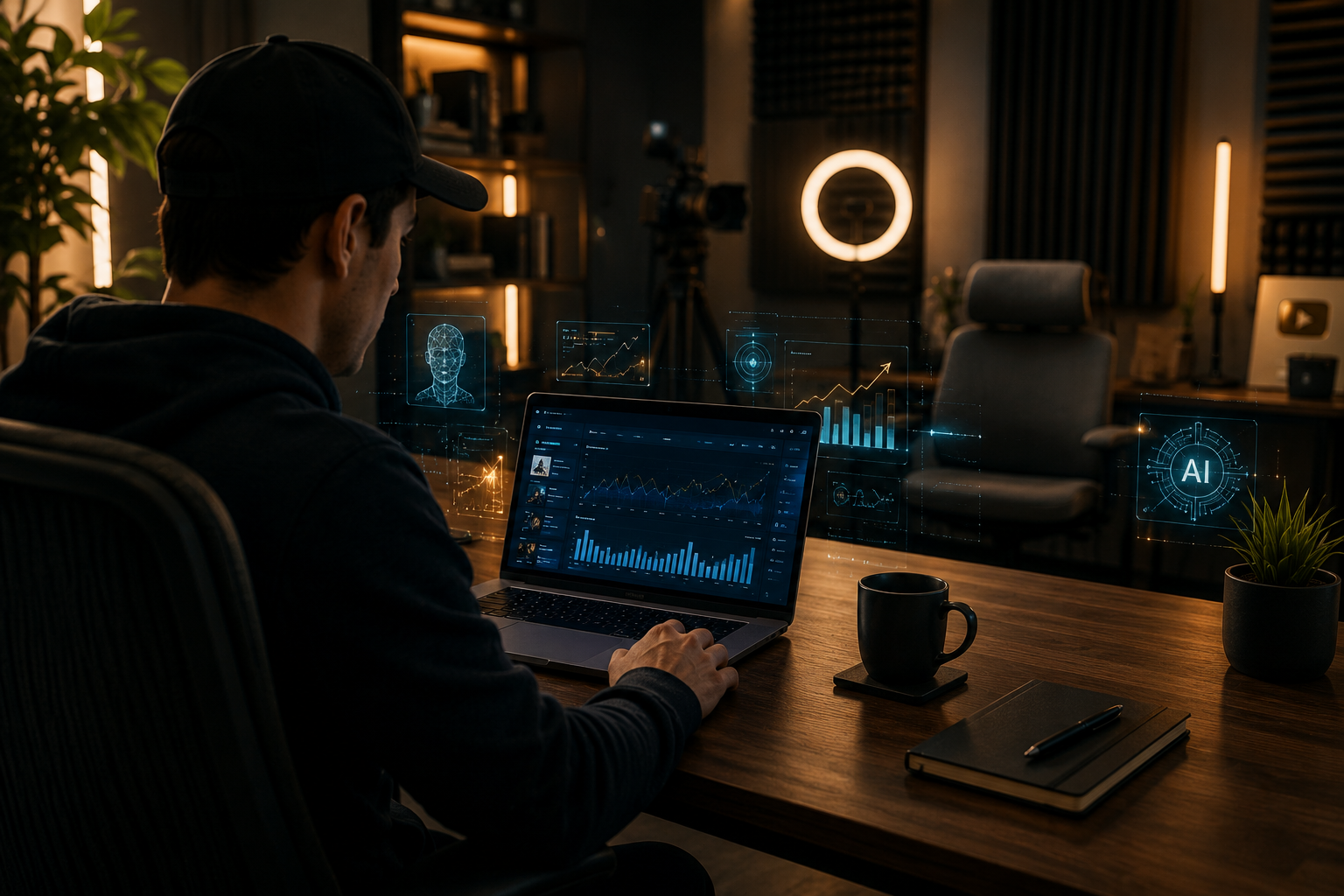
How to Make $31K/Month on YouTube Using AI Videos That Copy Proven Formats
Some YouTube creators are quietly pulling in $1,000 or more per day using a YouTube AI income strategy for faceless creators that copies what is already working on the platform.
They are not inventing new content formats.
They are not spending hours in front of a camera.
They are not hiring expensive production teams.
Instead, they are using a smart combination of free story content, AI-generated video hosts, and a five-step production workflow to build channels that earn real ad revenue — and get accepted into the YouTube Partner Program.
This article breaks the entire method down, step by step, so you can follow along and build it for yourself.
👉 Start a 1-Person Business With Claude AI — Free Quick-Start Guide
Table of Contents
The Format That Is Already Making Creators $31K Per Month
Before you build anything, you need to understand exactly what format is working right now.
There is a category of YouTube content that has quietly become one of the highest-earning niches on the entire platform, and most people scroll right past it without realizing how much money it is generating.
The format is simple: a creator finds a compelling story published publicly for free online, reads it aloud on camera, and reacts to it in real time as they go through it.
That is the entire video format.
No original research is needed.
No expert credentials are required.
The content itself is already written by strangers on the internet.
What the creator adds is their personality, their reactions, and their delivery — and that combination is what keeps viewers watching for 10, 15, even 30 minutes at a time.
Channels doing this with Reddit stories, true crime reports, cryptid sightings, ghost encounters, and news commentary are earning enormous sums through YouTube ad revenue alone.
Using the VidIQ extension — which is a free browser tool that estimates channel earnings — you can look at channels in this niche and see that some are earning upwards of $31,000 in a single 30-day period, with individual days spiking as high as $2,000 to $3,000 whenever a new video is posted.
The content that drives those numbers is not complicated.
One example is a creator whose entire channel is built around reading Reddit posts about wild personal stories — things like a person discovering their partner had an entire secret family — and simply reacting to what they are reading with genuine emotion and commentary.
Reddit itself, for those unfamiliar, is the largest online message board in the world, with over 100 million daily active users posting their personal stories, confessions, and experiences completely free for anyone to read.
That is an essentially unlimited supply of compelling, emotionally charged content that creators are building entire businesses around.
The YouTube AI income strategy for faceless creators extends this same format into the AI era, where you no longer need to be the person on camera at all.
👉 Get Access to: Start a 1-Person Business With Claude AI
Why AI Changes Everything for This Format
Here is where the strategy gets genuinely exciting.
For a long time, the “reading and reacting” YouTube format required you to either show your own face on camera or build a purely faceless channel that used stock footage and voiceover narration without any real personality anchor.
Both options had trade-offs.
Showing your face meant you needed to be comfortable performing on camera, which eliminated a huge portion of potential creators.
Going fully faceless without a host meant your channel had no identity — no character for viewers to connect with and come back for — which made it much harder to grow an audience and get accepted into the YouTube Partner Program.
AI has now solved both of those problems simultaneously.
ByteDance — the same company that owns TikTok — recently released a hyperrealistic AI video generation model called Seedance 2.5.
This tool takes a single static image of a person and transforms it into a fully animated, talking video clip where the subject speaks naturally, moves their mouth in sync with dialogue, and behaves exactly like a real person speaking directly to a camera.
The realism is not subtle.
When you watch a video generated with Seedance 2.5, the movement of the face, the natural variations in expression, and the way the subject holds themselves in front of the camera all feel authentic.
This is not the stiff, robotic AI video generation that existed even two years ago.
This is the kind of output that makes people stop mid-scroll and watch because it looks like a real person doing a real video.
And when you combine this AI video generation with a well-researched script, a selected AI voice from a tool like ElevenLabs, and a simple editing workflow in a tool like CapCut, you end up with a finished YouTube video that looks and feels like a professional content creator made it — without you ever stepping in front of a lens.
The YouTube AI income strategy for faceless creators now means that anyone with a laptop, a clear niche, and a few hours to learn the workflow can build a channel with a real host, a real identity, and a real shot at monetization.
👉 Get Access to: The AI Traffic Vault
The Five-Step Workflow That Builds Monetized AI YouTube Channels
What follows is the exact workflow being used by creators in 2026 to build fully AI-generated YouTube channels in profitable niches — channels that look nothing like faceless template channels and instead have their own distinct hosts, personalities, and visual identities.
Step 1 — Create Your AI Influencer Host With a Hyperrealistic Image Generator
Every successful channel in this format, whether human-run or AI-powered, has one thing in common: a recognizable host.
YouTube has said publicly in their own FAQ and creator documentation that one of the key things they look for when evaluating channels for the YouTube Partner Program is unique channel identity.
They want viewers to be able to watch a video and immediately know which channel it came from.
Think about how that works with a human creator — when you see their face, their setup, their style, you know exactly who you are watching.
Your AI channel needs to create that same recognition, which means your AI-generated host needs to look consistent, distinct, and memorable across every video you produce.
To create your host image, you will use Google’s advanced image generation model called Imagen 3, which is accessible through a tool called Higgsfield — an all-in-one AI media platform that brings together multiple major AI image and video generators inside a single dashboard.
You will prompt Imagen 3 to generate a 16:9 image of your AI host in a setting that fits your channel niche.
If your channel covers true crime, you might create a host in a dimly lit study surrounded by case files and bookshelves.
If your channel covers cryptids or paranormal stories, you might create a host in a dark home studio with atmospheric lighting.
If your channel covers news commentary or Reddit stories, you might create a host in a clean, modern setup that looks like a professional podcasting booth.
You are not just generating a random face.
You are designing a character — a visual identity that your audience will come to associate with your channel the way they associate a human creator’s face with theirs.
Use Claude, ChatGPT, or Gemini to brainstorm what your host should look like, what they should be wearing, and what the studio environment behind them should include, before you even open the image generator.
The AI chatbot will help you think through details you might not have considered — lighting tone, clothing style, whether the background should be sharp or softly blurred, what props or environment elements reinforce the channel’s niche.
Once you have generated an image you like, download it — this will be the starting frame for all your video clips.
Step 2 — Research and Write Your Video Script Using Claude
The script is the backbone of every video you produce, and getting it right is what separates watchable content from content that bleeds viewers after the first 90 seconds.
The YouTube AI income strategy for faceless creators depends entirely on the quality of the script, because unlike a human creator who can go off-script and recover with charm, your AI host is going to read exactly what you write.
Start by going to Claude and telling it your channel niche.
Let’s say you are building a cryptid and folklore channel — you would ask Claude to research a publicly published first-hand account of a cryptid sighting that has never been widely covered in video content.
Claude will surface stories from sighting databases, forum posts, local news archives, and online communities that it can retell for you.
Once you have the story, here is the single most important technique in this entire workflow: instead of just asking Claude to write the script straight through, ask it to interview you first.
Tell Claude to pick out the most interesting and emotionally charged moments in the story and ask you direct questions about your thoughts, your reactions, what you find compelling or unsettling about those specific details.
Answer those questions honestly.
Your answers — your real opinions, your genuine reactions, the things that actually make you pause — get woven back into the script so that when your AI host delivers the content, it is not just narrating a story.
It is reacting to one.
That shift in tone, from narrator to reactor, is what makes this format so engaging and so sticky for viewers who keep coming back.
Once Claude has your answers, ask it to produce a full on-camera chatty script in the style of a real YouTube host — conversational, first-person, like someone talking directly to their audience over a video call.
The goal is a script that does not sound like it was written, but like it was said out loud by a person who genuinely found this content fascinating.
This is where the YouTube AI income strategy for faceless creators becomes genuinely scalable, because once you understand this workflow, you can prepare 15 to 30 scripts in advance during a single focused session.
👉 Free Download: The Claude AI Digital Product Starter Pack — 10 Done-For-You Prompts for Beginners
Step 3 — Generate Hyperrealistic Talking Head Clips With Seedance 2.5
With your host image and your script ready, you now move into video generation.
Open Higgsfield, select Seedance 2.5 from the video model list, and upload the image of your AI host that you generated in Step 1.
Once the image has been processed and approved by the platform, set it as your starting video frame.
In the prompt box, write a short direction explaining that the camera should remain fixed and that the host should be looking and speaking directly into the camera, the way a typical YouTube creator or podcaster would.
Then paste the first section of your script into the prompt box.
For timing, use this practical formula: roughly 170 to 200 characters of script translates to approximately 10 seconds of video.
So if you have 550 characters of script in that first section, you are generating a 30-second clip.
Adjust your video length setting to match your character count before you generate.
Set the output format to 16:9 and generate at 720p — not because lower quality is acceptable, but because you will be upscaling these clips later in the editing stage, and generating at 720p is more credit-efficient when you are producing videos in volume.
If you do not plan to upscale separately, generate at 1080p to meet YouTube’s standard for high-definition uploads.
What comes back from Seedance 2.5 will genuinely surprise you the first time you see it.
The host moves naturally.
Their mouth syncs with the script.
Their eyes have normal, unpredictable micro-movements.
They gesture slightly as they speak.
Nothing about the output looks like a tool went to work on a still image — it looks like a person sat in front of a camera and started talking.
One important budget tip at this stage: Higgsfield offers optional unlimited-use day passes for their video generation tools.
A one-day unlimited pass lets you generate as many Seedance 2.5 clips as you can produce in 24 hours.
If you have prepared your scripts in advance — 15 to 30 scripts ready to go — you can activate a one-day pass and produce an entire month’s worth of channel content in a single session, bringing your cost per finished YouTube video down to as little as $4 to $5.
You can also mix video clips of your AI host talking with AI-generated images for sections of your video where the host is narrating rather than reacting — images consume far fewer credits than videos, and the visual variety actually makes for a more dynamic watch experience.
👉 Get Access to: The Flipboard Traffic Workflow Kit
Step 4 — Give Your AI Host a Voice With ElevenLabs
Your video clips exist, but right now they have no voice — just the visual of a person talking.
The audio layer comes from ElevenLabs, which is currently the most advanced AI voice generation platform on the market and the standard tool for creators doing this kind of work.
ElevenLabs has a starter plan at $6 per month, which is sufficient for most YouTube channels producing content at a regular schedule.
Log in, go to the voice changer tool, and upload your first AI host video clip.
Browse the included voice library — you can filter by age range, gender, language, and accent to find a voice that fits the personality of your AI host.
Listen to voice previews until you find one that matches the energy and tone of your channel.
Once you select your voice, click to generate and download the resulting audio file.
This audio file will sync with your video clip with accurate lip-sync alignment because ElevenLabs’s voice changer tool is built specifically to preserve the timing of mouth movements in the source video.
For sections of your video where your AI host is not on screen and you are using images with voiceover narration instead, use ElevenLabs’s text-to-speech feature: paste your script section directly into the tool, select the same voice you used for your host clips, and generate.
You can paste up to 5,000 characters at a time.
Choose a Version 2 model in the model settings if you want to reduce credit usage by 50% compared to the Version 3 models — for most narration purposes, the quality difference is minimal.
Repeat this process for every clip and every narration section in your video until you have a complete set of audio files ready for the editing stage.
The YouTube AI income strategy for faceless creators only works at scale when each step of the production chain is efficient, and ElevenLabs is one of the tools that makes this possible without requiring expensive studio equipment or professional voice actors.
👉 Get Access to: The Medium Mastery
Step 5 — Edit, Upscale, and Export Your Finished Video in CapCut
The final step is assembling everything into a polished, finished video using CapCut, which is a powerful AI-assisted video editor that offers a free trial to its Pro version.
CapCut is particularly useful for this workflow because it includes a built-in AI upscaler that converts your 720p clips into higher resolution footage without you needing any additional tools or subscriptions.
Start a new project in CapCut and import your first AI host video clip along with its corresponding ElevenLabs audio file.
Place the video clip on the main timeline.
In the clip settings panel, locate and click the Enhance Quality button — this runs CapCut’s AI upscaler on your clip, boosting it from 720p to a higher resolution output suitable for YouTube.
Once the clip is upscaled, right-click it on the timeline and select the option to extract and separate the audio from the video.
The original audio channel that came with the Seedance 2.5 clip was never your final audio — it was just a placeholder.
Select and delete it.
Now drag your ElevenLabs audio file for that clip onto the audio timeline beneath the video.
The audio file will likely be fractionally longer than the video clip — trim the end to match the clip’s exact length.
The result is your AI host talking on screen, with a professional AI voice perfectly aligned to the movement of their mouth.
For sections where you are using AI-generated images instead of video clips, upload those images and your corresponding narration audio files.
Drag the narration audio onto the timeline first to set the length, then place your images on top, extending each image’s duration by dragging its edge until it covers the right portion of the audio.
CapCut includes a large library of free transitions, sound effects, ambient audio tracks, and visual effects that you can drag and drop directly onto the timeline between clips and images to make the video more dynamic and engaging.
Once your full video is assembled — every clip, every image, every audio file, every transition — click Export, name your video, confirm that the output is set to 1080p, and save.
The entire editing process for a 10 to 12 minute video in this format typically takes between 20 and 30 minutes once you are comfortable with the workflow.
That finished 1080p file is ready to upload directly to YouTube.
Can AI YouTube Channels Actually Get Monetized?
This is the question that stops most people before they even start, and the answer is yes — with important caveats that are worth understanding clearly.
YouTube’s own FAQ and creator policy documentation states that all videos that comply with their community guidelines and advertiser policies are eligible for monetization, including videos that were created with AI tools.
The platform does not have a blanket policy against AI-generated content.
What YouTube does care about is channel identity and content originality.
A channel that uploads hundreds of identical-looking AI videos with no distinct voice, no identifiable host, and no consistent creative direction will struggle to pass the human review that happens when a channel applies for the YouTube Partner Program.
A channel that has a recognizable AI host — one that appears consistently across videos, has a defined personality, and creates content that feels like it belongs to that specific channel — is treated no differently from a human-hosted channel in YouTube’s review process.
There are fully AI-generated channels currently active in the YouTube Partner Program with paid channel memberships enabled — a feature that YouTube only unlocks for channels already accepted into the partner program’s monetization tier.
These channels earn ad revenue from views, fan funding from Super Thanks and memberships, and in some cases, additional income from sponsorships and affiliate partnerships on top of that.
The YouTube AI income strategy for faceless creators is not a loophole or a grey area.
It is a legitimate creative approach that YouTube has acknowledged and allowed — provided the content is original in its execution and the channel has a clear identity.
👉 Get Access to: The AI Blog Monetization Quickstart Guide
How Much This Actually Costs to Run
One of the most practical questions about any content business is what it costs to operate, so here is an honest breakdown of what the YouTube AI income strategy for faceless creators looks like in terms of real expenses.
Image generation through Higgsfield using Imagen 3 is included in their plan tiers, with unlimited generation available on certain subscription levels — so your host images cost very little or nothing depending on your plan.
Seedance 2.5 video generation through Higgsfield is credit-based, but the optional unlimited day passes allow power users to generate in bulk and bring the per-video cost down to $4 to $5 when producing 15 to 30 videos in a single session.
ElevenLabs voice generation starts at $6 per month for their starter plan, which is sufficient for most channels publishing two to four videos per week.
CapCut offers a free trial to the Pro account, which includes the AI upscaler — and many creators find the free tier sufficient for basic editing needs.
The total operational cost of running this system at scale is comfortably under $50 per month for a creator producing regular content, and the revenue potential from a monetized channel in a high-RPM niche like true crime, cryptids, or news commentary can reach thousands of dollars monthly.
That gap between cost and revenue is what makes this system worth building.
👉 Get Access to: The AI Traffic Vault
The Niches That Work Best for This Strategy
Not every YouTube niche performs equally well with the reading-and-reacting format, and choosing the right one from the beginning saves you months of trial and error.
The highest-performing niches for the YouTube AI income strategy for faceless creators in 2026 are the ones that combine emotionally charged content, an unlimited supply of free source material, and audiences that binge-watch multiple videos in one sitting.
True crime coverage of unsolved cases draws enormous audiences because the content is inherently unresolved — viewers come back looking for updates, new theories, and fresh perspectives.
Cryptid and paranormal content — Bigfoot sightings, ghost encounters, unexplained disappearances — has a passionate global audience that has proven willing to watch dozens of videos on the same broad topic because each story is different.
Reddit story content in categories like relationship drama, workplace conflict, inheritance disputes, and family secrets performs extremely well because the emotional stakes are universally relatable and the supply of new material from Reddit’s 100 million daily users is essentially inexhaustible.
News commentary and opinion content works well for creators who enjoy the intersection of current events and personal perspective, though this niche requires more frequent production to stay relevant.
Each of these niches supports a channel identity, a recurring host, and a loyal audience — three things that make the YouTube Partner Program review process straightforward.
Scaling This Into a Real Income Business
Once your channel is established and monetized, the YouTube AI income strategy for faceless creators becomes genuinely scalable in a way that no traditional content business can match.
A human creator is limited by how many videos they can personally film, edit, and publish.
An AI-assisted creator operating this system can produce a month’s worth of content in a weekend by using Claude to prepare scripts in advance, activating a Higgsfield unlimited day pass to generate all their video clips in a single session, batching their ElevenLabs audio generation, and editing in bulk using CapCut’s template and batch export features.
As the channel grows and ad revenue increases, that revenue can be reinvested into higher-tier tool subscriptions, more content production, and eventually additional channels in adjacent niches — each with its own distinct AI host and content identity.
This is the path that transforms a single YouTube AI experiment into a portfolio of faceless channels generating diversified passive income.
The economics are genuinely compelling.
A channel earning $5,000 per month in ad revenue while costing $50 per month to operate at a production cost of $5 per video is running at a margin that almost no other content business model can replicate.
And because the YouTube AI income strategy for faceless creators does not require your face, your voice, your commute, or your calendar, it is a business that runs around your life rather than consuming it.
👉 Get Access to: The Medium Mastery
Final Thoughts — The Window Is Open Right Now
Every major content format on YouTube has a window where early movers build dominant channels, capture the audience, and establish the brand recognition that makes it nearly impossible for latecomers to displace them.
The AI-hosted faceless YouTube channel format is in that window right now.
Seedance 2.5 was only recently released.
Most creators are still experimenting rather than executing.
The niches that work best for this format — true crime, cryptids, Reddit stories — have massive existing audiences but relatively few AI-hosted channels competing for that attention yet.
The tools are available, affordable, and genuinely powerful.
The workflow is documented, repeatable, and scalable.
The YouTube AI income strategy for faceless creators is not a future opportunity.
It is a present one.
The only question is whether you move on it while the window is still wide open, or wait until the space is crowded and the early advantage is gone.
Start with one channel, one niche, one AI host.
Follow the five steps.
Publish your first video.
Let the platform and the audience tell you what is working, and build from there.
👉 Get Access to: Start a 1-Person Business With Claude AI
We strongly recommend that you check out our guide on how to take advantage of AI in today’s passive income economy.