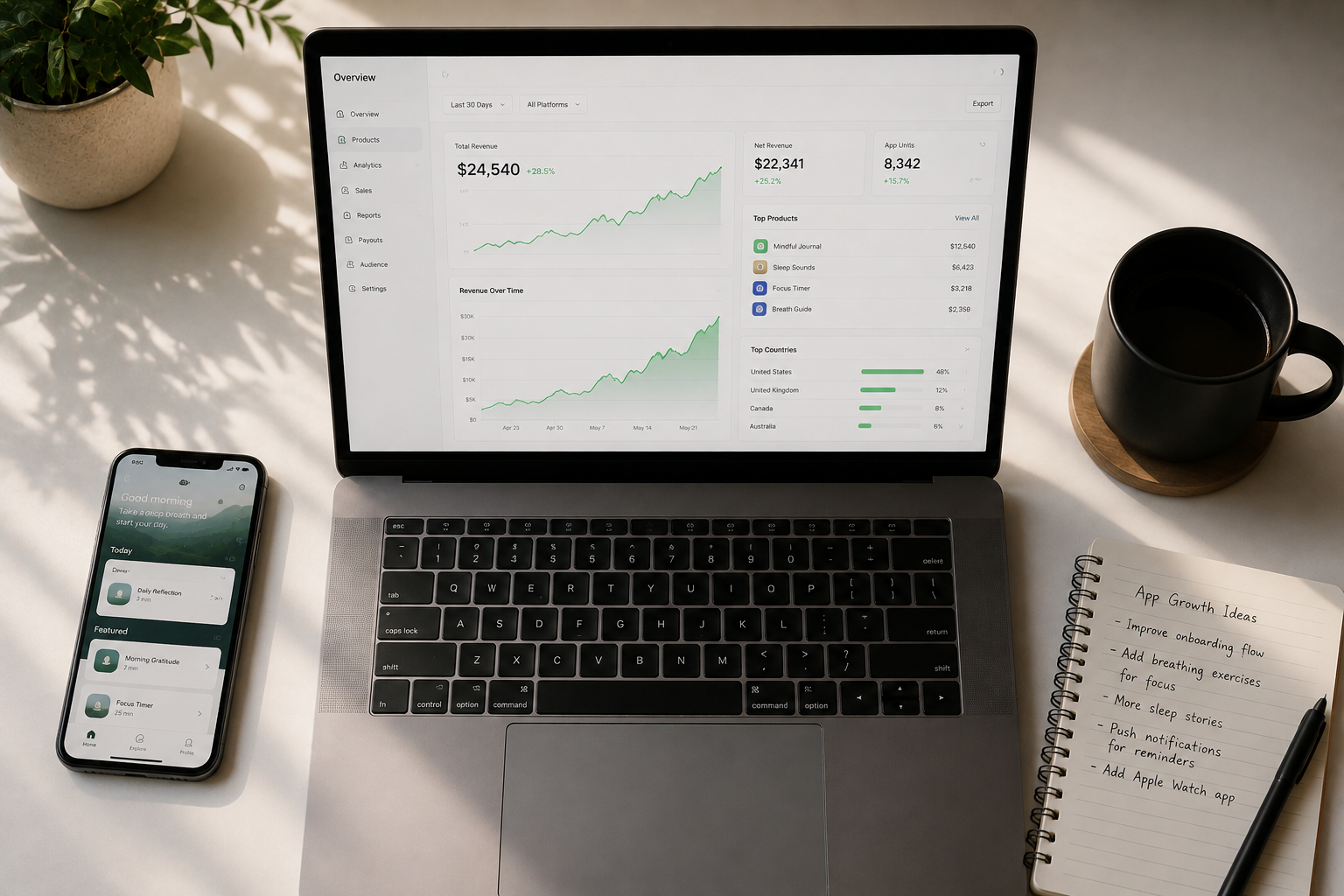
My iOS Apps Made $3,000 Last Month — 5 Simple Changes That Got Me Here
A solo developer growing iOS app revenue from $600 to $3,000 per month is very possible in 2026 by making five focused changes: adding lifetime pricing, localizing App Store listings, running Apple Search Ads, improving the core app experience, and staying patient long enough to let App Store optimization do its work.
These are not theoretical ideas.
They are the exact moves that shifted a small iOS app portfolio from a modest side hustle into something that consistently replaces a full monthly income for many people.
If you build iOS apps and you feel stuck watching your numbers sit flat month after month, this article is written directly for you.
👉 Start a 1-Person Business With Claude AI — Free Quick-Start Guide
Table of Contents
The Portfolio Before Everything Changed
Six months before hitting $3,000 per month, the same iOS app portfolio was sitting at $600.
Not zero.
But not enough to feel like it was working either.
The apps were live, people were downloading them, and a little money was coming in every month.
But the growth felt invisible.
There was no big traffic moment, no Product Hunt launch that went viral, no press coverage.
Just a small iOS app business that needed the right adjustments to start performing like a real income engine.
The five changes below did not happen overnight.
They were tested one at a time, measured carefully, and stacked on top of each other over roughly ninety days.
By the end of that window, monthly revenue had climbed from $600 to just over $3,000.
Here is exactly what changed.
Change 1: Lifetime Pricing Unlocked Faster Daily Sales
The first and most impactful change to the iOS app revenue was rethinking the pricing structure completely.
The original setup was simple: a weekly plan and an annual plan.
It felt like the obvious choice because subscription revenue is predictable.
But the data told a different story.
Conversions were flat.
People were visiting the app page, downloading the free trial, and then quietly leaving without ever subscribing.
The insight that changed everything was noticing how tired consumers have become of recurring billing.
Most people in 2026 are already paying monthly for streaming platforms, software tools, cloud storage, and productivity apps.
Adding another subscription to that pile — especially for a local iOS app that does not rely on a server or user account — was friction that cost real sales every single day.
The new pricing structure that started working looked like this:
$5 for a weekly plan, $15 for a yearly plan, and $19 for a lifetime plan.
That lifetime option at $19 became the star of the entire pricing ladder.
The goal behind the ladder was clear from the start: sell as many lifetime plans as possible on day one.
Because in B2C app publishing, real-world retention is very different from what you see in B2B software.
Most regular users do not stay subscribed to a utility app for five years in a row.
So if a customer can pay once and never think about it again, and you can collect all of that revenue on day one, that is genuinely a good deal for both sides.
Daily sales jumped within two weeks of adding the lifetime option.
Other pricing experiments happened during the same window — per-item pricing, extended seven-day free trials, different annual price points.
Some of those experiments added small wins.
But the lifetime plan was the single biggest revenue driver of the entire pricing overhaul.
If your iOS app does not require server infrastructure or user account management, testing a lifetime plan is one of the fastest moves you can make right now.
👉 Get Access to: Start a 1-Person Business With Claude AI
Change 2: App Store Localization Opened Up Countries That Were Already Searching
The second change that moved the iOS app revenue numbers was localization, and it was one that almost got skipped entirely.
When the first apps launched, the assumption was that English was enough.
Most people search in English, right?
That assumption was expensive.
Here is the reality: a person in Italy searching for a calorie tracker on the App Store is not searching in English.
They are typing in Italian.
And if your App Store listing does not include Italian keywords in your app name, subtitle, keyword field, or description, the App Store algorithm simply will not show your app to that person.
You become invisible in markets where people are already looking for exactly what you built.
Localization operates across three distinct layers, and understanding all three is what separates iOS app developers who grow internationally from those who stay limited to English-speaking markets.
The first layer is App Store Connect metadata.
This means translating your app name, subtitle, keyword field, promotional text, and full description into the native language of each target market.
This is the easiest layer to start with.
Tools like Claude can handle the bulk of this work without manual intervention.
The process is straightforward: you define the languages, pass the metadata to the AI, and it returns translated versions that you push to App Store Connect.
The App Store currently supports localization for dozens of languages including French, German, Italian, Japanese, Mandarin, Portuguese, Spanish, Arabic, and many more.
Covering as many of these localizations as possible is a low-effort move with a measurable impact on organic discovery.
The second layer is screenshot localization.
Screenshots are the first thing a potential user actually sees when they land on your App Store listing.
If your entire listing is in German but your screenshots are in English, there is a small but real disconnect that affects conversion.
The most efficient approach is to build your screenshot backgrounds in a tool like Figma — the background image, the iPhone or Apple Watch mockup, everything except the text — and then use AI to burn the translated text directly into each screenshot.
This means you are not manually producing fifty separate screenshot files.
You are producing one set of background assets, and AI handles the text localization automatically across all target languages.
The font size, font style, and layout should be reviewed once on a test run, then you can automate the rest.
Fastlane, the open-source tool widely used by iOS developers, has strong App Store Connect API integration and can be used alongside Claude Code to submit localized screenshots programmatically without doing it manually through the dashboard.
The third and most involved layer is in-app localization.
This is where the actual app interface — every button label, menu item, notification string, and onboarding screen — is translated into each target language.
This layer takes more time because even a simple tracking app has dozens of string values that need attention.
The recommended approach is to start with your highest-opportunity markets first rather than trying to localize every language at once.
Based on real portfolio results, Germany and France showed surprisingly high engagement from users who chose to write support emails entirely in their native language — not even attempting English — which confirmed that native-language app experiences were genuinely important to those audiences.
Running 27 to 28 language localizations across a portfolio of iOS apps is achievable with Claude Code handling the process systematically.
The key is auditing for missed strings after the first pass, because AI will occasionally overlook compound string values or dynamically generated text that is not immediately obvious in a first scan.
Localization will not multiply revenue by ten overnight.
It is a conversion optimization play, not a traffic play.
But in niches where the English-language App Store is saturated, being the top-ranked iOS app in a language like Slovak or Hungarian is a real competitive advantage that is available to any developer willing to do the work.
👉 Get Access to: The AI Traffic Vault
Change 3: Apple Search Ads Pushed the Right Apps to the Top
The third change that helped grow the iOS app income was running Apple Search Ads, and it is the most underrated paid acquisition channel available to indie iOS app developers in 2026.
Compared to Facebook Ads, Google Ads, or TikTok Ads, Apple Search Ads are remarkably simple to set up, maintain, and analyze.
The first campaign can be launched directly from your App Store Connect account in about ten minutes.
There are no video creatives to produce, no audience interest layers to configure, and no pixel integrations to debug.
You set a bid, choose keywords, pick a geography, and Apple shows your app to people who are actively searching for it.
That intent-based targeting is what makes Apple Search Ads different from social advertising.
Social ads interrupt people.
Apple Search Ads show up when someone is already looking.
That distinction matters enormously for conversion rates.
A few practical lessons from running campaigns across multiple apps:
First, only spend money on apps that are already converting.
If your app has weak onboarding, low session completion, or poor retention, buying more installs will not fix those problems.
It will just accelerate the evidence that the funnel is broken.
The apps that perform best with Apple Search Ads are what the industry calls painkiller apps — tools that people need, not just want.
When someone downloads a painkiller app, they are solving a specific problem they already feel.
Conversion rates on those apps are naturally higher, and paid acquisition becomes profitable.
Vitamin apps — nice-to-have tools that people forget to open — rarely perform well with paid acquisition.
Second, geography matters more than most developers expect.
Bidding on United States keywords as a small indie developer is often not cost-effective.
Competition in the US App Store drives up cost-per-install to levels where the unit economics simply do not work for a $19 lifetime plan.
The markets that delivered the best return on ad spend in this portfolio were Germany, the Netherlands, France, and some parts of Eastern Europe.
Bids are lower, competition is thinner, and the localized App Store listings (from Change 2) make those installs convert at a higher rate.
Third, use Apple Search Ads strategically to build social proof.
If a new iOS app is ranking outside the top forty results for its main keyword, Apple Search Ads can accelerate the download velocity needed to improve organic ranking.
More installs lead to more reviews.
More reviews improve App Store conversion.
Better App Store conversion improves organic ranking.
The paid campaign creates a loop that feeds the organic channel.
Claude Code can be connected to the Apple Search Ads API to automate campaign analysis and optimization decisions, which removes the manual overhead of checking metrics daily.
👉 Get Access to: The AI Blog Monetization Quickstart Guide
Change 4: Going Back and Improving the Apps Changed Everything
The fourth change is the one that is easiest to skip and hardest to appreciate until you actually do it.
When a new iOS app ships, the instinct is to celebrate the launch and immediately start building the next thing.
That instinct is understandable, especially in a vibe-coding workflow where moving fast feels like the right strategy.
But the apps that saw the biggest revenue jumps were the ones that got revisited, iterated on, and meaningfully improved after launch.
Not rebuilt from scratch.
Just improved based on what real users were experiencing.
The most valuable feedback came from support emails.
When users could easily reach a developer by email, they sent specific, actionable feedback about what frustrated them.
Some of the biggest product improvements came from a single user mentioning one thing that turned out to be a major pain point for everyone — something that was invisible in the analytics but obvious the moment someone described it in plain language.
The improvements that made the biggest difference fell into a few consistent categories:
Onboarding simplification.
The easier it is for a new user to complete their first meaningful action inside the app, the better the retention.
Every extra tap, every confusing label, every moment of uncertainty during onboarding is a small leak in the conversion funnel.
Reducing that friction consistently improved the percentage of free trial users who converted to paid.
Engagement mechanics.
Streaks are a well-known retention tool, but they are just the starting point.
Adding achievement systems — goals that users could work toward over time — created a reason to return to the app beyond simple habit.
Users who were engaged with achievements opened the app more frequently and showed better long-term retention.
UI polish.
Small visual improvements to screens that users interacted with daily had a measurable effect on perceived quality.
App Store reviews began to reflect the improved experience, which in turn improved conversion rates for new visitors.
The pattern that repeated across the portfolio was this: an app that launched with mediocre numbers could be transformed into a consistent earner by going back and fixing the friction points that real users were hitting.
👉 Get Access to: The Flipboard Traffic Workflow Kit
Change 5: Patience Was the One Thing That Could Not Be Skipped
The fifth change is the hardest one to write about because it does not involve a tool, a tactic, or a framework.
It just involves not quitting.
App Store optimization takes time to compound.
Keyword rankings do not shift overnight.
Review counts build slowly.
Conversion rates improve gradually as the listing and the app get better together.
When the first iOS app launched, the revenue was effectively zero for a long time.
Then it started to move.
Then it started to grow.
The developers who build profitable iOS app portfolios in 2026 are not the ones with the best initial launch strategy.
They are the ones who kept improving, kept testing, and kept publishing long enough for the App Store algorithm to reward them.
Patience in this context does not mean passive waiting.
It means productive patience.
Using the time while rankings compound to do localization.
Running a small Apple Search Ads campaign in a new country.
Shipping the one improvement three users asked for.
Writing that onboarding screen copy that was always a little confusing.
Each of those small moves stacks.
And the developers who make those small moves consistently — rather than chasing a new idea every time growth feels slow — are the ones who reach $3,000 per month and then start thinking about $5,000.
Where the Portfolio Stands Now
Revenue is currently sitting at approximately $3,000 per month from the iOS app portfolio, with one high-performing painkiller app driving the majority of that number.
Summer seasonality creates a natural ceiling for some app categories, so this period is being used to build more painkiller apps, expand localization coverage, and test Apple Search Ads in additional European markets.
The target is $5,000 per month in net revenue.
Not gross.
Net after ad spend.
The five changes described in this article — lifetime pricing, App Store localization, Apple Search Ads, app improvement, and patient long-term execution — are the foundation that makes that target realistic.
None of them require a massive budget.
None of them require a team.
All of them require showing up consistently and building the kind of iOS app business that compounds over time rather than spikes once and fades.
If you are building digital products, writing content, or growing an online income stream in parallel with an app portfolio, the systems inside these resources will help you move faster:
👉 Get Access to: The Flipboard Traffic Workflow Kit
We strongly recommend that you check out our guide on how to take advantage of AI in today’s passive income economy.