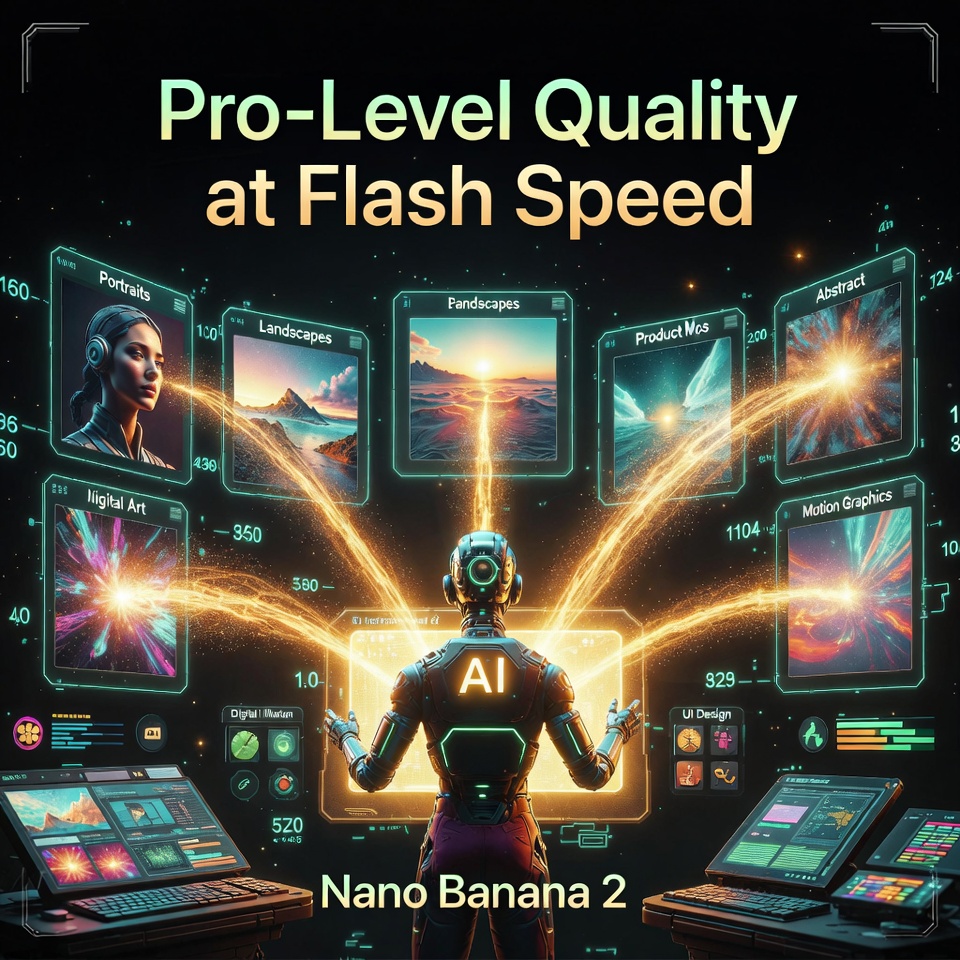
A New Standard for AI Image Generation Has Arrived
Nano Banana 2 is quietly reshaping what creators expect from an AI image model, and the results are hard to ignore once you see them side by side.
A simple prompt is typed in, the submit button is clicked, and within seconds a photorealistic matte black reusable water bottle appears on screen — crisp, clean, and ready to use.
That moment captures exactly what makes Nano Banana 2 worth paying attention to right now.
If you are a content creator, product designer, marketer, or just someone who wants fast and polished visuals without paying for a premium tier, this model deserves a close look.
Tools like flipitai are already helping creators work smarter with AI, and understanding how Nano Banana 2 fits into that ecosystem gives you a real creative edge.
This article breaks down every major capability of Nano Banana 2, from raw generation speed to text accuracy, translation integrity, subject consistency, instruction following, and high-resolution output — all tested against Google’s own claims.
Table of Contents
What Exactly Is Nano Banana 2 and Why Is Google’s Latest Model Creating So Much Buzz?
Nano Banana 2 is Google’s most recent state-of-the-art image generation model, formally known as Gemini 3.1 Flash Image, and it is built around a single compelling promise.
The pitch from Google is straightforward: pro-level quality and intelligence, delivered at flash-level speed.
That means you get the kind of output that previously required the Nano Banana Pro model, but without the longer wait times and without needing a paid subscription.
The model draws on the same advanced world knowledge and web grounding architecture that powers Nano Banana Pro, but it runs at a fraction of the time.
This is not just a minor speed tweak — it represents a meaningful shift in how accessible high-quality AI image generation can be for everyday creators and businesses.
For anyone building visual content pipelines or experimenting with AI-assisted design, Nano Banana 2 sits at the intersection of speed, accuracy, and accessibility in a way no previous version has managed.
Platforms like flipitai are designed precisely for the kind of creator who benefits from faster, smarter tools — and Nano Banana 2 feeds directly into that workflow.
How Fast Is Nano Banana 2 Really? A Side-by-Side Speed Test Against Nano Banana Pro
Speed is the headline feature of Nano Banana 2, and the numbers speak loudly when you put it next to Nano Banana Pro in a direct comparison.
Using the same prompt fed into both models simultaneously, the Fast model on the left consistently finishes first, with generation times landing in the 13 to 15 second range.
The Pro model on the right, run with the identical prompt, takes between 25 and 35 seconds to complete — more than double the time in most cases.
In one specific edit test, a logo was added to the previously generated water bottle, and the Fast model completed the task in 13 seconds while the Pro model took 29 seconds.
A follow-up edit requesting a change to a red bandana clocked the Fast model at 15 seconds versus 34 seconds for Pro.
When these results are placed side by side visually, the quality gap is narrower than most people expect — the Pro model still edges ahead slightly in ultra-realistic rendering, but the Fast model looks remarkably close.
For creators working under time pressure or iterating through multiple concepts quickly, that speed difference is enormous, especially when the output quality is nearly identical.
This is precisely the kind of efficiency that tools like flipitai are built to support — faster creative cycles without sacrificing the polish that audiences expect.
Where to Access Nano Banana 2 and What Plans Give You Free Usage
Using Nano Banana 2 Inside Gemini
The most accessible entry point is gemini.google.com, where you can navigate to the image creation section and immediately begin generating with Nano Banana 2.
One of the first things you will notice is a set of style templates that were not available before — options like Gothic Clay give you a visual reference image at the bottom of the screen so you can see exactly what style your output will be generated in.
A wolf howling at the moon, prompted in Gothic Clay style, comes back looking like a piece pulled straight from the aesthetic of a Tim Burton production — dark, sculpted, and unmistakably stylized.
Nano Banana 2 is available for free in approximately 141 countries through the Gemini platform, which makes it one of the most widely accessible professional-grade image tools currently on the market.
AI Studio, Google Cloud, and Google Flow
Beyond Gemini, Nano Banana 2 is also available through AI Studio at aistudio.google.com, where you can select it from the model dropdown under the images category.
Google Flow is another platform where Nano Banana 2 is now the default image generator, and notably it uses zero credits when accessed through Flow — making it completely free within that ecosystem.
Google Cloud and Vertex AI also support the model for enterprise and developer use cases.
For creators already using flipitai to manage and scale their content production, the integration of Nano Banana 2 across these platforms means faster turnaround at every stage of the process.
What Happens to Nano Banana Pro?
Nano Banana Pro is now reserved for paid plans — specifically Pro and Ultra tier subscribers.
If you generate an image with Nano Banana 2 and want to upgrade it, clicking the three dots on the image and selecting “redo with Pro” will regenerate it using the Pro model — a helpful option when you need that extra layer of realism for a final deliverable.
Text Rendering and Instruction Following — Can Nano Banana 2 Handle Complex Prompts?
One of the most technically demanding tests you can run on any AI image model is asking it to render accurate, legible, and precisely formatted text inside an image.
A prompt is constructed asking Nano Banana 2 to generate a photorealistic laptop on a desk with a browser open to a pricing page for a fictional product called Banana Studio.
The requirements include a headline, a subheadline, a footnote line, a three-column comparison table with specific headers and row labels, exact pricing values, fine print at the bottom, and a clean modern UI — all text perfectly spelled, readable, and aligned with no extra characters or gibberish.
The output that comes back is striking in how thoroughly it honors every single instruction.
The headline reads exactly as written, the subheadline matches, the three-column table has the correct headers — Starter, Pro, Team — and all of the row values are accurate and cleanly formatted.
The fine print at the bottom includes the exact text requested, down to the tax disclaimer and terms line.
When compared against the Pro model running the same prompt, both outputs are essentially on par — but the one produced by Nano Banana 2 is free, faster, and in some cases the laptop composition actually looks more visually appealing.
This level of instruction-following is what separates a useful creative tool from a novelty, and it is exactly the kind of reliability that creators working through flipitai need when producing polished commercial content at scale.
Translation and Localization — How Nano Banana 2 Handles Multi-Language Outputs
Translation inside an image is a feature that sounds simple but is notoriously difficult for AI models to execute accurately while maintaining visual consistency.
A modern event poster is generated with full English text — event name, date, location, ticket information, and styling — and then both Nano Banana 2 and the Pro model are asked to translate the entire poster into Spanish while keeping the layout, typography, spacing, and style completely intact.
Both models return Spanish-language versions within seconds, and both do a credible job of converting the content.
In examining the translations closely, the Fast model actually appears to produce the more linguistically accurate translation, particularly around location terminology where the Pro model uses a more anglicized version of a term that the Fast model renders correctly in Spanish.
The visual quality of the Fast model’s poster is also arguably stronger — there is more color depth, more layered detail in the background design, and the overall composition feels richer.
For creators targeting multilingual audiences or running localized campaigns across different markets, Nano Banana 2 removes a production bottleneck that used to require either a designer or a separate translation step.
Tools like flipitai are built for exactly these kinds of multi-step content workflows, and Nano Banana 2 integrates naturally into that kind of pipeline.
Subject Consistency Testing — 5 Characters and 14 Objects in a Single Scene
One of Google’s bolder claims for Nano Banana 2 is that it can maintain subject consistency across multiple image generations — holding up to five characters and fourteen distinct objects consistent from one frame to the next.
To test this, a scene is built from scratch with five fully described characters: an adult woman with curly black hair and a green sweater, an adult man with short blonde hair and a gray hoodie, a teen girl with long brown hair and a yellow beanie, a teen boy with short red hair and a denim jacket, and an elderly man with white hair and a navy cardigan.
All five characters are rendered correctly in the initial generation, each matching the description precisely.
The follow-up prompt requests a scene change — the teen boy picks up a skateboard, the adult woman stands and takes a sip from a red mug, and the orange cat moves to the wooden coffee table — while specifying that all characters must look like the same people and all fourteen objects must remain present and visible.
The second frame honors most of these instructions accurately, and when placed side by side with the first, the character identities are clearly maintained — same faces, same clothing, same physical characteristics.
Of the fourteen objects tracked, only the sunglasses appear to have been removed from the second frame, likely displaced when the cat moved to the table, which is a reasonable compositional explanation.
Where the model struggles is with camera angle changes — when asked to switch to a wider angle from the opposite corner of the room, the spatial rearrangement of objects and characters becomes inconsistent, with the lamp remaining in its original position and the room geometry not fully adapting to the new viewpoint.
That said, the character faces remain recognizable even through the angle shift, which is the harder problem to solve, and Nano Banana 2 handles it better than many models currently available.
Creators using flipitai who work on narrative content, product storytelling, or character-driven campaigns will find this consistency feature genuinely useful for building visual sequences.
Product Photography and Aspect Ratio Control — Studio-Quality Outputs Without a Studio
A detailed product photography prompt is submitted to Nano Banana 2 — a single pair of matte black over-ear headphones on a pure white background, perfectly centered, soft shadow beneath, no branding, no cables, no logos, with a specific lighting setup calling for a softbox from the upper left and a faint fill from the right, at an 85mm lens look with an f/5.6 aperture simulation, aspect ratio 1:1.
The result is a clean, professional product image where the headphones sit centered and symmetrical, the shadow falls exactly as described, and the ear pad texture is subtly visible at close inspection.
The lighting direction matches the softbox specification — the shadow geometry corresponds correctly to a light source coming from the upper left — and the overall image would be usable in a commercial product listing without modification.
A follow-up prompt asking for a 15-degree rotation to the right produces exactly that — a slight tilt with everything else preserved identically.
Testing aspect ratio flexibility, the same neon-lit scene is recomposed into a 9:16 vertical format for short-form content and a 4:5 format for social media, both executing cleanly with the subject properly reframed rather than simply cropped.
On the question of 4K output, the model consistently delivers at 2752 by 1536 pixels even when explicitly prompted to target 4K resolution — which falls short of the 3840 by 2160 standard for true 4K, and the same ceiling applies when the image is regenerated using Nano Banana Pro.
The images are still high quality and visually sharp at the resolution they deliver, and for most digital use cases that output is more than sufficient — but it is worth noting if true 4K is a hard requirement for your production workflow.
World Knowledge and Web Grounding — How Well Does Nano Banana 2 Research What It Draws?
One of the more ambitious features tied to Nano Banana 2 is its ability to draw on real-world knowledge and web-grounded data to inform what it generates.
Asked to create an infographic of Petco Park in San Diego with accurate landmark annotations, the model returns an image that correctly names several real locations in the surrounding area — the Omni Hotel San Diego, Coronado Island, and the Gaslamp Quarter all appear labeled.
However, the spatial layout places some of these landmarks in incorrect relative positions — the San Diego Convention Center is shown on the wrong side of the stadium, and the park area known as Gallagher Square, which is actually located inside the ballpark itself, is positioned outside of it.
When given an actual aerial photograph of the stadium and asked to annotate it directly, the accuracy improves — the Omni Hotel is placed correctly, Coronado Island is identified in the right direction, and the Gaslamp Quarter annotation is reasonably positioned — though some labels still drift slightly from their precise locations.
This puts the web grounding capability of Nano Banana 2 in an honest light: it knows real things, it names them correctly, but the spatial precision in how it arranges them inside a generated image still has room to grow.
For reference-heavy infographic work where layout accuracy is critical, Nano Banana Pro still has a slight edge — but for most general knowledge-informed image tasks, Nano Banana 2 performs credibly.
Creators on flipitai who build educational content, local marketing materials, or data-driven visuals will find this feature useful as a starting point that can be refined with direct image annotations.
Final Assessment — Is Nano Banana 2 the Right Daily Driver for Most Creators?
After extensive hands-on testing across speed, text accuracy, translation, subject consistency, instruction following, aspect ratio control, and world knowledge grounding, the conclusion is clear.
Nano Banana 2 is the right choice for the vast majority of image generation use cases — and the fact that it is available for free across Google’s platforms makes it one of the most compelling tools available to creators right now.
The speed advantage alone — generating in 13 to 15 seconds versus 25 to 35 seconds for the Pro model — changes the rhythm of a creative workflow in ways that compound over a full day of production.
The instruction-following performance is precise, the text rendering is accurate, the translation quality is strong, and the product photography output is genuinely commercial-grade.
Where Nano Banana Pro still holds a narrow advantage is in ultra-realistic rendering for photographic final outputs and in spatially complex web-grounded infographics where positional accuracy matters.
But those are niche scenarios — the kind that represent maybe five percent of total use cases for most creators.
For the other ninety-five percent, Nano Banana 2 does the job faster, just as cleanly, and without requiring a paid plan.
Whether you are building content through flipitai as a creator managing multiple projects, or exploring AI image tools for the first time, Nano Banana 2 represents the most practical and accessible entry point into professional-quality AI image generation that Google has ever released.
The new style templates add another layer of creative control, the multi-platform availability makes it easy to fit into any existing workflow, and the free access tier means there is genuinely no barrier to getting started today.
If you are ready to start generating faster and smarter, head over to flipitai and explore how Nano Banana 2 fits into the tools already shaping how the best creators are working right now.
We strongly recommend that you check out our guide on how to take advantage of AI in today’s passive income economy.