Claude Cowork Goes Cloud: Why 600,000+ Organizations Are Already Using It
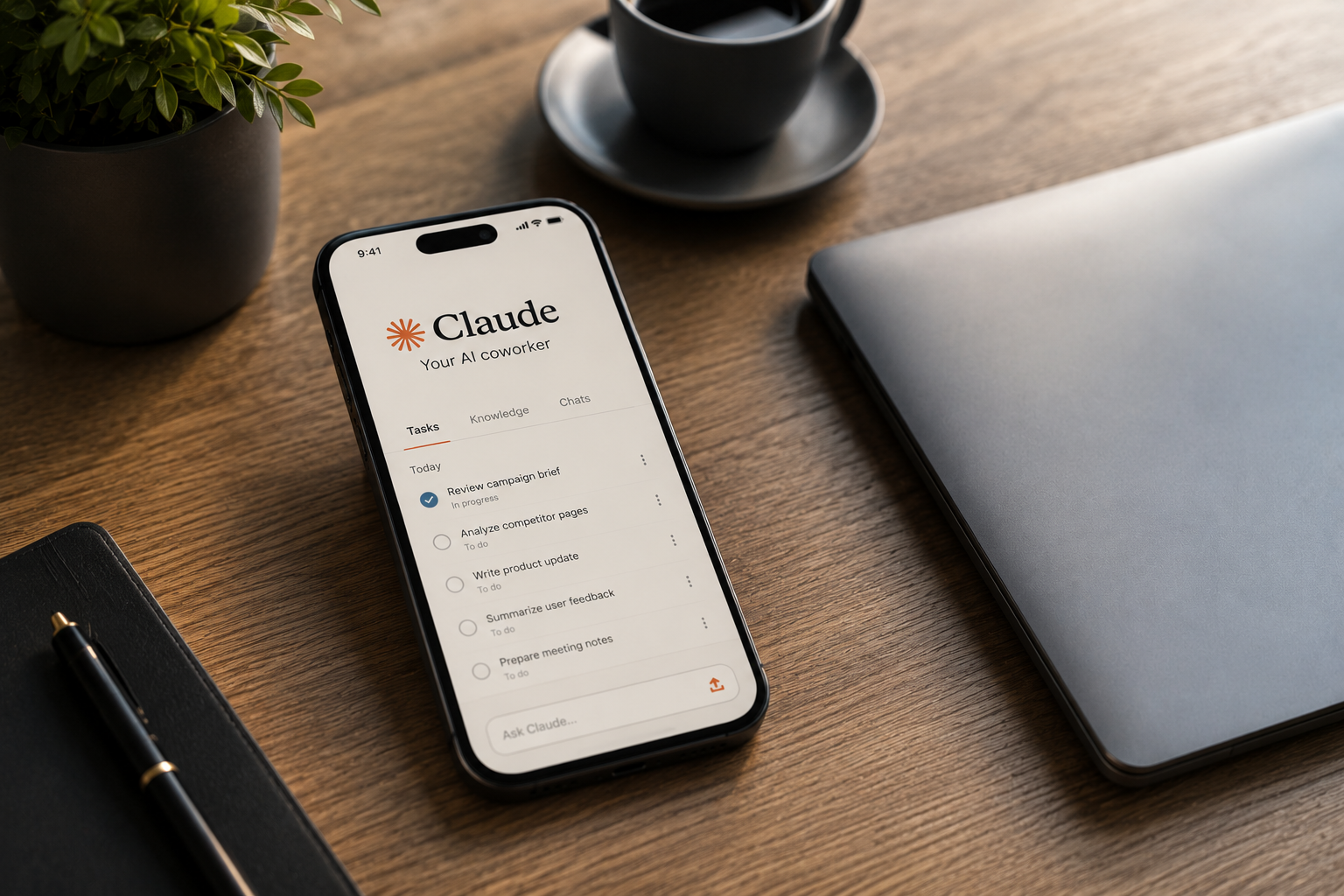
Claude Cowork mobile and web access is now rolling out from Anthropic, letting people start a task on a desktop, close the laptop, and still watch Claude finish the job from a phone or browser tab. This shift moves Cowork from a desktop-only tool into a cloud-based system that keeps working even when every device is turned off. The update also brings scheduled tasks that run without any device staying online. 👉Free download: Start a 1-Person Business With Claude AI — Free Quick-Start Guide walks you through setting up your own AI-powered income stream using tools exactly like this one.
We strongly recommend that you check out our guide on how to take advantage of AI in today’s passive income economy.
Table of Contents
What Anthropic Just Announced
Anthropic confirmed the update in a blog post on July 7, 2026, and the news spread quickly across tech outlets and social media. The post was simple and direct. It said that work handed to Claude does not always fit into one sitting at a desk. It builds up overnight, between meetings, and even on a train ride home. Until this update, Cowork lived only on a laptop, so the moment someone closed that laptop, the work stopped too. Now, that is no longer true. Anthropic co-founder Mike Krieger also shared the announcement publicly, noting that Chat and Cowork now share one home tab on web and desktop, with one sidebar and one place for Projects and Artifacts. This is one of the most requested changes from people who use Claude Cowork mobile and web features for daily work.
Three specific changes came with this rollout, and each one solves a real problem people had with the old desktop-only version. Your work now follows you across devices instead of staying locked to one machine. Tasks continue running in the background even after you close your laptop and walk into a meeting. Scheduled tasks, like a daily report or a weekly summary, now run with no device online at all. Anthropic gave a clear example of this in its announcement. A user can set a Monday morning client prep task for 6 a.m., and Claude will work through email threads, meeting transcripts, and recent news on its own. It builds a briefing document and leaves a follow-up email drafted but unsent, ready for review over coffee. Nothing gets sent automatically, since every sensitive step still waits for a person to approve it.
How Claude Cowork Mobile and Web Actually Work
Understanding this update starts with one simple idea, so let’s slow down and walk through it. Claude Cowork mobile sessions now run inside Anthropic’s own cloud servers instead of on your personal computer. Think of it the way streaming services work, where you pause a show on one screen and pick it back up on another without losing your place. Cowork sessions and files now behave the same way across your phone, your browser, and your desktop app. On the web, a session starts right from the home screen at claude.ai. On mobile, it opens from the sidebar inside the Claude app for both iPhone and Android. For the fullest experience, including deeper local file access, Anthropic still recommends downloading the Claude desktop app. 👉Get Access to: The AI Blog Monetization Quickstart Guide shows you how to turn updates like this into content that ranks and earns, exactly the kind of article you are reading right now.
There is one important limit worth understanding clearly before you build your whole workflow around this. The desktop app still runs many of its sessions locally on your own computer, especially anything tied to local files and folders. That means a task you start and run entirely inside the desktop app may not always show up on mobile or web in the same local form. Remote sessions, on the other hand, started from your phone or browser, sync fully across every surface. According to Anthropic’s own Cowork platform guidance, users can start, steer, review, and resume Cowork tasks across desktop, web, and mobile. Connectors, skills, plugins, scheduled tasks, Projects, and file previews are all available across these surfaces as well. This is a meaningful upgrade from the earlier version, where a closed laptop simply meant paused work. It also means Claude Cowork mobile is no longer just a viewer, since it can actually kick off new sessions on its own.
Who Is Actually Using Claude Cowork Right Now
Anthropic did not just announce a feature, it also shared real usage data behind the decision to expand. The company sampled 1.2 million Cowork sessions across more than 600,000 organizations between May 11 and May 31, 2026. The results might surprise people who assumed Cowork was mainly a coding tool. More than 90% of all Cowork activity turned out to be everyday knowledge work rather than software development. Business operations made up the largest slice of usage, at roughly 33.4%, covering tasks like reconciling a quarter’s spending or building a variance memo. Content creation and copywriting came in next, at about 16.4% of total activity. Software development itself accounted for only around 8.7% of sessions, a much smaller share than many expected. Anthropic described this as “the work around the work,” meaning the connective tasks that keep a business running but rarely define a single job title.
This usage pattern matters a lot for solo founders, content creators, and small teams juggling many roles at once. It suggests Claude Cowork mobile is built less for engineers writing code and more for people managing reports, client decks, contracts, and content pipelines. Examples Anthropic gave include turning a folder of contracts into a renewals tracker with flagged risks. Another example was building tomorrow’s client deck directly from call transcripts and pipeline data. These are exactly the kinds of repetitive, time-consuming tasks that eat up hours for anyone running a one-person business. 👉 Get Access to the full Package: Start a 1-Person Business With Claude AI was built for exactly this kind of AI-powered workflow, where Claude handles the busy work so you can focus on growth. If Claude Cowork mobile can now run these tasks from a phone, the barrier to starting an AI-powered income system keeps getting lower. That is a meaningful shift for anyone thinking about building digital products or content businesses part-time.
What This Means for the Desktop App Experience
The desktop app itself did not stay the same during this rollout either. Anthropic simplified the navigation so users now toggle between two main modes instead of three separate ones. Chat and Cowork now live together under a single home tab, with a separate tab for Claude Code. Inside the home tab, switching between chat mode and Cowork mode happens directly from the text box, without opening a new window. This is a noticeable interface change for anyone who has used Cowork daily since its January 2026 desktop launch. Some long-time users may need a short adjustment period after this shift, since the previous three-tab layout felt more separated. Projects and artifacts, which group chats and files together, are also being unified across chat and Cowork over time. Anthropic says even better integration between Chat and Cowork is coming soon.
For people working on strict corporate machines without admin rights to install software, this update opens a real door. Anthropic specifically called out users who could not install a desktop app due to IT restrictions on their work computers. Those users can now access Cowork entirely through a standard browser at claude.ai instead of needing local installation permissions. This detail matters more than it might first appear, especially for employees at larger, security-conscious organizations. 👉Free download: The Claude AI Digital Product Starter Pack — 10 Done-For-You Prompts for Beginners gives you ready-to-use prompts for building your own AI tools, even if you’re just getting comfortable with agentic features like Cowork. Browser-based access essentially removes one of the biggest technical barriers that kept some professionals from trying Cowork at all.
The Rollout Timeline and Who Gets Access First
Claude Cowork mobile and web access is launching as a beta feature, which means it is not available to everyone immediately. Max plan subscribers are getting first access, with Anthropic stating that other plans will follow over the coming weeks. No fixed date has been announced yet for when non-Max users will see the feature appear in their own accounts. To mark the launch, Anthropic is also extending its doubled Cowork usage limits through August 5, 2026. This gives early users extra room to test bigger, more ambitious tasks without worrying about hitting a usage ceiling right away. If you have access now, this window is a good time to push Cowork further than you normally would. Anthropic has connected Cowork to 13 Model Context Protocol connectors so far, covering common workplace tools and services. For anything outside those built-in connectors, tools like Zapier’s MCP server can bridge Cowork to thousands of additional apps.
Anthropic’s broader positioning also matters here, especially with competitors moving into similar territory. Microsoft made its own Copilot Cowork generally available in June 2026, aiming at long-running, multi-tool tasks inside Microsoft 365. Anthropic’s approach differs by spreading one consistent Cowork experience across desktop, web, and mobile rather than tying it to one ecosystem. The company frames the desktop app as the deepest environment for local file access, while web and mobile focus on monitoring, steering, and approving work remotely. That distinction is worth remembering as you decide which surface fits each type of task you hand to Claude. 👉Get Access to: The AI Blog Monetization Quickstart Guide is a practical resource if you want to turn fast-moving AI news like this into a repeatable content and income system of your own.
What Still Needs the Desktop App
It is worth being upfront about what Claude Cowork mobile cannot fully replace yet, since not every capability has moved to phones and browsers. Access to certain local files and locally installed connectors may still require the Claude desktop app to be open on your machine. Browser-based control features and some deeper computer-use actions remain strongest inside the desktop environment for now. This means the desktop app is not being phased out, but instead is becoming the deepest, most complete surface within a larger multi-device system. Anthropic’s own launch materials do not yet confirm specific admin controls built for the new web and mobile surfaces. Teams planning a company-wide rollout should check their own admin console directly rather than assuming central restriction tools already exist. Given how new this beta is, expect refinements and added parity between surfaces over the coming months. For now, treating desktop as your power tool and mobile as your remote control is the safest mental model.
Getting Started With Claude Cowork Mobile Today
If you already have a Claude Max subscription, opening the Claude app on your phone will show a Cowork option directly in the sidebar. From there, you can view any sessions already running, check scheduled tasks, and start entirely new ones from wherever you are. On the web, the same experience is available by visiting claude.ai and toggling into Cowork mode from the home screen. Starting small is a smart approach, so try pointing Claude at one folder, one email thread, or one half-finished document first. Describe clearly what a finished result should look like, then let Claude Cowork mobile work through the steps on its own. Review anything sensitive before it goes out, since human approval remains a built-in part of the entire process by design. As you get comfortable, scheduled tasks become one of the most useful features, since they now run without needing any device online.
Claude Cowork mobile represents one of the clearest signs yet that AI agents are moving from single conversations into ongoing, background work. For solo founders, bloggers, and small business owners, this kind of tool can genuinely replace hours of manual, repetitive admin work each week. 👉 Get Access to the full Package: Start a 1-Person Business With Claude AI was built for exactly this shift, teaching practical systems for running a business almost entirely through AI tools like Claude. And if you are just starting to explore what’s possible, 👉Free download: Start a 1-Person Business With Claude AI — Free Quick-Start Guide is the simplest place to begin, completely free. As Claude Cowork mobile continues expanding beyond the Max plan in the coming weeks, this is a feature well worth testing early.

We strongly recommend that you check out our guide on how to take advantage of AI in today’s passive income economy.