I Tested the AI Glasses That 3 TED Talk Speakers Wore — 30-Day Honest Review
The Even Realities G2 AI glasses for business productivity are the smart eyewear that CEOs and TED Talk speakers quietly wear in 2026 to stay sharp in meetings, conferences, and on the go — without ever pulling out a phone. After 30 days of wearing them everywhere from client calls to a live wedding ceremony, the honest answer is that they work, but not in the flashy sci-fi way you might expect.
They work because they remove friction.
And if you run a one-person business or content operation like I do, friction is the silent killer of your day.
👉 Start a 1-Person Business With Claude AI — Free Quick-Start Guide
The Setup: What I Actually Bought and Why It Cost More Than I Planned
Before I could test anything, I needed to actually get a pair in my hands.
After doing real research into what smart glasses CEOs and keynote speakers have been spotted wearing in 2024 and 2025, the brand that kept coming up was Even Realities, and the model in question is their G2 smart glasses.
They are not bulky, sci-fi headgear that will get you stared at in a coffee shop.
From three feet away, they look like a pair of clean, modern everyday eyeglasses that you could walk into any corporate meeting room wearing and nobody would ask a single question.
I chose the round frame in gray, which has a clean European design aesthetic that sits comfortably on the face and does not pinch at the temples even after hours of wear.
Because I recently discovered I am slightly nearsighted, I also added prescription lenses to the order, which made the total more valuable since I now had everyday glasses that doubled as a productivity device.
To control the glasses, Even Realities gives you two options: the built-in touch controls along the side of the frame, or their companion device, the Even R1 Ring, which is a small gesture-control ring that you wear on your finger to navigate the display without having to reach up to your face.
I went with the ring because keeping my hands at my sides during a business meeting looks a lot more natural than tapping the side of my head every few minutes.
I also added the magnetic sunglasses clip, which snaps onto the front of the frames and turns them into outdoor eyewear instantly.
By the time I had the glasses, the ring, the clip, and prescription lenses accounted for, I had spent just over $1,106.
Not a small amount.
But if these were going to replace the phone I pull out 60 times a day, the notepad I lose at every event, and the teleprompter I haul to every video shoot, the math could work out.
The question I needed to answer over the next 30 days was whether these AI glasses for business productivity would actually deliver results in real life, or whether I was just paying a premium to look cool.
👉 Get Access to: Start a 1-Person Business With Claude AI
Day One: Unboxing, First Impressions, and the Moment Everything Changed
The packaging that arrived at my door was dense, matte, and quiet — the kind of packaging that tells you before you open it that what is inside takes itself seriously.
Inside the main box were the G2 glasses sitting in a slim magnetic charging case, the Even R1 Ring in its own small compartment, and the sunglasses clip tucked in a soft pouch.
Everything was laid out the way you would expect from a product designed for someone who cares about detail.
I slid the glasses on and before I even activated the display, I stopped because the prescription lenses were doing their job and I had not realized how much I had been missing until that moment.
Trees outside my window had individual leaves.
Text on a far shelf was suddenly readable.
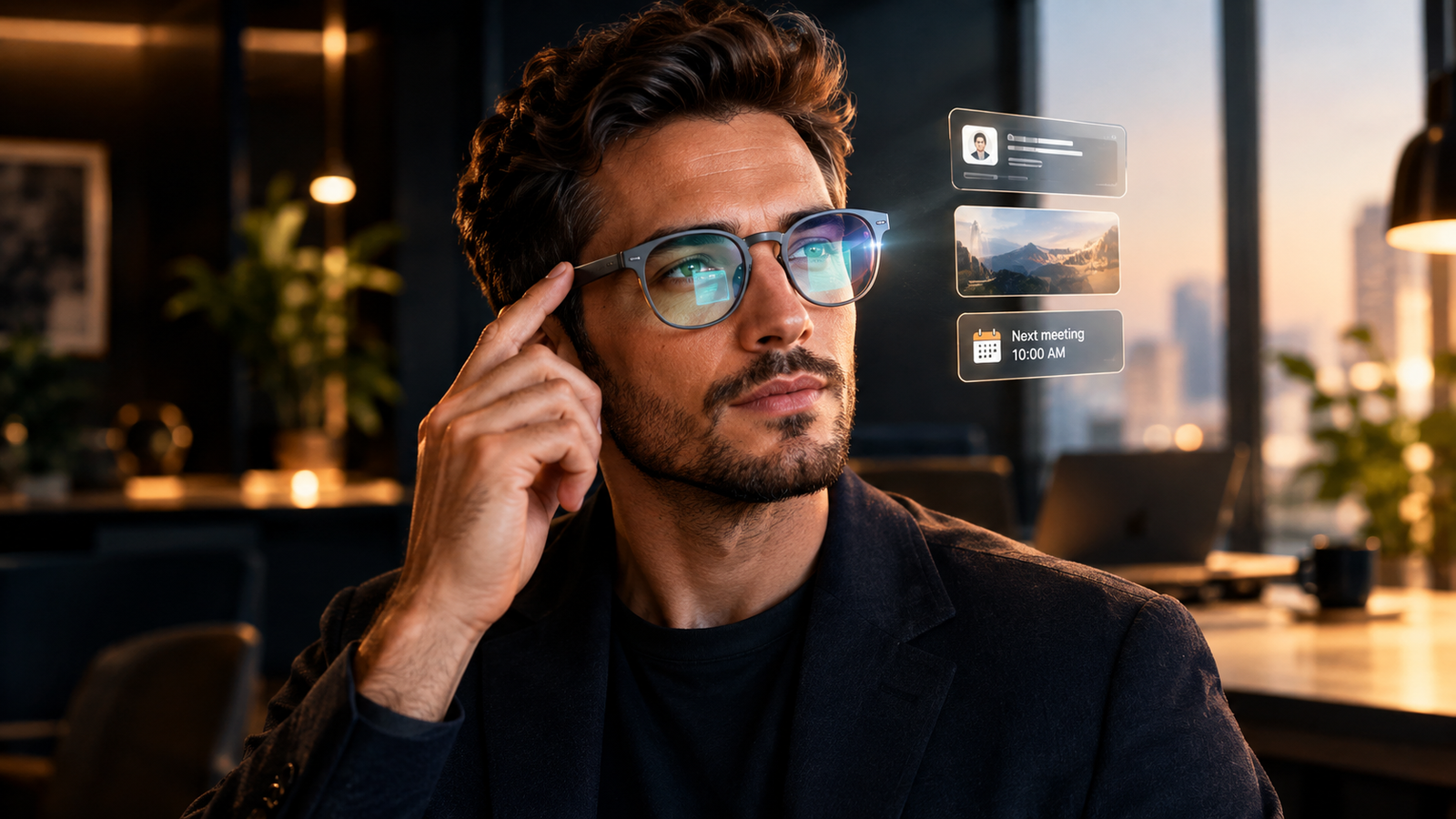
When I double-tapped the Even R1 Ring to power up the glasses for the first time, a small, sharp, green-tinted heads-up display appeared in the lower-right corner of my right lens — not covering my full vision, not obtrusive, just present.
It showed the current time, the local weather, a notification preview, and my next calendar event.
My first reaction was that this was genuinely cool, but I was not yet convinced it was $1,106 cool.
That would take the next 30 days to figure out.
These Even Realities AI glasses for business productivity have a display that is projected through a waveguide lens, meaning the light travels through the glass and appears to float about an arm’s length in front of you rather than sitting right at your eyeball.
The result is a display that you can glance at the way you glance at a sticky note stuck to the edge of your monitor — it is there when you want it and invisible when you do not.
Week One: Coffee Meetings, Client Calls, and Real-World Business Use
Day Three — The Casual Meeting Test
The first meaningful test came three days in when I met up with a friend who runs a content operation of his own.
We sat down at a local café to brainstorm content angles and channel strategy over drinks, and I kept the glasses running the entire time.
Instead of pulling out my phone to jot down ideas as they came up, I activated the Conversate function inside the Even Realities companion app, which uses the microphone built into the frame to transcribe your conversation in real time.
By the time we finished our drinks, I had a full transcript of everything we talked about and an AI-generated summary of our key ideas and decisions, all sitting on my phone without me once breaking eye contact with my friend to write anything down.
That alone shifted something in how I thought about these AI glasses for business productivity.
Being fully present in a conversation while still capturing every important idea is not something your phone can do without creating friction — you either stare at a screen while someone talks to you or you miss the point entirely.
These glasses removed that trade-off entirely.
👉 Get Access to: The AI Traffic Vault
Day Five — The Client Consulting Call
The more serious test came on day five when I had a scheduled one-on-one consulting call with a paying client.
Before the call, I loaded my prep notes into the Even Realities prep notes function, which lets you store a document or set of bullet points that you can glance at in the heads-up display while the call is running.
In the past, I would have had a second screen open beside my webcam or a printed sheet angled just out of frame, which always looks slightly off on camera.
With the glasses, I was looking directly into my webcam the entire time, maintaining eye contact, while reading my own notes from the display inside the frame.
At one point, my client mentioned two companies I had not come across before.
Normally this would mean either admitting the gap or awkwardly switching tabs to search while hoping they do not notice the glazed look that crosses your face when you are reading something off-screen.
The Even Realities AI Cues function solved this by automatically detecting the company names from the conversation and surfacing short context snippets directly in the display without me asking for anything.
It was not a deep research dump — just enough context to stay in the conversation naturally.
The call ended well, my client received an AI-generated meeting summary within minutes afterward, and he never once noticed anything unusual about my glasses.
That invisibility is, I think, the real product being sold here.
👉 Get Access to: The Medium Mastery
Week Two: The Conference Test — Where These Glasses Either Win or Break
Day Seven — A Full Conference Day
On day seven I brought the Even Realities AI glasses for business productivity into a full-day professional conference — keynote sessions, workshops, networking floors, and all the noise that comes with 400 people in one convention space.
This was the environment I expected to expose every weakness.
During a keynote session, I used the live captions function, which transcribes the speaker’s words in real time and displays them in my lens so I could follow along even in a noisy hall with poor acoustics.
Paired with AI Cues, which surfaced contextual information related to topics the speaker raised, I came out of a one-hour keynote session with better notes and more retained context than I typically gather at a full-day conference.
I did not doze off once, not because the content was exceptional, but because I had something to engage with in real time rather than passively sitting with folded arms hoping something stuck.
During the networking portion, I did not lean heavily on the display, but the glasses themselves became a conversation starter.
Several people asked about them, tried them on when offered, and were genuinely surprised by how light they were and how normal they looked from the outside.
That social dynamic turned what would have been routine networking into memorable interactions, which is worth something if you are attending events for business development.
By the end of that day, the Even Realities G2 had earned their place in my kit for external events.
Week Two Continued: Working From Home — The Honest Limitations
I want to be clear about something that took me a while to accept: these glasses are not always useful.
When I was sitting at my desk at home with my monitor running and my phone within reach, I barely touched the display.
A large screen you stare at all day already removes the problem that these glasses are designed to solve.
The times I did use them at home were mostly for quick queries — I would ask Even AI, the built-in voice assistant, a fast question without switching tabs, and get the answer displayed directly in front of me.
I also used the Pomodoro timer function, which I found through the Even Hub, a community-built app store where independent developers publish their own plugins for the Even Realities platform.
The Even Hub has hundreds of user-built extensions ranging from reading trackers and workout guides to mini-games, and the ecosystem is growing fast.
The Pomodoro timer worked better for me inside the glasses than any standalone timer I had used before, simply because when a timer appears in your field of vision you cannot miss it the way you miss a notification on a phone across the room.
But beyond those specific moments, my home usage was light.
The glasses earned their value outside the house, which became very clear in week three.
If you are building a solo digital business and want to sharpen how you use AI tools day by day, the resources inside 👉 The AI Traffic Vault are built for that operating style.
Week Three: Field Operations, Translation, and an Unexpected Save
Boots on the Ground
I also run a hands-on logistics operation alongside my content business, and week three was when I put the Even Realities AI glasses for business productivity through their most physically demanding test.
I was out running appointments, managing client pickups and drop-offs, and doing work that requires your hands and your attention at the same time.
Before heading out for the day, I loaded my appointment list into the Quick List function inside the glasses, which works like a floating to-do list visible in the display.
Client IDs, item counts, addresses, and time windows were all there to glance at without stopping to pull out my phone while carrying something heavy.
This sounds like a minor convenience until you are holding two suitcases in both hands and need to confirm a detail without setting everything down.
The bigger moment came when I arrived at a pickup and the client began speaking in Mandarin.
I do not speak Mandarin.
Without hesitation, I activated the real-time translate function inside the Even Realities app, which uses the glasses microphone to detect spoken language and displays the English translation in the lens as the person speaks.
To respond, I used the companion app on my phone, which converted my English speech into written Mandarin displayed on the screen so my client could read it.
It was not a seamless conversation by any standard, but it worked, and we completed the appointment without a communication breakdown.
The Even Realities translate function supports over 40 languages in real time as of 2026, and after that day I stopped thinking of it as a travel feature and started thinking of it as a daily operations tool.
👉 Get Access to: The Flipboard Traffic Workflow Kit
Week Four: The Ultimate CEO Test — Using AI Glasses as a Teleprompter at a Live Event
The Wedding MC Moment
The final week brought the most high-stakes test of the entire 30 days.
I was the MC at a close friend’s wedding, which meant standing in front of 150 people, managing the flow of the evening, delivering scripted remarks at key moments, and doing it all without looking like I was reading from a piece of paper.
I am not a natural off-the-cuff speaker.
When I do not have a script in front of me, I lose my thread fast.
I loaded my full MC script into the Teleprompter function on the Even Realities glasses, which scrolls the text in the heads-up display in sync with your speaking pace using voice detection.
As I talked, the words moved with me.
I could look across the room, make eye contact with guests on both sides, walk the floor, gesture naturally, and the script was right there in front of me the entire time without anyone in the room seeing a single sheet of paper or a screen in my hand.
At one point I recited a section of text standing in an open courtyard thirty feet from anyone, looking out at the crowd as though speaking entirely from memory.
Nobody knew.
The only caveat worth mentioning is that at certain angles in bright light, a faint green reflection is visible on the outer surface of the lens from another person’s perspective.
It is subtle and most people will not notice it, but in a well-lit room it can occasionally catch the light in a way that someone standing close might spot if they knew what to look for.
This is a hardware limitation of waveguide display technology in its current generation, and Even Realities is not the only company working to reduce it.
For the wedding itself, it was not an issue.
The event went flawlessly, my remarks landed exactly as I had written them, and I walked away from the evening with confirmed proof that the Even Realities AI glasses for business productivity are worth serious consideration for anyone who speaks in public regularly.
👉 Get Access to: The AI Blog Monetization Quickstart Guide
The Real Verdict After 30 Days: What These AI Glasses Actually Do
Here is the honest summary after living with these glasses for a full month across meetings, events, field work, and public speaking.
The Even Realities AI glasses for business productivity did not make me feel like a superhero with access to secret information.
What they did was quieter and more meaningful than that.
They removed the moments in my day when I had to break attention, reach for a device, look away from a person, or fumble for information.
Every one of those moments is small.
A glance at your phone during a meeting.
A pause to pull up notes.
A beat of silence while you Google something mid-conversation.
But those moments add up across a day, a week, and a month, and every one of them is a small chip out of the impression you are making and the work you are producing.
What these glasses give you is continuity.
You stay in the room.
You stay in the conversation.
You stay present with the person in front of you, and everything else floats quietly in the corner of your eye until you need it.
That is the real reason CEOs and keynote speakers wear these.
Not because they are cheating.
Because they are refusing to let a device interrupt the most important moments in their day.
Was $1,106 worth it for the configuration I chose?
Yes, with the clear understanding that the return is concentrated in your external life — meetings, events, field work, and public appearances — rather than at a desk where you already have every tool you need.
If you are a content creator, a solopreneur, a consultant, or anyone who earns income through relationships and real-time performance, the Even Realities G2 in 2026 is the most discreet productivity upgrade currently available.
👉 Get Access to the Full Package: Start a 1-Person Business With Claude AI

We strongly recommend that you check out our guide on how to take advantage of AI in today’s passive income economy.