Claude Can Watch & Edit Your Videos — The $10K AI Workflow Nobody’s Using
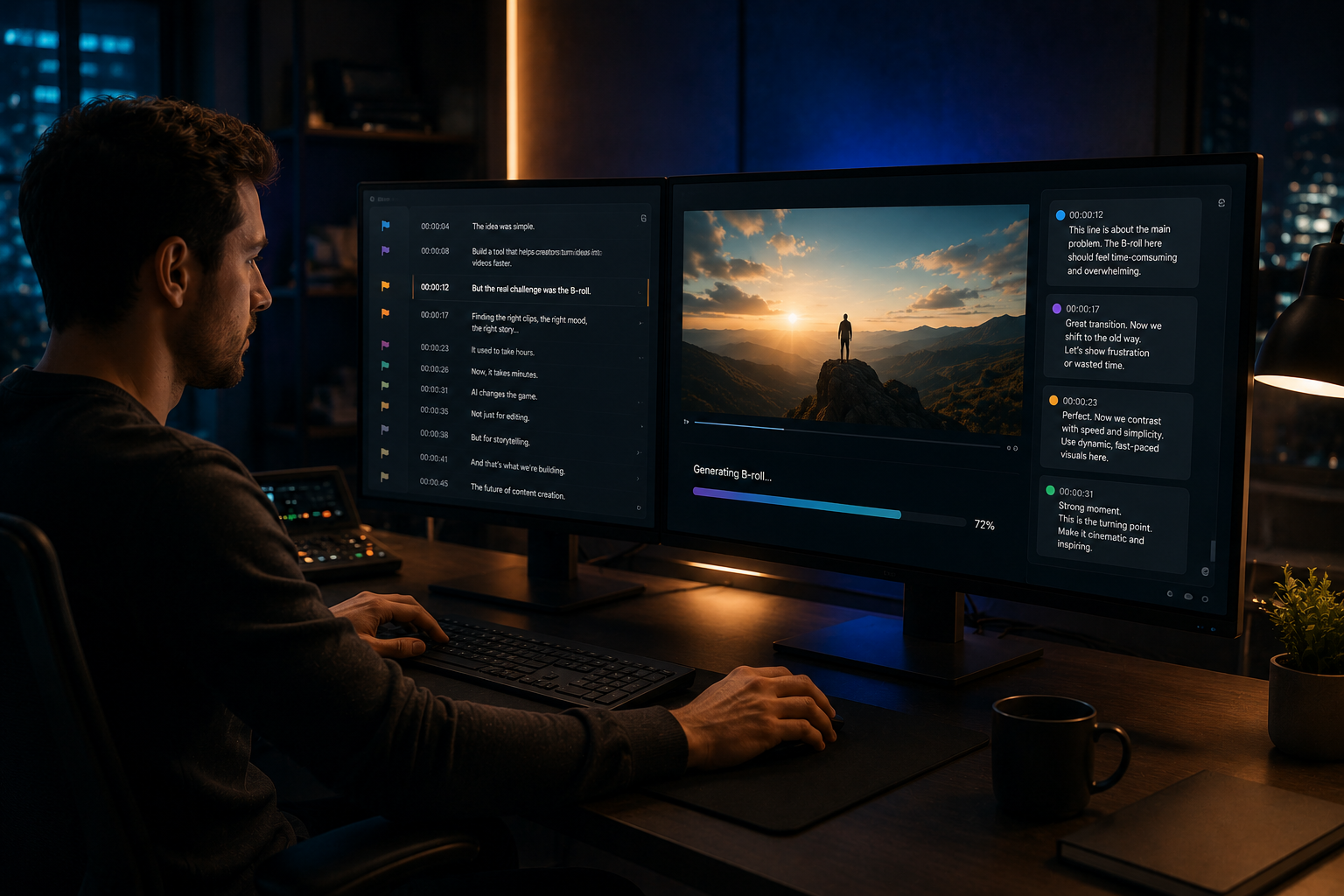
Claude can now watch your video, read your transcript, flag every weak B-roll moment, generate the right clip to replace it, and drop it back into your editing timeline — all without you touching a single frame.
That sentence would have sounded like science fiction twelve months ago.
Today, it is a working production system that serious creators and freelancers are quietly using to cut their post-production time in half.
This article walks you through the full workflow, the real tools behind it, and exactly how you can use it or sell it as a service starting this week.
👉 Get Access to: The AI Traffic Vault — the full system for turning Claude AI workflows into consistent online income.
We strongly recommend that you check out our guide on how to take advantage of AI in today’s passive income economy.
Table of Contents
The Real Bottleneck Nobody Talks About
Most people who make videos for a living will tell you the hardest part is the script or the camera.
They are wrong.
The real bottleneck is the thing that sits between the raw footage and the final upload.
It is the part where you watch your own cut for the third time, try to spot what feels flat, hunt through your B-roll library for a clip that matches the emotion of a specific line, settle for something close enough, and then publish a video that is a little quieter than it should have been.
That loop — the watching, the marking, the hunting, the settling — is where most independent creators lose their entire weekend.
It is also where most content launches quietly miss their deadlines.
The Claude AI video editing workflow that this article breaks down was built specifically to close that loop.
It was tested on real client work, including a full YouTube video for a relationship coaching channel that was on a deadline that looked impossible on paper.
By the end of this article, you will understand exactly how it works, what tools you need, and how to turn it into a service that people will pay you $1,500 to $3,000 a month to deliver.
Why Claude Is Not Just Another Chatbot
Before getting into the steps, it is important to understand what makes Claude different from every other AI tool you have used for content work.
Most people treat Claude like a chatbot.
They ask it a question, get an answer, and move on.
That is the equivalent of hiring a chief of staff and asking them to book meetings.
Claude, and specifically Claude’s latest models in 2026, reasons through complex multi-step problems.
It judges its own output.
It goes back and revises when the first pass is not good enough.
When you give Claude the right context, the right tools, and a well-trained set of instructions, it stops acting like a search engine with personality and starts acting like a senior creative partner.
That shift in how you use Claude is where the $10K workflow actually lives.
It is not in the AI generating things for you.
It is in Claude reasoning through your production problems and solving them end to end.
👉 Free download: The Claude AI Digital Product Starter Pack — 10 Done-For-You Prompts for Beginners — start here if you are new to working with Claude and want to see what it can actually do.
The Two-Tool Stack Behind the Workflow
The Claude AI video editing workflow covered in this article runs on two core tools.
The first is Claude itself, accessed through Claude.ai or through the API depending on how technical your setup is.
The second is Higgsfield AI, which is one of the fastest growing generative AI creative platforms available in 2026.
Higgsfield brings together multiple powerful video and image generation models in one place.
That includes Seed Dance 2.0 for cinematic motion video, GPT-4o image generation for stills, Soul for character-consistent shots across a series, Cinema Studio for high-production visual output, and Marketing Studio for brand-safe content.
What makes Higgsfield relevant to this specific workflow is its MCP connector.
MCP stands for Model Context Protocol, and it is the bridge that allows Claude to communicate directly with external tools and take actions inside them.
When Claude is connected to Higgsfield via MCP, it does not just describe what a B-roll clip should look like.
It actually creates the clip, names it with the right timecode, drops it into a folder, and attaches it to the review comment it belongs to.
That is the difference between a creative assistant that gives you ideas and a production system that builds the thing.
The second tool in the stack worth naming is Frame.io, which is the industry standard for video review and collaboration.
Frame.io allows editors to upload cuts, generate timestamped transcripts automatically, and receive comments that are pinned to exact moments in the video.
Claude plugs into Frame.io through a custom MCP connector, which allows it to pull the transcript, read the visual timeline, post frame-accurate comments, and upload generated clips directly back as attachments.
You do not need to know how to build any of this from scratch to follow along.
The workflow steps below explain exactly what happens and where.
The 4-Step Claude AI Video Editing Workflow
Step One — The Watch
The first step in the Claude AI video editing workflow is giving Claude access to the video and its transcript.
When an editor finishes a first cut, they upload it to Frame.io.
Frame.io automatically generates a full transcript of the audio, with every line timestamped down to the frame.
Claude connects to Frame.io using the MCP connector and pulls that transcript directly into its working context.
This is the key thing to understand about how Claude “watches” a video.
Claude cannot hear audio the way a human does.
What it actually does is read the timestamped transcript line by line while cross-referencing the visual moments that correspond to each line.
It is reading and watching at the same time, matching spoken content to on-screen visuals at a frame level.
If you are not ready to set up an MCP connection, you can also use the Claude Chrome Extension.
With the Chrome Extension, Claude can open a Frame.io link directly in your browser, see the transcript panel that Frame.io displays, and work through it from there.
It is slower than the MCP route, but it works as a starting point.
Think of the Chrome Extension as training wheels and the MCP connector as the full production setup.
The transcript becomes the source of truth for everything that follows.
Every timecode, every flagged moment, every B-roll brief — all of it traces back to what Claude reads in step one.
👉 Get Access to: The AI Traffic Vault — inside you will find the full breakdown of how Claude-powered content systems generate consistent traffic and revenue.
Step Two — The Marks
Step two is where Claude does the work that no editor and no other AI tool has been doing at this level.
Claude reads the transcript line by line and asks one core question about each moment: what should the viewer be seeing right now?
There are two failure modes it is trained to catch.
The first is missing B-roll — moments where there is only A-roll on screen, meaning just the talking head, no supporting visuals at all.
The second is wrong B-roll — moments where a clip exists, but it does not match the emotional register of the line being spoken over it.
This second failure mode is the one that most editors miss completely, because the clip is technically there.
It just does not do the job it is supposed to do.
In the relationship coaching video referenced earlier, Claude flagged approximately 60 moments where B-roll was present but was emotionally mismatched to the script.
The script was about specific types of intimacy and conflict in couples.
The B-roll was people existing in the same room together — two strangers walking in a park, someone scrolling on a phone, a couple sitting at a table without any tension or warmth.
The viewer does not consciously notice the mismatch.
They just feel the video go flat.
Research on viewer retention consistently shows that the steepest audience drop-offs happen at moments where the spoken content and the visual content fall out of sync — even when the visual is technically present.
Generic B-roll is not a safety net.
It is a slow leak in your retention.
Claude posts each flag back to Frame.io as a timestamped comment pinned to the exact moment in the video.
The comments are not vague notes like “needs B-roll here.”
They are producer-level briefs.
Something like: “3-second close-up of two hands clasping across a kitchen counter, soft window light, warm tones — the line is about rebuilding trust after a hard year.”
Claude gets those timecodes accurately by clicking individual words in the Frame.io transcript panel, which jumps the playhead to the exact frame, and then reading the precise timecode back.
The editor can trust every placement.
Claude does not produce that level of brief by default.
The taste is trained.
For each client channel, a specific Claude skill is built that teaches Claude the emotional register of that channel’s ideal viewer, the types of shots that land for that audience, and the framing, lighting, and pacing cues that match the brand.
That skill is what turns a generic flag into a cinematic instruction.
👉 Get Access to: The Medium Mastery — learn how pairing precise AI prompts with content strategy turns regular articles into high-traffic assets.
Step Three — The Render
Step three is where the workflow goes from a very smart review checklist to an actual production studio.
Once Claude has posted all its comments and briefs to Frame.io, it then connects to Higgsfield AI through the MCP connector and begins generating the clips.
Claude reads its own comments back through the Frame.io MCP, takes each brief, chooses the right Higgsfield model for that specific clip, and calls the generation API directly.
For motion-heavy cinematic shots, it routes to Seed Dance 2.0.
For high-quality stills and image-based scenes, it routes to GPT-4o image generation inside Higgsfield.
For shots that need a consistent character across multiple clips in the same series, it routes to Soul.
You do not pick the model.
Claude picks it based on what the brief requires.
That is not a small thing.
Before MCP existed, this step was entirely manual.
Someone on the team would take each of the 60 briefs, open Higgsfield in a separate browser tab, type in the prompt, wait for the render, download the clip, switch back to Frame.io, upload the clip as an attachment on the right comment, and then repeat that process 59 more times.
Every clip was a separate context switch.
Every context switch was time and creative energy spent on logistics instead of judgment.
The MCP connection collapses that entire loop into a single instruction.
Claude works through the comment list, generates each clip, names each file using the timecode it belongs to, and drops everything into a designated folder automatically.
Setting up the Higgsfield MCP connector takes about five clicks.
You go to settings inside Claude, click connectors, click the plus icon, paste the Higgsfield MCP URL which is mcp.higgsfield.ai/mcp, and click add.
That is the only setup you will ever do for this part of the workflow.
👉 Get Access to: The Flipboard Traffic Workflow Kit — a companion resource for creators who want to drive consistent traffic to their AI-powered content systems.
Step Four — The Drop Back
Step four closes the loop between Claude’s production work and the human editor’s final cut.
Once every clip has been generated and saved to the folder with the right timecode in its filename, Claude uploads each clip back to Frame.io as an attachment on the comment that generated it.
This uses the same Frame.io MCP connection that pulled the transcript in step one.
The editor does not have to search through a folder of files with cryptic names.
They open Frame.io, see each comment from step two, see the generated clip already attached to that comment at the right timestamp, and drag it directly into the edit.
There are tools in 2026 — including one called Jumper — that go one step further and can place clips directly onto the timeline inside Premiere Pro or Final Cut Pro automatically.
That level of automation exists.
The reason to stop short of full automation at the timeline drop is simple: the final cut still needs a human read.
The pacing of each clip, the exact cut length, the energy of the final sequence — those decisions benefit from an editor’s trained eye and instinct.
Claude builds the pipeline.
The editor runs the final cut.
That is the right division of labor for video work that actually holds an audience.
What This Workflow Is Actually Worth as a Service
The Claude AI video editing workflow described in this article is not just a personal productivity tool.
It is a productized service that freelancers and small agencies can offer right now.
Every solo YouTuber you know is one strong editing pass away from being able to publish one more video per week.
Every course creator has a content library they cannot do anything with because the post-production cost — in time and money — is too high.
Every faceless AI channel needs a consistent supply of B-roll to stay competitive.
All of them are potential clients for this exact service.
The positioning matters here.
You are not selling B-roll generation.
B-roll generation is a commodity.
You are selling senior producer review — the complete pass that reads the transcript, watches the cut, marks every weak moment, generates the right fix, and delivers it back to the editor ready to drop.
A clean way to price this is a monthly retainer per creator, based on their average video volume.
One extra video per week at even modest YouTube monetization rates will recover most retainer fees within two to three months of compounded views.
You are not competing with a stock footage subscription.
You are offering a creative judgment layer that no subscription can provide.
👉 Free download: Start a 1-Person Business With Claude AI — Free Quick-Start Guide — the starting point for building a Claude-powered service business from scratch.
👉 Get Access to: The AI Blog Monetization Quickstart Guide — for creators who want to pair this video workflow with a blog-based monetization system.
How to Start Without the Full Tech Stack
If the MCP connector setup feels like too much to begin with, there is a working entry point that does not require any technical setup at all.
The Claude Chrome Extension allows Claude to see what is in your browser in real time.
Open a Frame.io link, let Claude read the transcript panel, and run the marking step manually through the extension.
It is slower.
It requires more active involvement.
But the core value of the workflow — Claude reading your transcript against your visuals and producing specific B-roll briefs — works with nothing more than a Claude account and the Chrome Extension.
Start there.
Run it on one of your own videos first.
Get comfortable with how Claude reasons about visual-emotional alignment.
Then move to the MCP connector when you are ready to scale.
The first case study you build using your own content is also the proof point you use when you pitch the service to your first client.
👉 Get Access to: Start a 1-Person Business With Claude AI — the full package for turning Claude workflows into a one-person business with real clients and recurring revenue.
The Bigger Picture: Why This Workflow Matters in 2026
The story most creators have been told is that AI can help with the front half of content.
Scripts, outlines, hooks, maybe thumbnails.
Editing, they are told, must stay human.
That is a belief that costs creators half their production schedule every single week.
Editing is not the drag-and-drop part.
The drag-and-drop part takes minutes.
Editing is the decisions.
Where does this line need a visual?
Does the clip we cut to actually carry the emotion the script is asking for?
Is the pacing holding the viewer at the four-minute mark or are we bleeding retention because the B-roll went generic?
Those are reading decisions.
They require someone — or something — that can read the transcript against the cut and spot the gap between what is being said and what is being shown.
Claude in 2026 is the best reading tool that has ever existed.
When you pair that reading ability with Higgsfield’s generation stack and Frame.io’s review infrastructure, you get a system that catches what the human eye misses, creates what the brief requires, and hands it back to the editor ready to go.
That is not replacing the human.
That is giving the human the best possible starting point.
The 60 flagged clips in the relationship coaching video would have taken a team of two editors an entire day to catch and fix.
Claude and Higgsfield handled it in the time it takes to make a cup of coffee and let the renders run.
👉 Get Access to: The AI Traffic Vault — the complete Claude AI system for content creators who want traffic, income, and a workflow that does not eat their weekends.
👉 Get Access to: The Flipboard Traffic Workflow Kit — pair your video workflow with a Flipboard traffic strategy that sends readers directly to your products.
Final Thoughts: The Gap Is Still Open
Most creators have not touched this workflow yet.
Most freelance editors do not know it exists.
That gap is exactly where your opportunity lives in 2026.
The tools are real.
Claude is available right now.
Higgsfield AI is live and running.
Frame.io is used by professional video teams around the world.
The MCP connector is five clicks to set up.
The only thing missing is the person who decides to put it together, run it on a real video, and start showing clients what it can do.
That person can be you.
Start with your own content.
Build one case study.
Then pitch it as a service.
The market for this is not other AI enthusiasts.
It is the creator economy — YouTubers, course builders, podcast producers, and brand teams who are all sitting on video backlogs they cannot afford to clear at current production costs.
You can clear them.
And Claude is the tool that makes it possible.

We strongly recommend that you check out our guide on how to take advantage of AI in today’s passive income economy.